Personalized Content with AI in WordPress: Guide
Learn how to add AI-driven personalization to WordPress—plugins, data collection, recommendation algorithms, real-time tools, and measurement tips.
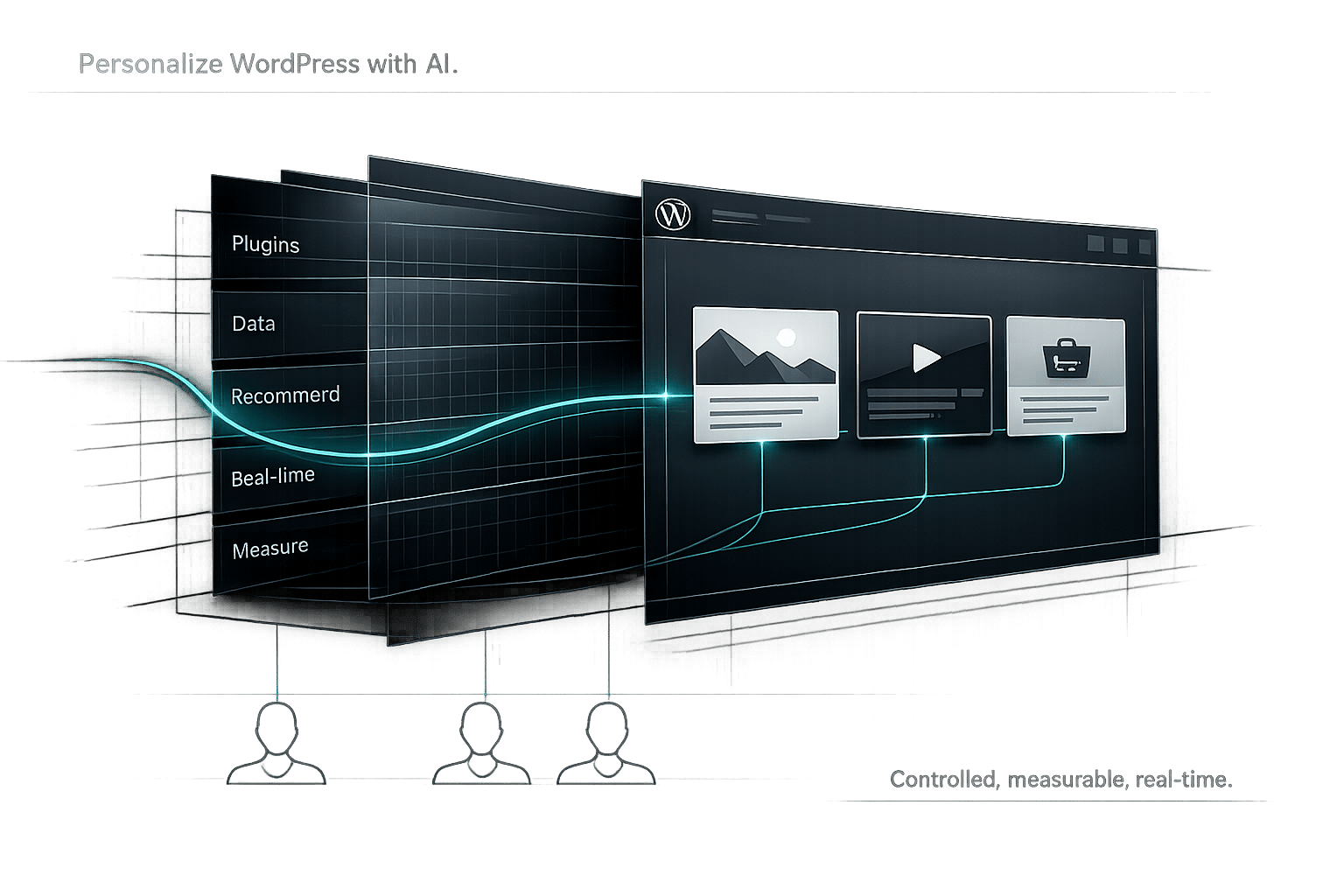
Personalized Content with AI in WordPress: Guide
Want your WordPress site to feel tailor-made for every visitor? AI-driven personalization makes it possible by analyzing user behavior and preferences to deliver customized content, product recommendations, and layouts. Imagine showing winter products to users in cold regions and summer gear to those in warm climates - all in real time.
Key Takeaways:
- Boost Engagement: Personalization can increase user engagement by 20% and e-commerce conversions by 35%.
- How It Works: AI collects and analyzes data like clicks, browsing history, and location to create tailored experiences.
- Getting Started: Use AI plugins, configure personalization settings, and test performance with tools like Kintsu.ai for real-time updates.
AI personalization not only improves user satisfaction but also helps reduce bounce rates and improve session durations - factors that can indirectly enhance SEO. Ready to take your WordPress site to the next level? Let’s dive into the details.
How AI Delivers Personalized Content
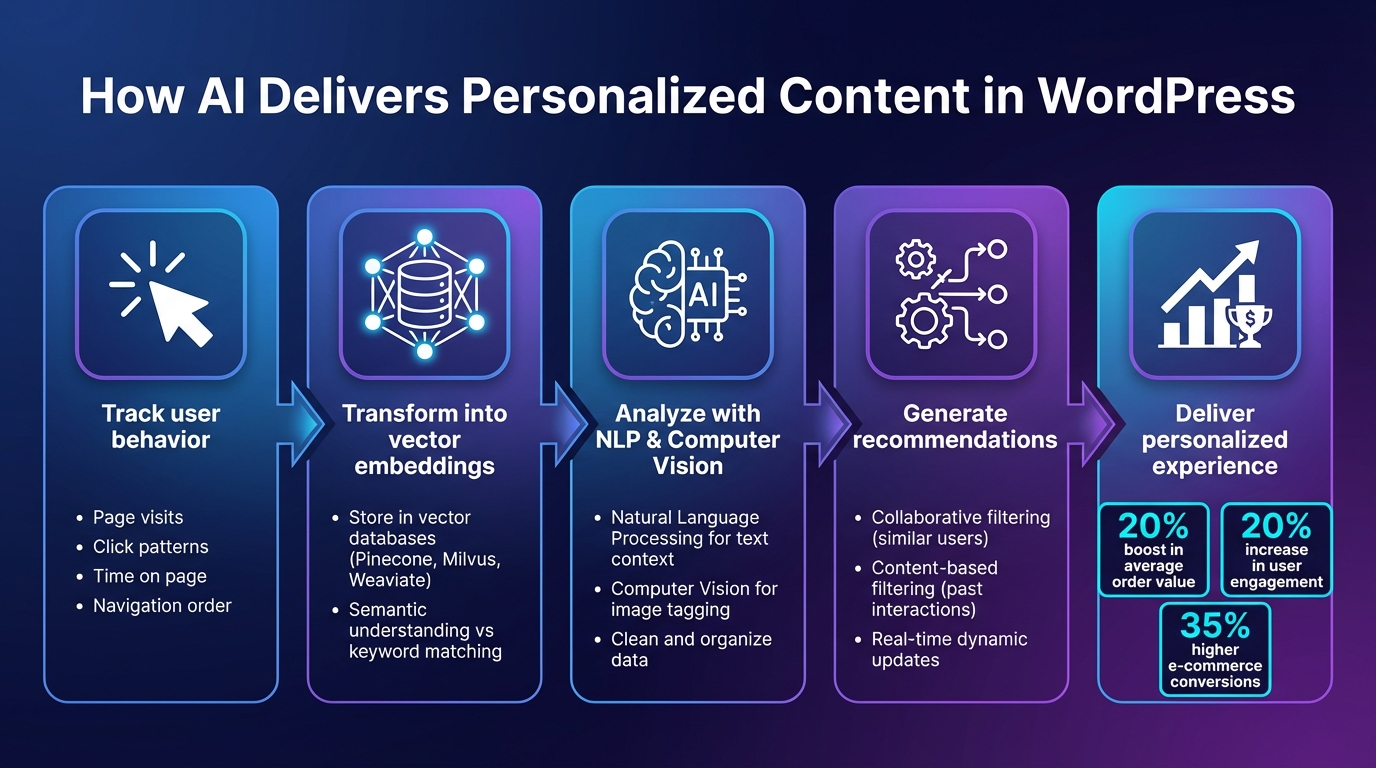
How AI Personalization Works in WordPress: From Data Collection to User Engagement
Every tailored WordPress experience relies on a process that combines data collection with advanced algorithms. AI systems create detailed user profiles and use these to deliver content that feels timely and relevant.
Data Collection and User Behavior Analysis
The journey to personalization begins with tracking how visitors interact with your site. Tools like APIs and tracking plugins gather data on user behavior - such as the pages they visit, the time they spend on each, what they click, and the order of their navigation.
This data is then transformed into dense vector embeddings, which capture the meaning behind the content. These embeddings are stored in specialized vector databases like Pinecone, Milvus, or Weaviate, allowing the system to find content that aligns semantically, rather than just matching keywords.
AI goes a step further by using Natural Language Processing (NLP) to understand the context of text and Computer Vision (CV) to analyze visual elements, such as tagging images automatically. Once the data is cleaned and organized, the system is ready to generate precise recommendations.
Recommendation Algorithms and Predictive Modeling
With the data processed, AI employs methods like collaborative filtering, which suggests content based on what similar users have liked, and content-based filtering, which focuses on a user’s past interactions.
Modern systems often combine keyword-based searches with semantic vector searches, striking a balance between relevance and depth. For real-time adjustments, AI tracks recent user activity and updates recommendations dynamically. By analyzing behavior and trends, AI can predict the content users are likely to engage with next. This level of personalization has shown tangible results, such as a 20% boost in average order value in e-commerce settings.
sbb-itb-42d7c06
Setting Up AI-Powered Personalization in WordPress
Getting AI-powered personalization up and running on your WordPress site boils down to three key steps: picking the right tools, setting them up to match your goals, and staying on top of updates.
Selecting AI Plugins for WordPress
Start by choosing an AI plugin that works seamlessly with your WordPress version and theme. Many of these plugins require connecting to an external API service, so you'll need to link your site to providers like OpenAI, Google Cloud, or Microsoft Azure. If the plugin uses a "bring your own key" model, it’s a good idea to set both hard and soft billing limits in your API provider’s dashboard to avoid unexpected charges.
During the setup process, define your site’s language, industry, and business description. You’ll also want to pick a communication tone - like Professional, Friendly, or Persuasive - to make sure the AI-generated content matches your brand’s voice. Once you’ve selected the plugin, you can configure its personalization features to start creating tailored user experiences.
Configuring Personalization Features
Set up the plugin to collect user data - such as page visits, clicks, and dwell time - through background processes. This ensures your site’s performance doesn’t take a hit. Use AI-powered blocks, shortcodes, or dynamic widgets to integrate personalization features into your existing design. For better accuracy, combine traditional keyword-based search with semantic (vector) search to improve recommendations. To keep things running smoothly and cost-effectively, implement caching for frequently queried data.
Testing is a must. Run A/B tests to see how different recommendation algorithms perform, and gather user feedback to fine-tune the system. For example, one e-commerce site saw a 35% boost in conversion rates after using AI to analyze customer behavior and personalize product recommendations. While results will vary, this highlights the potential of a well-optimized system.
To keep everything running efficiently, consider using a tool designed for managing personalization updates in real time.
Using Kintsu.ai for Real-Time Management
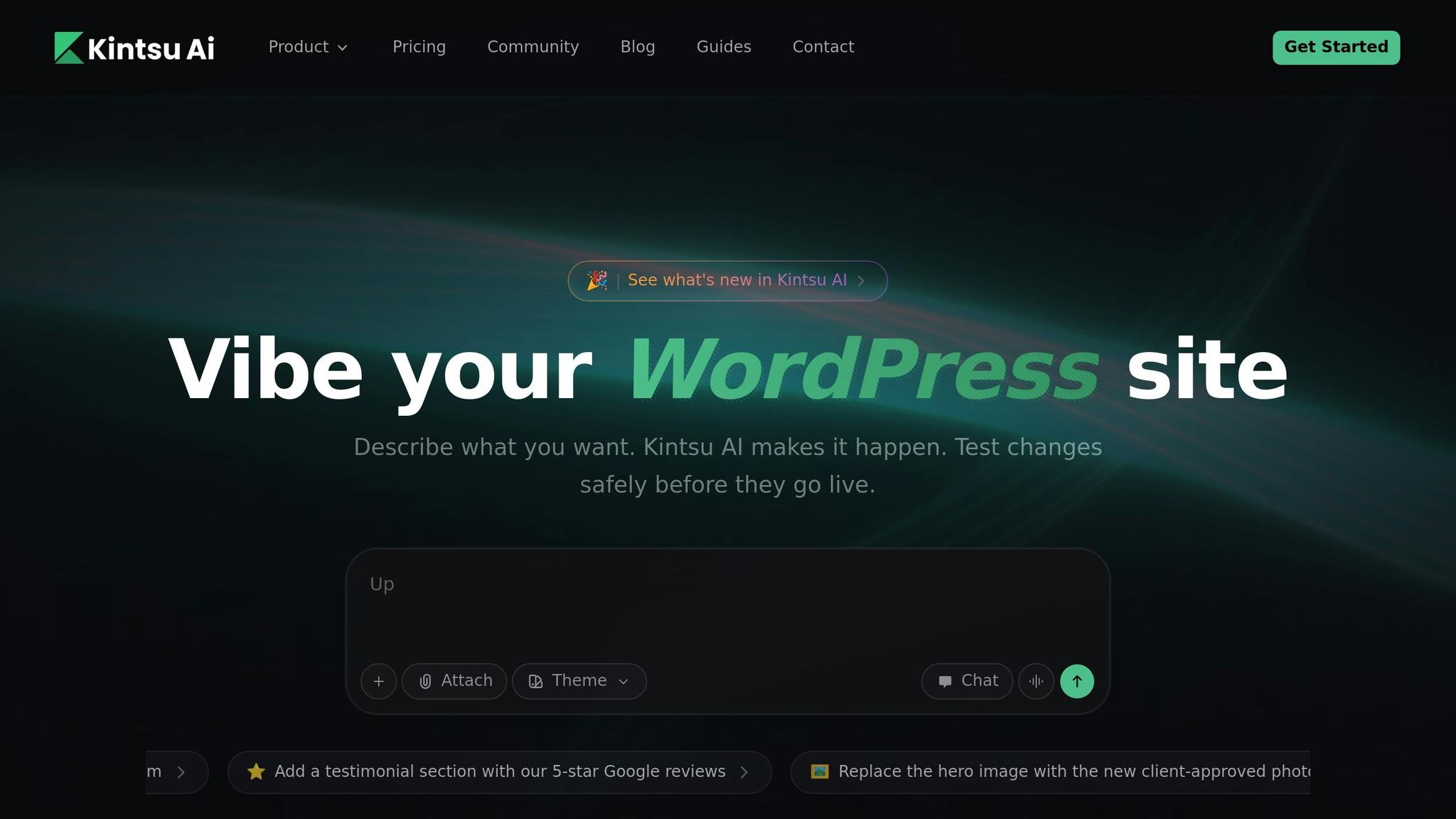
Kintsu.ai makes managing WordPress personalization easier by offering a conversational interface that eliminates the need for manual coding. Instead of toggling through multiple plugin dashboards, you can simply describe what you want - like “make this section feel more premium” or “show different CTAs to returning visitors” - and the AI will handle the adjustments. This includes layout tweaks, content updates, and component changes.
The tool allows you to target specific areas, such as the homepage hero section, pricing FAQs, or mobile-only sections, giving you precise control over personalization. Its "Discussion mode" lets you preview and refine changes before publishing. Plus, Kintsu.ai uses a preview-first workflow, so you can test updates on a staging site or in preview mode before pushing them live.
"Apply changes in a controlled way: generate the change, preview the impact, then publish - rather than 'edit and pray.'" – Kintsu.ai
Kintsu.ai also includes conflict detection, which flags potential issues with active plugins or theme structures before applying changes. It keeps an audit trail of all updates and provides rollback options, so you can easily restore previous versions if something goes wrong. These features make it a solid choice for safely iterating on your personalization strategy while keeping your site stable.
Measuring and Improving AI-Driven Personalization
Tracking Performance with Analytics
To understand how effective your AI-driven recommendations are, keeping an eye on engagement metrics like click-through rate (CTR), time on page, and scroll depth is essential. These metrics provide a clear picture of how users are interacting with your content. For example, websites using AI-powered content suggestions have reported up to a 30% increase in page views and a 25% drop in bounce rates. Conversion tracking can also highlight valuable outcomes such as newsletter signups, consultation requests, or product purchases.
Tools like Jetpack Stats or Analytify give you real-time insights into performance, allowing you to tweak recommendation priorities as necessary. Additionally, heatmap tools like Hotjar or Microsoft Clarity can help you visualize where users are clicking or where they lose interest.
"Evaluating the performance of a recommender system is crucial to ensure its effectiveness in providing accurate and relevant recommendations to users."
– WPSOLR
To fine-tune your algorithms, combine real-time metrics with historical data and evaluate them using measures like precision and recall. These insights help you continually refine your AI recommendations for better accuracy and relevance.
Refining AI Recommendations
Analytics do more than just measure performance - they also pave the way for targeted improvements. By analyzing search terms, filters, and click patterns, you can identify areas where your AI might be falling short in delivering relevant content. Segmenting your audience based on behavior, such as new versus returning visitors or users who abandoned their carts, allows you to customize the recommendation logic to better suit their needs.
If analytics reveal consistent trends, it may be time to adjust your content structure and metadata. For example:
- Use clean URL structures to improve how AI interprets your site.
- Maintain consistent event naming conventions like
signup_clickornewsletter_submit. - Create a clear heading hierarchy to enhance content context for AI tools.
Adding schema markup for FAQs, how-tos, and articles can also help AI systems better understand your content, enabling more precise recommendations. Regularly monitor these updates through your analytics dashboard, and don't hesitate to test different configurations. Keep experimenting until you find the setup that resonates best with your audience.
Conclusion
AI-driven personalization is reshaping how WordPress sites engage with visitors by delivering content tailored to each user’s needs at just the right moment. Instead of offering a one-size-fits-all experience, AI evaluates user behavior - such as the pages they explore and the time they spend on-site - to craft a unique journey for every visitor. The results speak for themselves: websites that adopt AI-powered recommendations often see noticeable boosts in both engagement and conversion rates. Tools like Kintsu.ai make achieving this level of personalization far more accessible.
Traditional methods of personalization typically require technical expertise and constant fine-tuning. However, Kintsu.ai simplifies the process with its Builder Chat interface, which enables site updates through natural language commands. From tweaking design elements to improving accessibility, you can handle complex tasks without writing a single line of code. Its smart guardrails ensure that your edits won’t interfere with your theme or plugins, and the preview-first workflow allows you to review changes before publishing them live. This ease of use directly supports the personalized strategies discussed earlier, letting you focus on creating tailored experiences rather than getting bogged down in technical details.
Whether your goal is to increase sales or lower bounce rates, AI personalization offers clear, measurable results. Start by targeting high-impact areas like personalized calls-to-action or product recommendations, and then refine your approach as you gather more data. By leveraging tools that handle the technical side, you can dedicate your energy to crafting content that resonates with your audience and drives meaningful business outcomes. Use these strategies to take your WordPress site to the next level with AI-driven personalization.
FAQs
How does AI-driven personalization improve SEO for WordPress sites?
AI-powered personalization takes your WordPress site's SEO to the next level by tailoring content to individual users. By examining user behavior and preferences, AI tools can serve up content that feels more relevant, keeping visitors engaged and lowering bounce rates. This increased engagement - whether it's more time spent on your site or fewer quick exits - sends positive signals to search engines, which can improve your rankings.
AI doesn't stop there. It can fine-tune on-page elements like titles and meta descriptions to better match what users are searching for, which can lead to higher click-through rates in search results. Features like personalized content recommendations and smarter search tools enhance the overall user experience, encouraging visitors to stick around longer and even return.
When you combine relevance, engagement, and usability, you're not just improving the user journey - you’re also creating a strong foundation for better SEO performance.
What are the best practices for setting up AI plugins in WordPress?
Getting AI plugins up and running in WordPress starts with defining your website’s goals. Are you looking to improve personalization, create content more efficiently, or simplify site management? Pinpointing your objectives will help you select the right AI tool with features that fit your needs.
Once you’ve chosen a plugin, focus on secure integration. Use trusted authentication methods like API keys or account connections to keep your site safe. After installation, configure the plugin to match your audience's preferences - this could mean setting specific content styles or adjusting relevance settings. Don’t skip enabling safety features, such as guardrails, to prevent unintended changes and ensure the AI functions responsibly.
Finally, keep an eye on how the plugin performs. Regularly review performance data and gather user feedback to fine-tune its settings. This ongoing process ensures the plugin delivers the best results while keeping the user experience smooth and reliable.
How can I evaluate if AI-driven personalization is improving my WordPress site?
To gauge how well AI-driven personalization is working on your WordPress site, keep an eye on metrics that show how users interact with your content. Key indicators include page views, bounce rates, session duration, and conversion rates. These numbers can reveal whether your personalized content is connecting with your audience.
Dig deeper by examining user behavior, such as click patterns, navigation paths, and time spent on individual pages. AI tools can take this a step further by spotting trends and unusual behaviors in real-time, giving you a clearer picture of what’s working. By blending these advanced insights with traditional metrics, you can fine-tune your personalization strategy to drive even better engagement and conversions.