5 AI Tools for Personalized Content in WordPress
AI personalization tailors WordPress content to each visitor — boosting engagement with behavior-based recommendations, conversational edits, and semantic suggestions.

5 AI Tools for Personalized Content in WordPress
Want to make your WordPress site feel tailor-made for every visitor? AI tools can help you personalize content based on user behavior, preferences, and location - without hours of manual effort. These tools adjust everything from text and images to layouts and recommendations, improving engagement and boosting conversions.
Here’s a quick guide to five AI tools that can personalize your WordPress content:
- If-So Dynamic Content: Adjusts content based on geolocation, device, or user behavior. Works seamlessly with WordPress builders like Elementor and Divi.
- Recomaze AI Personalization: Focuses on e-commerce with AI-driven product recommendations and real-time updates.
- Contentful Personalization: Offers advanced audience segmentation and A/B testing for enterprise-level needs.
- Kintsu.ai: Uses plain-English commands to manage WordPress content in real time - no coding required.
- WordLift: Builds a Knowledge Graph to suggest related content and improve SEO.
Key takeaway: These tools simplify personalization and integrate smoothly with WordPress, helping you deliver relevant content that keeps visitors engaged and drives results.
1. If-So Dynamic Content
Personalization Capabilities
If-So Dynamic Content uses an "If-Then" approach to create personalized experiences. It adjusts content based on factors like geolocation, device type, language, login status, and user behavior. For WooCommerce users, it can fine-tune content by analyzing cart details, spending habits, and order history. Additionally, UTM parameters and referral sources can trigger dynamic messages, while the Dynamic Keyword Insertion feature adds real-time details like a visitor's name or location to the content.
One standout example of its effectiveness is an in-house campaign using a Google Ads exit-intent popup. This approach cut bounce rates by 66.3% and boosted trial sign-ups by 5.2%. It’s a seamless way to add dynamic content to WordPress sites.
Ease of Integration with WordPress
If-So is designed for users who don't want to deal with coding. Setup is quick and works smoothly with popular WordPress tools like Gutenberg, Elementor, Divi, and WPBakery. Dynamic content can be configured using blocks or shortcodes. Plus, its Ajax loading ensures compatibility with caching plugins like WP Rocket and Cloudflare, keeping site performance intact. Users often highlight its responsive support and straightforward functionality.
Scalability for Different Site Sizes
Whether you're running a small blog or managing a large-scale website, If-So has options to fit your needs. Smaller sites can use the free version, while larger platforms can handle thousands of variations with CSV Bulk Personalization. Agencies can take advantage of a geolocation reseller system, complete with sublicenses and session limits. Its compatibility with tools like WooCommerce, MemberPress, and LearnDash makes it a versatile choice for websites of all sizes.
2. Recomaze AI Personalization
Personalization Capabilities
Recomaze takes personalization to the next level by adapting product displays based on visitor profiles. For instance, one user might see detailed technical specifications, while another is presented with lifestyle-oriented benefits. This ensures each shopper gets a tailored experience.
Acting as a conversational AI sales agent, Recomaze answers shopper questions instantly, addressing doubts that might otherwise delay a purchase. It also analyzes clicks and browsing behavior to provide intent-driven product suggestions. On top of that, it generates product page content in your store's brand tone, cutting down the need for manual writing. According to user feedback, this tool has reportedly increased store revenue by up to 40%.
Ease of Integration with WordPress
Designed with WooCommerce in mind, Recomaze requires WooCommerce to be installed and active. The setup is simple: upload the plugin file to the /wp-content/plugins/ directory, activate it via the WordPress dashboard, and follow the guided setup steps. It works with WordPress version 5.8.1 or newer and requires PHP 7.4 or higher.
"Recomaze is an awesome tool, it helped customers find my products faster on my store, leading to more sales." – betterrecomaze, Plugin Contributor
With a perfect 5/5 star rating on WordPress.org, users frequently highlight how Recomaze speeds up product discovery and boosts sales. Beyond its easy installation, the tool evolves its content strategies as user behavior changes.
Real-Time Content Adaptability
Recomaze also integrates with an external API to deliver real-time, personalized recommendations as visitors browse. By tracking engagement signals like clicks and navigation patterns, it dynamically updates product descriptions, suggestions, and messaging. The Recomaze Admin Service offers detailed logs and tracks API activity, giving you a clear view of how the AI adapts to user preferences in real time.
3. Contentful Personalization
Personalization Capabilities
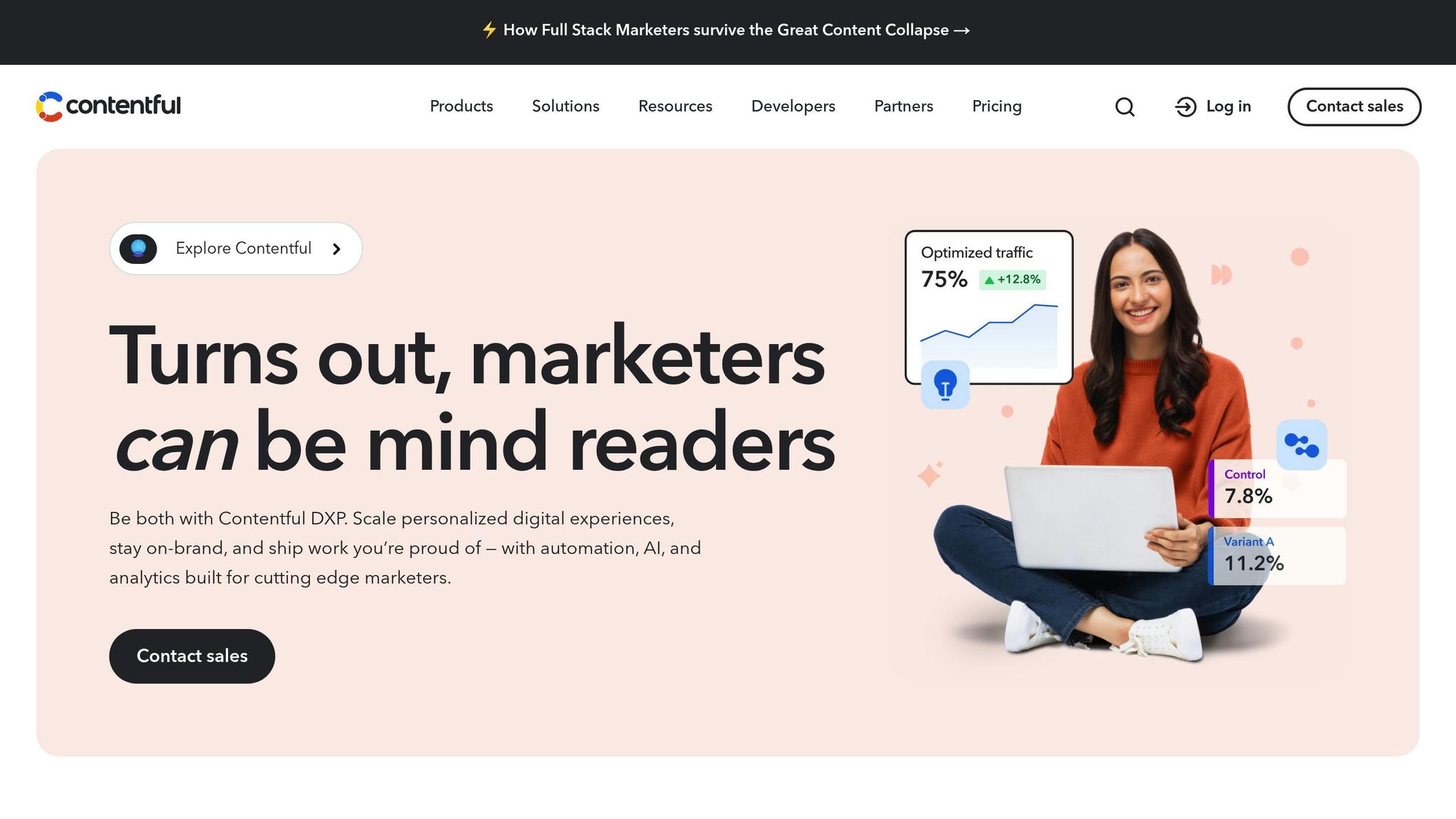
Contentful leverages AI-powered segmentation to tailor content based on visitor behavior, traits, and intent. You can manually set up segments or let the AI suggest them using first-party data collected from your site. The platform also supports A/A, A/B, and A/B/n testing at the component level, allowing you to experiment with different content variations directly within the CMS interface.
The AI pinpoints high-performing content for each segment and provides Experience Suggestions to boost engagement. For instance, Dylan Feiner, Senior Product Manager at Ruggable, shared that his team cut the time needed to create personalized experiences from one to two days down to under an hour, resulting in a 25% increase in conversions and a 7x increase in click-through rates. This level of segmentation makes it easy to integrate with platforms like WordPress.
Ease of Integration with WordPress
As a headless CMS, Contentful connects seamlessly to WordPress via APIs and SDKs. While the initial setup involves adding the Contentful Personalization SDK to your site’s code, once integrated, marketing teams can manage personalized content independently, reducing reliance on developers. The platform also integrates with tools like Segment, Salesforce, and RudderStack, allowing you to pull audience data from your existing systems. This flexibility ensures that creating personalized experiences is straightforward and efficient.
Scalability for Different Site Sizes
Contentful's enterprise-grade infrastructure ensures it can handle peak traffic effortlessly. For example, SumUp uses the platform to deliver personalized content in over 20 languages, while Kraft-Heinz reported a 78% boost in conversion rates while managing their global brand presence. Its ability to orchestrate content for multiple brands makes it ideal for large-scale operations, though accessing these features requires a paid Contentful Personalization license.
Real-Time Content Adaptability
Contentful's dynamic segmentation ensures that content adapts in real time based on live user behavior. Customer profiles are updated instantly as visitors engage with your site, ensuring that the content remains relevant throughout their session. Additionally, the Personalization Insights feature tracks which audience segments interact with specific components, giving you actionable data to refine your content strategy on the go.
4. Kintsu.ai
Conversational WordPress Management
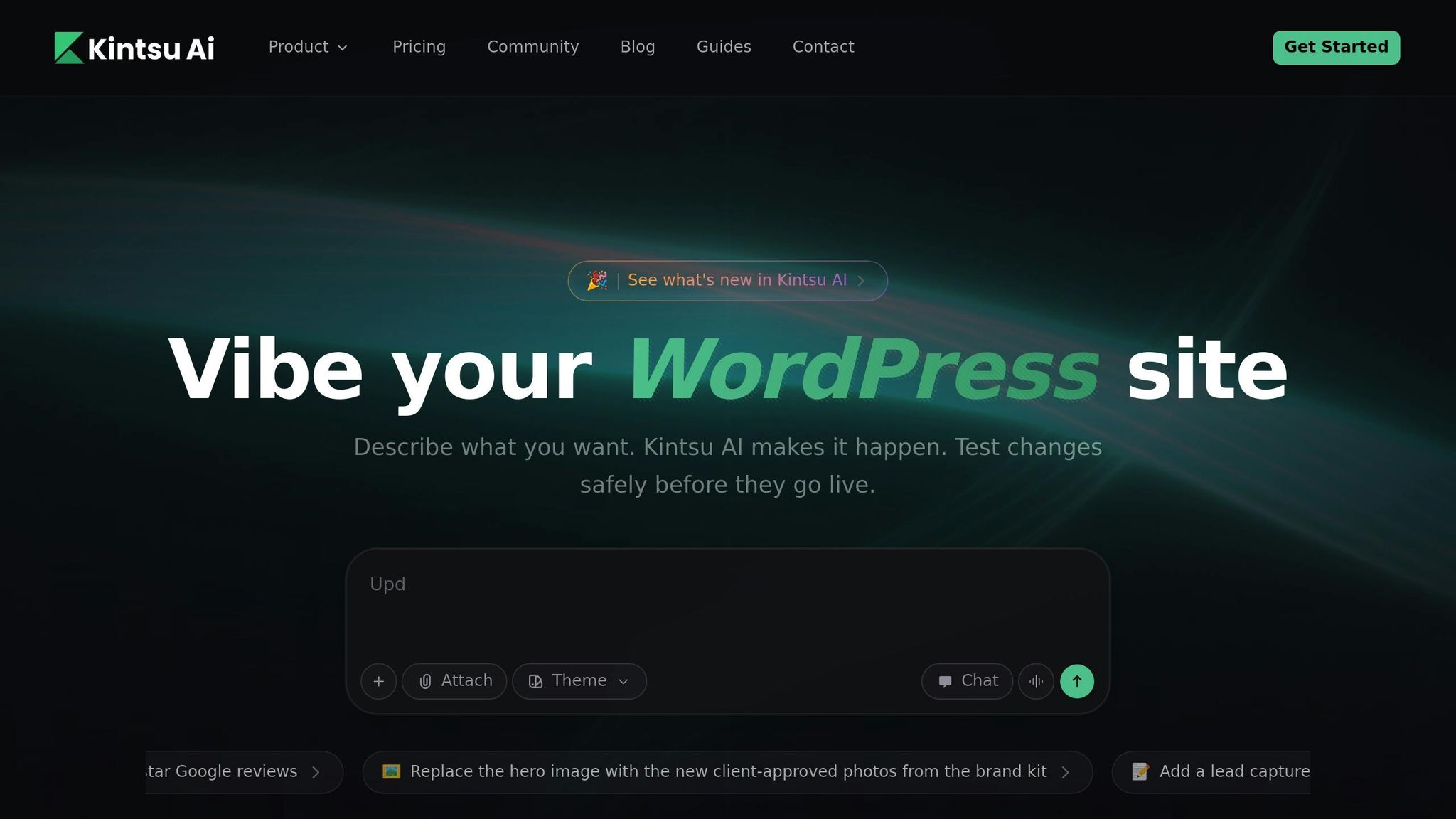
Kintsu.ai offers a refreshing way to handle your WordPress site by using plain-English commands. Forget navigating complex menus - just type what you need. The platform uses Natural Language Processing (NLP) to turn your requests into specific WordPress actions. Whether you're adding new content, tweaking existing pages, scheduling posts, or even fine-tuning SEO, Kintsu.ai simplifies it all.
Currently trusted by over 500 WordPress creators, this tool handles everything from content updates to design tweaks. For example, you can ask it to translate a page and optimize it for SEO in one go, all while keeping your site’s formatting intact. This kind of streamlined control makes real-time site management not only possible but also secure and straightforward.
Safety Features and Real-Time Updates
Kintsu.ai prioritizes safety and precision. Before any change is applied, the platform uses a "preview before apply" feature, allowing you to double-check that your command was interpreted correctly. Pro plan users ($24/month, billed annually) and above also gain access to edit histories and rollback options, giving you extra peace of mind. For those on the Business plan ($55/month, billed annually), there’s even staging support to test complex updates before pushing them live.
Updates happen instantly, making it easy to adjust your content on the fly. If you’re curious but not ready to commit, the free plan lets you explore the conversational workflow with 10 AI edit credits per month. It’s an excellent starting point for anyone - technical skills or not - who wants to keep their site polished and personalized.
sbb-itb-42d7c06
5. WordLift
Personalization Capabilities
WordLift transforms your content into a structured Knowledge Graph, connecting entities like people, places, and concepts to recommend relevant articles. By analyzing these semantic links, it suggests related content through tools like the Navigator widget, which recommends articles based on what a reader is currently viewing. Additionally, the Faceted Search feature enables visitors to filter content by specific topics, making it easier to explore related information.
A study on an editorial site with 150,000 monthly visitors revealed that using WordLift's semantic markup and widgets led to measurable increases in visitors, pageviews, and session duration. Some users even reported up to a 30% boost in organic traffic within just 1–2 months of implementing the Knowledge Graph. This approach not only improves how content is discovered but also integrates seamlessly with WordPress, helping deliver targeted and engaging content to readers.
Ease of Integration with WordPress
WordLift's integration with WordPress is designed to be straightforward. You can install it via the standard WordPress upload process and configure it easily using the Setup Wizard. It works with both the Block Editor (Gutenberg) and the Classic Editor, offering a sidebar where you can manage entities and metadata as you write. The tool also suggests concepts, links, and images from open data sources like Wikidata and DBpedia, streamlining the process of enriching your content.
Scalability for Different Site Sizes
Whether you're running a small blog or managing a large-scale website, WordLift adapts to fit your needs. It offers unlimited dataset storage, supports 32 languages natively, and allows metadata export in formats like JSON-LD and RDF/XML. Additional language support is also in development. Importantly, users retain full ownership of their metadata. With a 4.4/5 rating on WordPress.org from 65 reviews and a 14-day free trial available for all plans, WordLift is a flexible solution for websites of all sizes.
Boost Client REVENUE! PersonalizeWP Ultimate Personalization Tool 🤯
Feature Comparison
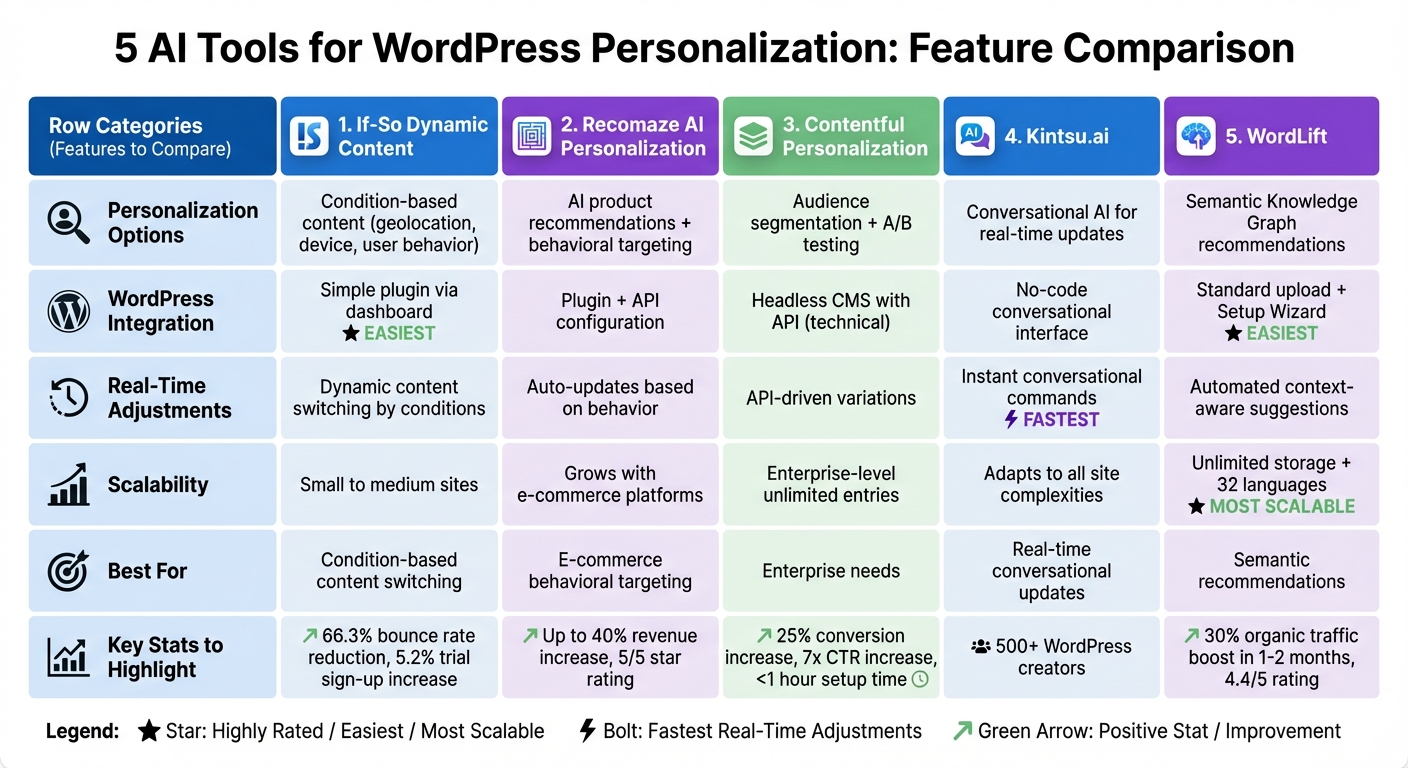
Comparison of 5 AI WordPress Personalization Tools: Features and Capabilities
Here's a side-by-side look at the standout features of each tool. This breakdown makes it easier to identify which AI tool aligns with your needs.
| Feature | If-So Dynamic Content | Recomaze AI Personalization | Contentful Personalization | Kintsu.ai | WordLift |
|---|---|---|---|---|---|
| Personalization Options | Displays content based on conditions like geolocation, device, or user behavior | AI-powered product recommendations and behavioral targeting | Audience segmentation paired with A/B testing | Uses conversational AI for real-time content updates | Leverages a Semantic Knowledge Graph for content recommendations |
| WordPress Integration | Simple plugin installation via the WordPress dashboard | Requires plugin installation and API configuration | Headless CMS with API integration | No-code conversational interface for instant changes | Standard WordPress upload with a Setup Wizard, compatible with Gutenberg and Classic Editor |
| Real-Time Adjustments | Switches content dynamically based on visitor conditions | Updates recommendations automatically based on user behavior | Delivers content variations through API calls | Allows instant website changes via conversational commands | Generates automated, context-aware suggestions and entity linking |
| Scalability | Ideal for small to medium sites with moderate traffic | Grows alongside e-commerce platforms and expanding product catalogs | Supports enterprise-level demands with unlimited content entries | Adapts easily to sites of varying complexities without technical hurdles | Offers unlimited dataset storage, supports 32 languages, and suits websites of all sizes |
When it comes to integration complexity, If-So and WordLift are the easiest to set up, while Contentful requires more technical knowledge. Kintsu.ai takes a different approach, removing traditional setup challenges by letting users make changes conversationally, which simplifies the process for WordPress users.
Real-time capabilities also vary. Kintsu.ai stands out with its natural language-driven, instant updates. WordLift and Recomaze automate recommendations, If-So adapts content based on predefined conditions, and Contentful relies on API-driven variations.
For scalability, WordLift shines with its unlimited storage and multi-language support, while Kintsu.ai offers a streamlined experience as your site grows.
This comparison provides a clear snapshot of each tool's strengths, helping you tailor your WordPress personalization strategy effectively.
Conclusion
AI tools have transformed how WordPress site owners create and deliver content, making it possible to tailor experiences to each visitor. These platforms handle tasks like generating SEO-friendly metadata and crafting context-specific images, allowing you to focus on higher-level strategies while still delivering engaging content.
Each tool brings something distinct to the table. If-So is perfect for condition-based content switching, Recomaze hones in on behavioral targeting for e-commerce, Contentful caters to enterprise-level needs, Kintsu.ai simplifies real-time updates with a conversational interface, and WordLift uses semantic technology to provide intelligent recommendations. Together, they address challenges like accessibility, localization, and user engagement, offering solutions that can scale to meet your site's unique demands.
To get started, take advantage of the free tiers and trial credits these tools offer. Begin by focusing on one area - like automating product descriptions, adding content-aware recommendations, or optimizing meta descriptions. Once you see results, you can gradually expand your efforts.
As the WordPress ecosystem evolves, AI personalization is becoming a must-have for boosting user engagement and conversion rates. These tools make it easier than ever to deliver tailored content to every visitor, ensuring your site stays ahead in a competitive digital landscape.
FAQs
How can AI tools improve personalized content on WordPress?
AI tools are transforming how WordPress sites deliver personalized content by analyzing visitor behavior, preferences, and interactions. This allows websites to present highly relevant experiences, whether through tailored articles, customized product recommendations, or dynamic layouts. The result? Visitors are more likely to stay engaged and return.
On top of that, AI-powered conversational interfaces make updating or customizing website content a breeze - even for those without coding skills. These tools ensure content stays aligned with what visitors want, helping websites offer experiences that feel uniquely tailored to individual interests.
What do I need to integrate AI tools with WordPress?
Integrating AI tools with WordPress is straightforward and doesn’t demand extensive technical expertise. Most of these tools are designed with ease of use in mind, often requiring just a plugin installation or connecting an API key.
Take Kintsu.ai as an example. This tool lets you make real-time updates to your WordPress site through a conversational interface - no coding skills needed. Similarly, other AI tools for tasks like content creation or SEO optimization usually involve installing a plugin and setting it up within the WordPress admin dashboard.
The process typically involves three main steps: installing the plugin, activating it, and following the setup instructions provided by the tool. Many of these tools include step-by-step guides to make the integration process as smooth as possible for WordPress users.
How does AI-driven personalization enhance website engagement and boost conversions?
AI-powered personalization transforms how websites engage with visitors, driving stronger connections and higher conversions. By analyzing user data, AI can deliver tailored experiences - think personalized product recommendations, targeted messages, or custom landing pages - that align with each visitor's preferences and behavior. This approach makes users feel seen and understood, boosting their overall experience.
Platforms like Kintsu.ai simplify this process even further. With tools that let website owners update content in real time through conversational commands (no coding needed), it’s easier than ever to create dynamic, relevant interactions. The result? Happier users, longer site visits, and increased engagement - all leading to more conversions.