Top AI Plugins for Real-Time WordPress Updates
Compare real-time AI WordPress plugins for instant content, design, and SEO updates with low latency, strong security, and easy conversational controls.
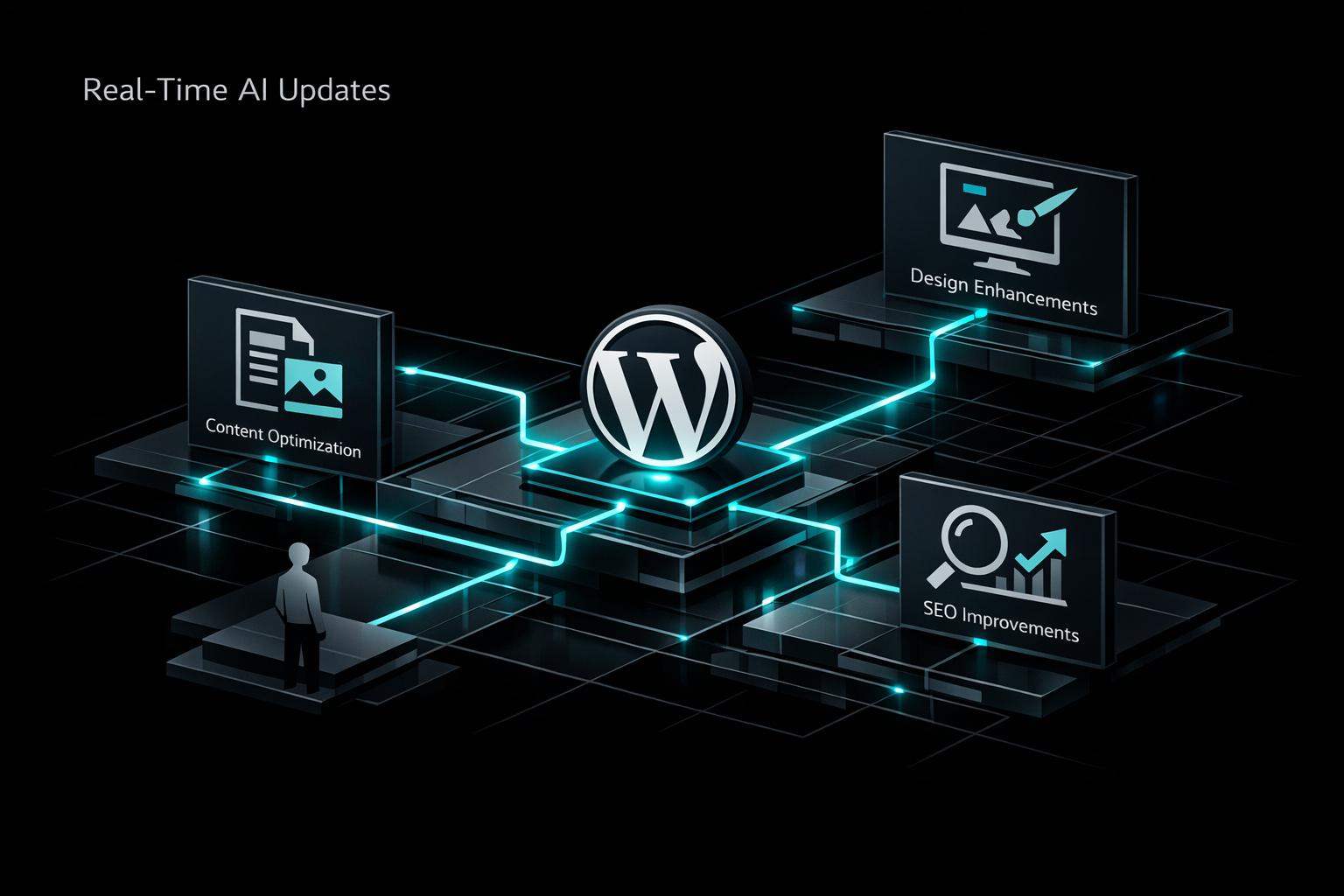
Top AI Plugins for Real-Time WordPress Updates
AI plugins for WordPress simplify site management by automating tasks like content creation, design changes, and SEO optimization. They integrate with popular editors, offer fast performance, and prioritize security. Tools like Kintsu.ai enable non-technical users to update their sites via conversational commands, eliminating the need for coding or technical expertise.
Key Takeaways:
- Compatibility: Ensure plugins work with your WordPress editor (e.g., Gutenberg, Classic Editor).
- Speed: Look for low-latency tools to maintain workflow efficiency.
- Security: Prioritize plugins with strong data privacy and compliance measures.
- Features: Real-time content suggestions, SEO tweaks, and bulk updates improve site management.
- Ease of Use: Tools like Kintsu.ai allow plain-language commands for quick changes.
Quick Comparison (Optional):
| Feature | Example Plugins | Benefits |
|---|---|---|
| Editor Integration | AI + Block Editor, Aiify | Seamless editing experience |
| Low Latency | Kintsu.ai | Faster updates and workflows |
| Security Focus | SEOPress, ClassifAI | Protects data and complies with regulations |
| Bulk Updates | SEOPress, ClassifAI | Efficient large-scale changes |
| Conversational Interface | Kintsu.ai | User-friendly for non-tech users |
These AI tools save time, improve efficiency, and empower users to manage their WordPress sites independently.
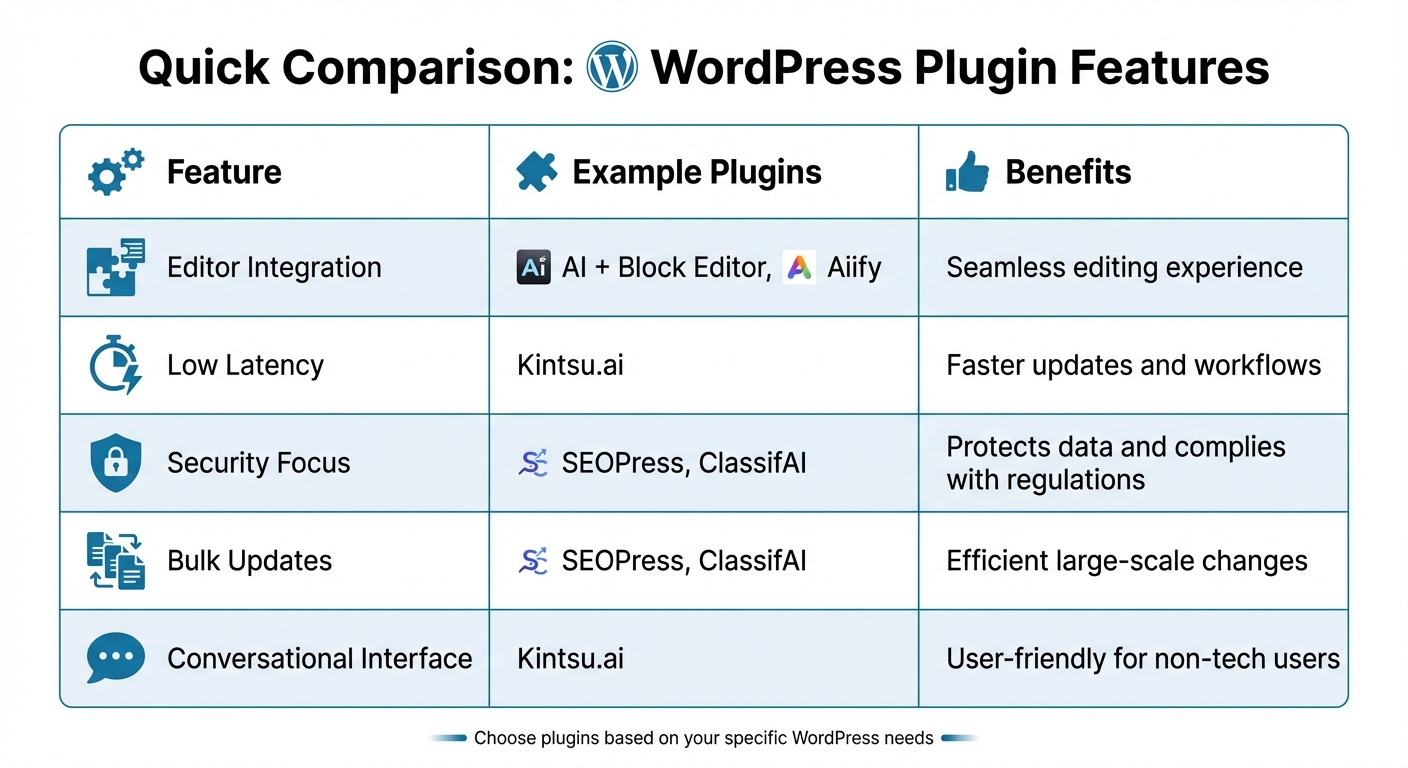
AI WordPress Plugin Features Comparison Chart
Key Features to Look for in Real-Time AI Plugins
Compatibility with WordPress Editors
When selecting an AI plugin, make sure it integrates seamlessly with your WordPress editor. Look for support for Block Editor (Gutenberg), Classic Editor, or Full Site Editor (FSE) in the plugin description. For instance, the AI + Block Editor plugin brings AI features directly into the Block Editor with accessible toolbar options, while Aiify supports the Block Editor, Site Editor, Customizer, and includes TinyMCE integration for the Classic Editor and WooCommerce.
Check if the plugin visibly integrates into your toolbar or sidebar. If you're running WooCommerce or other tools using TinyMCE, confirm that the AI plugin explicitly supports TinyMCE. Plugin listings often include screenshots that show how the features appear in your editor, giving you a clear idea of what to expect before installation. Once compatibility is confirmed, turn your attention to performance.
Low Latency and High Performance
Speed is everything when working with real-time AI tools. Your plugin should generate responses in seconds to maintain a smooth workflow. Whether it's creating content, making design adjustments, or handling automated tasks, low latency ensures you’re not left waiting. For AI chatbots on your site, quick responses mean better customer support - an essential feature, as 91% of users expect prompt interactions with chatbots.
Test the plugin in a staging environment to evaluate how quickly it completes tasks. Pay close attention to whether it affects your site’s overall performance. Plugins with low latency often support predictive pre-rendering, which contributes to faster browsing and improved Core Web Vitals - key factors for user experience and search engine rankings.
Security and Data Privacy
Performance isn’t everything - data security is just as critical. A reliable plugin should offer secure API management, robust data protection, and session security. Look for clear documentation on how the plugin handles data, especially if it sends content to external AI services. It’s also important to ensure compliance with privacy regulations relevant to your audience and confirm that the plugin won’t expose your WordPress site to vulnerabilities.
Take time to read recent user reviews in WordPress plugin directories to identify any red flags regarding security or data handling. A trustworthy plugin will not only provide transparent documentation about its security measures but also release regular updates to address potential threats. Since these tools have real-time access to your site, strong security measures are non-negotiable - they’re essential for both functionality and peace of mind.
How Kintsu.ai Enables Real-Time WordPress Management
Conversational Interface for Instant Updates
Kintsu.ai transforms WordPress management by allowing you to make changes using plain English - no coding or menu navigation required. Want to tweak a headline, change button text, or swap out an image? Just describe what you need, and the AI takes care of it instantly. This conversational approach eliminates the technical hurdles that often prevent business owners from quickly updating their websites.
The platform understands natural language commands, so there’s no need to memorize WordPress-specific jargon or hunt through obscure settings. You simply explain your request, and the changes appear right away. This seamless interaction makes updating content and design as easy as having a conversation.
Simple Content and Design Adjustments
Everyday WordPress tasks become effortless with Kintsu.ai. Forget about coding - just type out what you want to update, and the platform takes care of the rest. For instance, if you need to update your contact information across the entire site, simply describe the change. Kintsu.ai ensures the update is applied consistently wherever that information appears.
Whether it’s tweaking layouts or refreshing content, this intuitive system gives you control over your site without the usual complexity. The result? Faster updates and a more agile website.
Built for Non-Technical Users
Kintsu.ai is designed with non-technical users in mind, making it a perfect fit for small business owners and entrepreneurs. You don’t need to hire a developer or dive into the technical side of WordPress. Instead, you can handle your website updates on your own terms.
This is especially helpful for time-sensitive tasks like launching a promotion, fixing an error, or responding to customer feedback. Instead of waiting on tech support or spending hours figuring out WordPress, you simply describe the change, and it’s done. It’s a practical solution that lets you focus on running your business, not managing your website.
Core Real-Time Capabilities for WordPress AI Tools
Inline Content Suggestions and Edits
AI tools integrate seamlessly into your WordPress editor, letting you create and refine content without bouncing between applications. Whether you're drafting headlines or full-length blog posts, these tools provide on-the-spot suggestions as you type, making the process faster and more intuitive.
These tools also handle real-time SEO and accessibility tweaks. Advanced plugins can guide you through optimizing content for search engines, generate alt text for images automatically, and suggest internal links to improve your site's structure. For websites with extensive image libraries, automatic alt text generation ensures both SEO and accessibility needs are met on a large scale. Beyond text, AI can even adapt design elements as you work, streamlining the entire content creation process.
Live Layout and Design Adjustments
AI tools are designed to work with popular page builders like Divi, Elementor, and Gutenberg, allowing you to tweak complex layouts without the fear of breaking your design. The AI understands how modules, widgets, and settings interact, ensuring that changes maintain both functionality and visual appeal.
For instance, a Respira for WordPress user successfully made intricate layout changes using Divi in just minutes. This showcases AI's ability to modify specific design elements without disrupting the overall structure. Unlike generic code that often causes errors when applied, these tools ensure precise adjustments, paving the way for larger, site-wide updates that stay true to your design and functionality.
Context-Aware Bulk Updates
One standout feature of effective AI tools is their ability to make context-aware updates. When applying changes across multiple pages, the AI considers your site's tone, style, and branding to ensure consistency. This is particularly useful for tasks such as generating SEO metadata, where each page needs tailored descriptions that reflect its unique content.
Plugins like SEOPress and ClassifAI use AI to analyze your site's content and apply accurate metadata and taxonomy updates across large libraries . This eliminates issues like duplicate tags and keeps your content well-organized as your site expands. These bulk updates highlight how AI can efficiently manage large-scale changes, saving time and maintaining consistency across your website.
sbb-itb-42d7c06
Best Practices for Implementing Real-Time AI Plugins
Test in a Staging Environment
Before rolling out any AI plugin on your live WordPress site, it's crucial to test it in a staging environment first. This allows you to identify potential conflicts with existing plugins or themes without jeopardizing your live site's functionality. For instance, some real-time update plugins might clash with caching tools like SiteGround Optimizer or Ninja Firewall. If you run into such issues, adjusting your caching rules can help ensure smooth operation.
Monitor Performance and Resource Usage
Once you've safely tested the plugin, it's time to monitor its impact on your site's performance. Keep an eye on metrics like page load times, server response, and Core Web Vitals to ensure everything runs smoothly.
To avoid unnecessary strain on your resources, set limits on API calls. If your plugin offers resource-heavy features - like advanced real-time content suggestions - make sure your hosting environment is equipped to handle the load. Opting for business-grade hosting can provide the infrastructure needed to support these demanding features.
Maintain Content Quality and Governance
Even with powerful AI tools, maintaining high content standards requires human oversight. Always review AI-generated content for accuracy, relevance, and alignment with your brand voice before hitting publish. AI can sometimes miss subtle nuances or produce incorrect information, so expert review is essential.
To maintain consistency, tweak plugin settings to match your brand's tone and style. Adjust default prompts, fine-tune parameters, and document any AI-assisted edits. This ensures that as your content team grows, your quality standards remain intact.
Conclusion and Key Takeaways
Real-Time AI: A Game-Changer for WordPress Management
Real-time AI plugins are reshaping how WordPress sites are managed, simplifying processes, and automating repetitive tasks. According to recent data, 87% of users rely on AI for content creation, with blog posts being the most popular output. Meanwhile, 84% of sales professionals using generative AI report it enhances sales by speeding up and improving customer interactions.
For small business owners, this means greater independence. They can now handle routine site updates without needing a developer, saving both time and money. Safety features, such as working on duplicate pages and offering quick rollback options, allow users to test changes without fear of disrupting their live sites. Tools like Kintsu.ai are leading the way, showcasing how real-time AI can elevate site management through intuitive, conversational interfaces.
Why Kintsu.ai Stands Out
Kintsu.ai takes WordPress management to the next level with features like inline content suggestions and live design edits. What makes it truly unique is its conversational interface. Instead of wrestling with technical details, you simply describe your desired changes, and the AI does the rest.
For small business owners and non-tech-savvy users, this approach removes the barriers that often come with website management. With Kintsu.ai, you can focus on achieving your goals without worrying about the technical "how." Considering that 97% of business owners believe tools like ChatGPT will positively impact their operations, Kintsu.ai offers an easy and effective solution for stress-free site management.
FAQs
How can AI plugins improve managing a WordPress site?
AI plugins make managing WordPress sites much easier by taking care of repetitive tasks and improving overall workflow. They can handle things like generating blog posts, crafting product descriptions, creating meta tags, and even optimizing headlines for SEO - all without requiring you to know how to code.
These tools also enhance user experiences by analyzing visitor behavior to suggest relevant content and adjust site elements in real time. Plus, they allow for quick updates with simple, plain-language commands. For instance, tools like Kintsu.ai let you make changes to your site through a conversational interface, making updates faster and more straightforward while saving you valuable time.
What factors should I consider when selecting an AI plugin for WordPress?
When picking an AI plugin for WordPress, start by figuring out exactly what you need. Are you looking to create content, improve SEO, manage updates, or add live chat? Choose tools that match your objectives and make your workflow smoother.
Pay attention to the plugin's performance impact - it should keep your site running quickly without slowing down page load times. Also, check for compatibility with your theme, existing plugins, and any third-party tools to avoid potential conflicts.
Think about the pricing model and whether it fits within your budget. But don’t stop there - make sure the plugin offers dependable support and regular updates to keep your site secure and performing well. Lastly, focus on ease of use. For instance, plugins like Kintsu.ai let you make real-time updates in plain language, so you can manage your site without needing any coding know-how.
How does Kintsu.ai make WordPress updates easier for non-technical users?
Kintsu.ai makes updating WordPress a breeze by offering a conversational interface for real-time changes. Forget about wrestling with complicated code or technical hurdles - just describe what you need in simple terms, and the AI handles it for you.
With this intuitive system, managing your website becomes effortless, even if you have zero technical experience.