How Machine Learning Boosts WordPress Performance
Machine learning speeds WordPress with predictive caching, AI image compression, and database tuning to lower load times and improve Core Web Vitals.
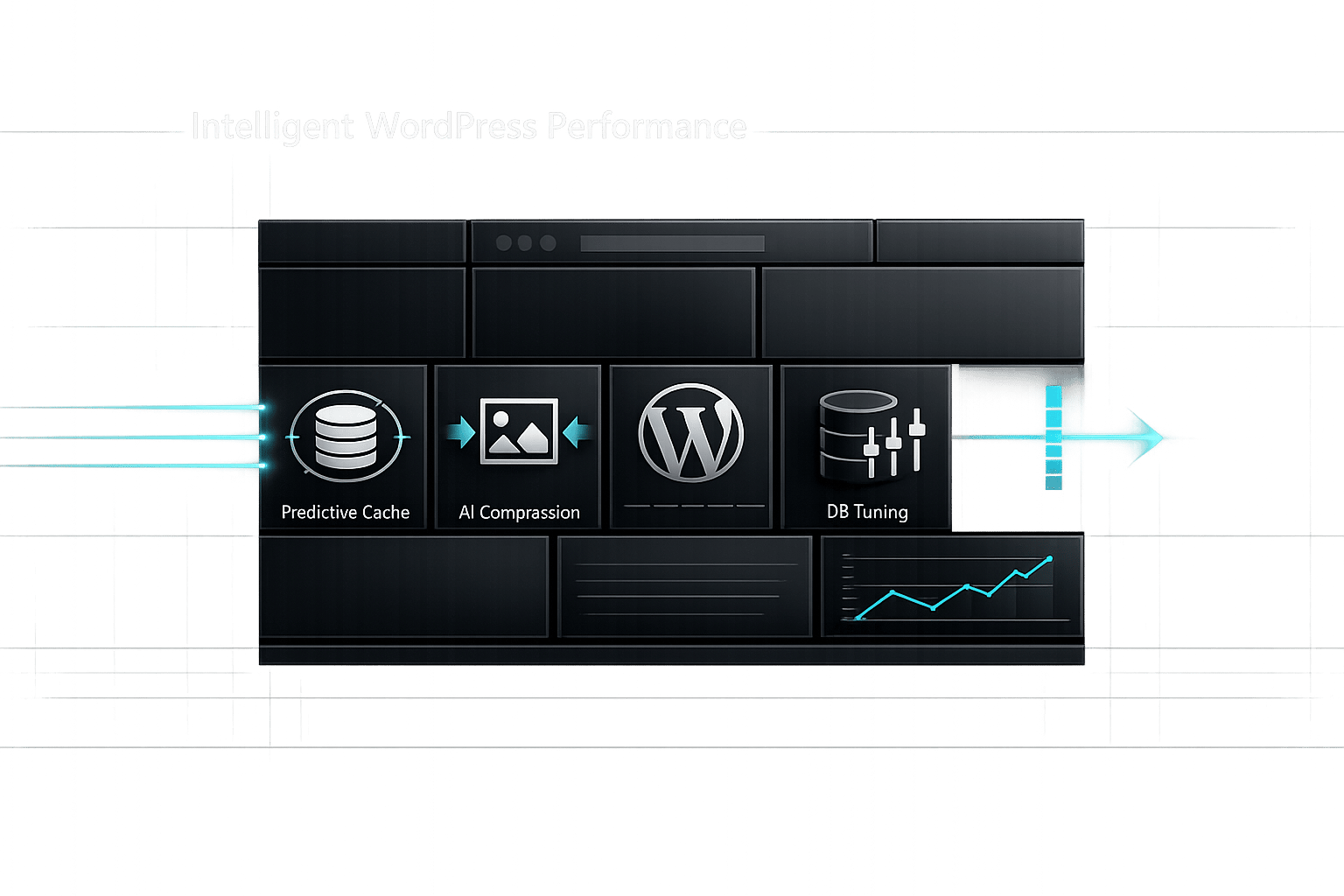
How Machine Learning Boosts WordPress Performance
Struggling with slow WordPress performance? Machine learning (ML) offers a smarter way to optimize your site by analyzing traffic patterns, identifying bottlenecks, and making real-time adjustments. Unlike traditional tools, ML continuously learns and improves, ensuring faster load times and better user experiences.
Key Benefits:
- Faster Page Loads: ML-powered caching predicts high-traffic pages and preloads them, cutting load times significantly.
- Smarter Media Optimization: AI compresses images by up to 90%, converts them to modern formats like WebP, and adapts sizes for different devices.
- Efficient Database Management: ML identifies slow queries, bloated tables, and unused data, optimizing database performance.
Why It Matters:
- A 1-second delay in load time can reduce conversions by 4.5%.
- 53% of mobile users abandon sites that take over 3 seconds to load.
- ML-powered tools like Kintsu.ai simplify site management with natural language commands and automated optimizations.
Machine learning transforms WordPress management by automating repetitive tasks, predicting issues, and tailoring solutions to your site's unique needs. This isn’t just about speed - it’s about improving user experience and driving results.
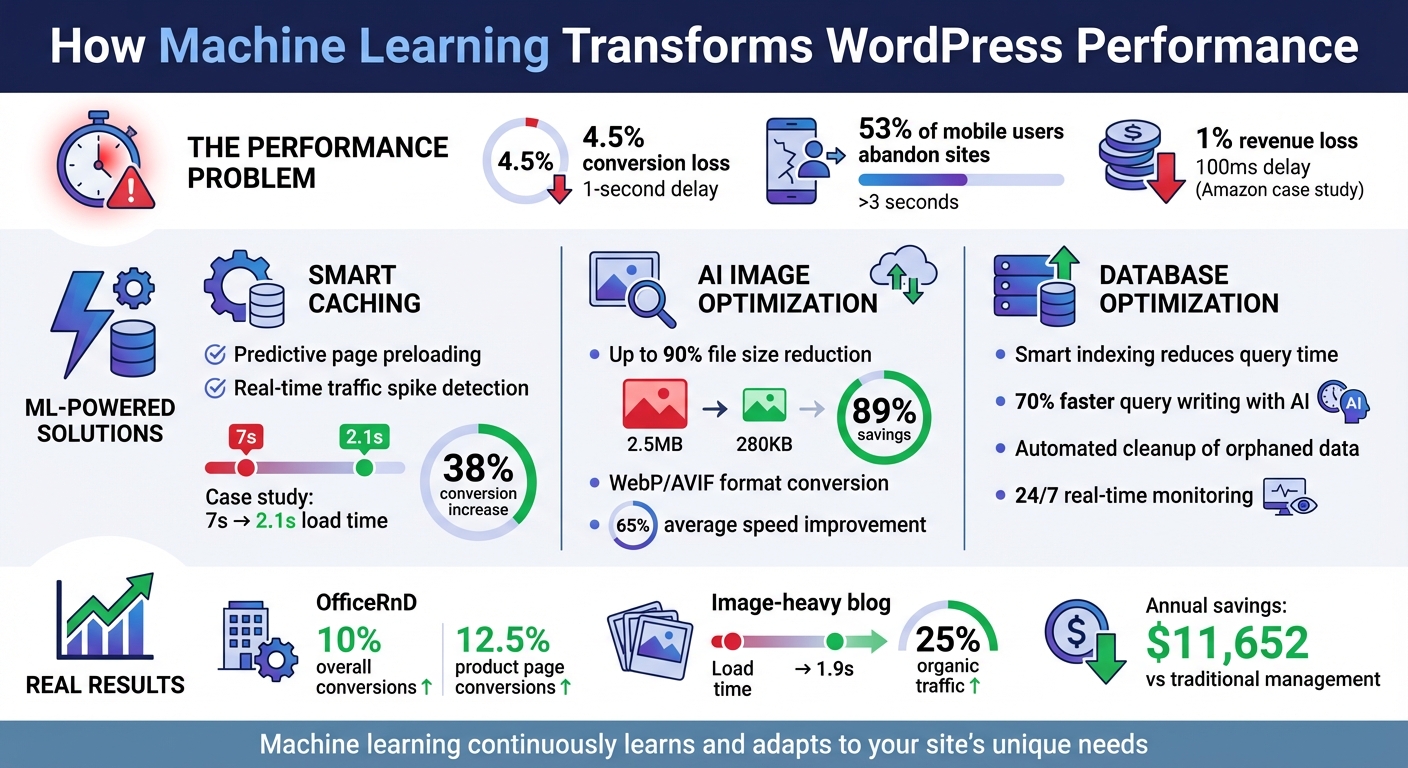
Machine Learning Impact on WordPress Performance: Key Statistics and Benefits
Machine Learning Basics for Website Optimization
What is Machine Learning?
Machine learning (ML) is a field of artificial intelligence where computer systems learn from data and improve their performance over time - without needing explicit programming for every task. Instead of relying on fixed instructions, ML algorithms analyze data, recognize patterns, and make decisions based on their findings.
For WordPress websites, this translates to automated, ongoing optimization. ML tools act like a 24/7 expert, constantly monitoring and fine-tuning your site without requiring manual intervention.
How ML Analyzes Data for Performance Gains
Machine learning thrives on data - everything from browsing habits and user interactions to server response times and audience demographics. By analyzing this information, ML algorithms uncover trends and even predict future behaviors.
Here’s how it works: ML establishes a baseline for your site’s performance by tracking metrics like page load speeds and server response times. When something disrupts this baseline - such as a plugin update that slows database queries or a traffic spike during a sale - the system identifies the anomaly and pinpoints its cause. This early detection helps resolve issues before they affect user experience.
Predictive caching is a great example of ML in action. Traditional caching stores pages for a fixed duration, treating all content the same. ML-powered caching, on the other hand, examines traffic patterns to predict which pages will be most visited at specific times. It then preloads those pages, ensuring they’re ready to load instantly when traffic surges.
ML also improves database performance by monitoring query execution times and table growth. It identifies bloated tables filled with unused plugin data or slow-running queries and offers targeted optimization recommendations. Instead of one-size-fits-all cleanup, ML provides precise solutions tailored to your site’s needs.
These intelligent insights pave the way for smarter, more efficient WordPress performance improvements.
sbb-itb-42d7c06
WordPress Performance Fundamentals for Visitor Experience – Full Course

How Machine Learning Improves WordPress Performance
Machine learning is transforming WordPress performance by tackling key challenges in caching, media optimization, and database management. These advancements address specific bottlenecks, ensuring faster and more efficient site operations.
AI-Powered Caching Strategies
AI-based caching systems predict high-traffic pages and preload them to ensure quick access . For example, during a holiday sale, an AI system can anticipate traffic spikes on a WooCommerce store and prepare the cache in advance, reducing server strain. Adaptive CDN routing further enhances this by choosing the fastest server based on real-time network conditions, not just proximity. This is especially important since 53% of mobile users abandon sites that take over three seconds to load, and even a 100-millisecond delay can cost companies like Amazon 1% of revenue.
A practical example is OfficeRnD, which used NitroPack in 2024 to resolve slow script execution and bottlenecks. This boosted overall conversions by 10% and product page conversions by 12.5%, all while meeting Core Web Vitals standards. Similarly, a WooCommerce store with load times exceeding seven seconds adopted NitroPack and an AI-enhanced CDN, cutting load times to 2.1 seconds and increasing sales conversions by 38%.
Image and Media Optimization Using AI
AI tools for image optimization analyze file properties to apply the best compression techniques . In one instance, AI reduced a 2.5 MB image to just 280 KB - an 89% reduction. These tools also convert images to modern formats like WebP or AVIF, which outperform traditional formats like JPEG and PNG in compression .
Smart resizing ensures images are served in sizes tailored to a visitor’s device and network conditions, preventing mobile users from downloading unnecessarily large files . For example, a blog heavy with images integrated ShortPixel Adaptive AI and FlyingPress for predictive preloading, reducing load times to 1.9 seconds and boosting organic traffic by 25% as search engines rewarded the faster performance. Additionally, AI can auto-generate SEO-friendly alt text by analyzing image content, improving both accessibility and search rankings . Overall, AI-driven compression can shrink image file sizes by up to 90%, leading to an average website speed improvement of 65%.
These optimizations work alongside backend enhancements for even greater performance gains.
Database Management and Query Optimization
Machine learning improves database efficiency through smart indexing, which analyzes query patterns to create custom indexes, cutting execution times . Tools like AI2SQL allow non-technical users to manage databases by converting plain English prompts into complex SQL queries, reducing query writing time by around 70%.
"AI2SQL leverages artificial intelligence to transform plain English queries into SQL queries, making it easier for non-technical users to interact with their databases."
– AI2SQL
AI also identifies growing tables and orphaned data left by uninstalled plugins, recommending targeted cleanups instead of generic maintenance tasks . Continuous monitoring adjusts database settings in real time based on server load, while anomaly detection alerts site owners to performance issues before they affect users.
| Feature | Traditional Method | AI-Driven Method |
|---|---|---|
| Indexing | Manual identification of slow queries | Automated "smart indexing" based on query patterns |
| Query Writing | Manual SQL coding and debugging | Natural language to SQL generation |
| Cleanup | Generic removal of revisions/spam | Targeted detection of orphaned plugin data |
| Monitoring | Periodic manual audits | 24/7 real-time anomaly detection |
These AI-powered tools are reshaping how WordPress sites handle performance challenges, paving the way for noticeable improvements, which will be explored further in the next section.
Using Kintsu.ai for AI-Driven WordPress Management
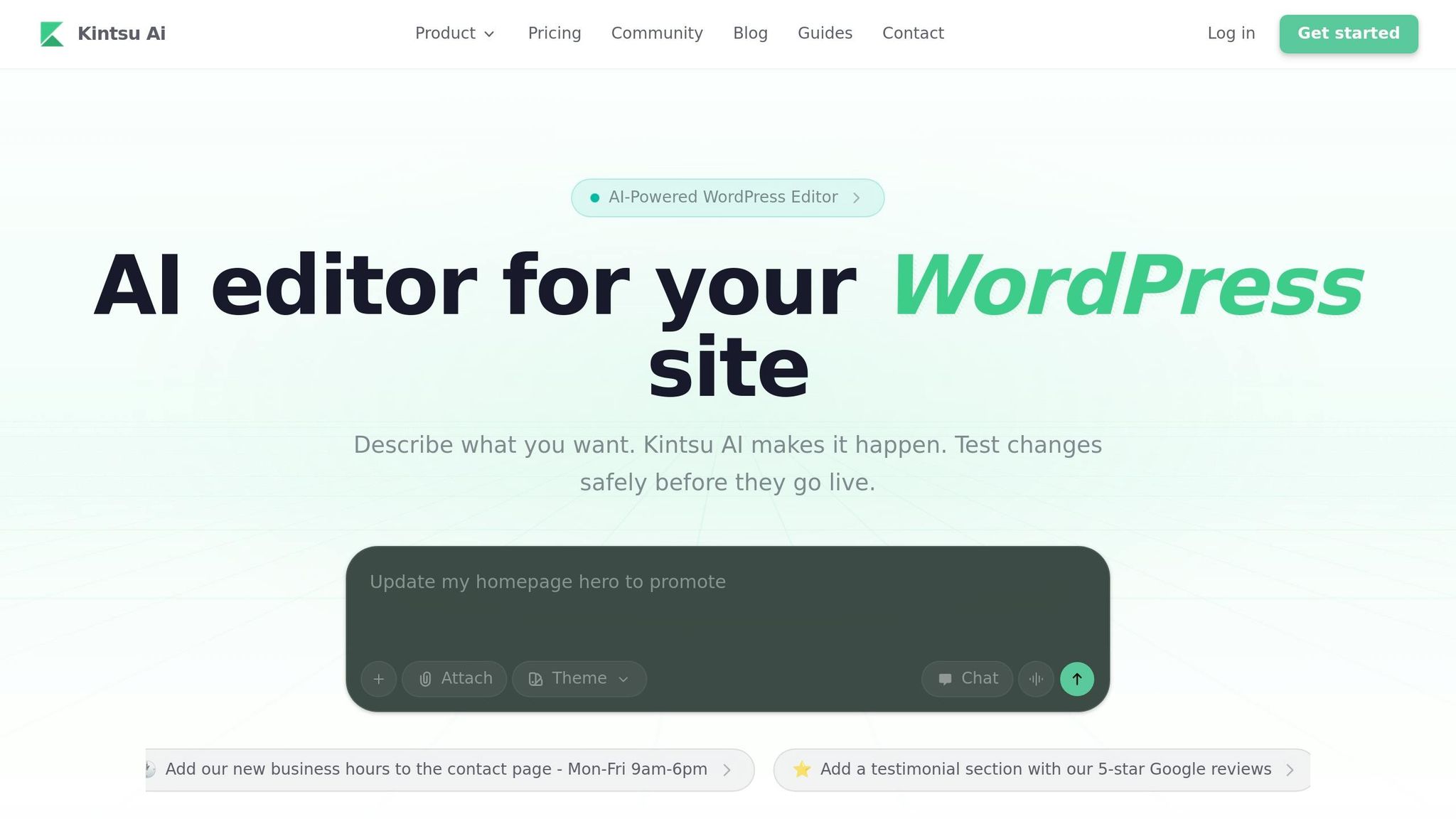
Managing a WordPress site can feel overwhelming, especially if you're not a developer. But Kintsu.ai takes a different approach, allowing you to make changes just by describing what you need in plain English. It’s like having a conversation with your site - and the AI takes care of the rest.
Real-Time Updates Without Coding
One standout feature is Kintsu.ai's Builder Chat, which makes site adjustments as simple as typing your requests. For example, you could type, "optimize caching for high-traffic pages" or "enable lazy loading for images", and the AI will implement those changes for you. Before anything goes live, the system tests modifications in a sandbox environment, so you can preview the results safely.
What makes this tool even more effective is its focus on performance. Instead of adding bulky scripts that slow down your site, Kintsu.ai uses lightweight edits tailored to your existing setup. Plus, the Smart Guardrails feature steps in to warn you about potential plugin conflicts, ensuring your site remains functional. According to Kintsu.ai, this approach not only speeds up site changes - reducing a process that could take agencies days to just minutes - but also saves users around $11,652 per year compared to traditional management costs.
This instant feedback and efficiency create a solid foundation for making site adjustments that match your specific needs.
Customizing ML Settings with Ease
Beyond quick updates, Kintsu.ai shines in helping you customize machine learning settings to suit your site’s goals. For instance, if you run a blog, you could request, "extend cache duration for static posts." On the other hand, an e-commerce store owner might ask for "traffic spike predictions and automatic server scaling." The AI listens and adjusts accordingly.
The platform also offers Page-Aware Editing, which lets you apply changes with pinpoint accuracy. For example, you can fine-tune database queries for product pages or tweak image compression specifically for mobile visitors. With 25 AI-powered features covering design, management, and core editing, Kintsu.ai handles tasks like automated database indexing and resolving slow queries. And if something doesn’t work as expected, the built-in version control allows you to undo individual changes effortlessly.
This level of precision and adaptability ensures that your site operates at its best, no matter your focus.
Measuring the Impact of Machine Learning on WordPress Performance
To ensure machine learning (ML) optimizations are making a difference, it's crucial to track performance metrics before and after implementation. This process provides concrete evidence of improvements.
Key Metrics to Track
Core Web Vitals are Google's way of assessing user experience through three key metrics:
- Largest Contentful Paint (LCP): Measures how fast your main content loads. Aim for 2.5 seconds or less.
- Interaction to Next Paint (INP): Replaced First Input Delay in March 2024. It measures how responsive your site is to user interactions. A good score is 200 milliseconds or less.
- Cumulative Layout Shift (CLS): Tracks visual stability. A score of 0.1 or lower ensures a smooth, stable experience without disruptive content jumps.
Another critical metric is Time to First Byte (TTFB), which measures server response speed. Research analyzing 143,827 URLs found that TTFB is the metric most closely tied to Google rankings. The top-performing sites consistently keep TTFB under 800 milliseconds. ML tools that focus on caching or database optimization can have the most noticeable effect here.
| Metric | What It Measures | "Good" Threshold |
|---|---|---|
| LCP | Main content loading | ≤ 2.5s |
| INP | User interaction response | ≤ 200ms |
| CLS | Visual stability | ≤ 0.1 |
| TTFB | Server response speed | < 800ms |
These performance benchmarks aren't just technical goals - they have real business implications. For instance, Amazon discovered that a 100ms delay in load time could result in a 1% revenue loss. Similarly, Walmart reported a 2% increase in conversions for every 1-second improvement in site speed. Even more alarming, 53% of mobile users abandon sites that take longer than 3 seconds to load.
Tools for Measuring Performance Improvements
Once you've identified the metrics to monitor, the next step is using the right tools to measure progress.
Google PageSpeed Insights is an excellent starting point. It provides both lab data (from controlled tests) and field data (based on real user experiences over 28 days) in one place. As Martin Splitt, Developer Advocate at Google, points out:
"Field data is coming from real users, whereas lab data comes from a quite strong machine with probably good internet from somewhere around the world. So you might not see the same results".
Before applying ML optimizations, document your baseline mobile and desktop scores using PageSpeed Insights. After implementing changes, wait at least 28 days to observe the full impact on field data, as this is the timeframe Google Search Console uses for SEO rankings.
For database-specific ML optimizations, the Query Monitor plugin is invaluable. It helps identify and troubleshoot slow database queries, offering insights into areas where AI tools can make a difference.
Other tools like GTmetrix and Pingdom provide detailed waterfall analyses, showing how scripts, images, and third-party calls are being optimized. If your ML tools focus on image optimization, track changes in LCP. For script deferral, monitor INP and Total Blocking Time. GTmetrix also offers mobile testing and historical trend analysis, with paid plans starting at $10.67/month.
To ensure reliable results, maintain consistent testing conditions. Test in similar environments and time frames, and collect data from 20 to 100 requests to account for natural variations. This approach ensures you can confidently assess whether your ML tools are delivering measurable performance improvements.
Conclusion
Machine learning is transforming how WordPress sites maintain peak performance. As themes evolve, plugins are installed, and traffic fluctuates, ML steps in to provide real-time adjustments - eliminating the need for constant manual tweaks. This automation allows site owners to shift their focus to growth strategies instead of wrestling with technical fixes.
The benefits aren't just theoretical; they're measurable. A delay of even a single second in page loading time can lead to a 4.5% drop in conversions. On the flip side, faster sites not only improve user experiences but also meet Core Web Vitals standards, which are crucial for better search rankings and faster crawl rates.
"AI doesn't replace caching plugins or technical best practices. Instead, it enhances them by helping businesses optimize faster, detect problems earlier, and automate repetitive performance tasks."
– admin, WP Fastest Cache
Kintsu.ai takes this a step further. It lets you translate natural language instructions into technical changes - no coding required. With tools like Discussion Mode for brainstorming, a Safe Edit Pipeline for testing changes before going live, and granular rollback options, you can explore AI-driven optimizations without jeopardizing your site's stability. Trusted by over 500 WordPress creators, Kintsu.ai offers over 25 AI-powered features to simplify and enhance site management.
When used strategically, machine learning ensures WordPress sites stay optimized, adapt to changing demands, and deliver consistent performance improvements over time.
FAQs
Do I need coding to use machine learning for WordPress speed?
No, you don’t need coding skills to use machine learning for speeding up your WordPress site. Tools like those offered by Kintsu.ai allow you to handle site performance and apply real-time updates using a simple conversational interface - no technical know-how required.
Which pages should I optimize first for the biggest speed gains?
To make the most significant improvements in speed, concentrate on the pages that matter most for user experience and performance. These include pages that drive the highest traffic, feature heavy content, or play a crucial role in conversions - think homepage, product pages, or landing pages. AI tools can be a huge help here, analyzing traffic patterns and pinpointing performance issues so you can quickly identify and fine-tune these critical pages.
How can I prove ML changes improved Core Web Vitals?
To determine whether machine learning (ML) adjustments have improved Core Web Vitals, focus on key metrics such as Largest Contentful Paint (LCP), Interaction to Next Paint (INP), and Cumulative Layout Shift (CLS). Measure these metrics both before and after applying ML-based optimizations. Tools like Google PageSpeed Insights and Lighthouse can help you track and compare these performance indicators. If the scores show noticeable improvements, it’s a clear sign that the ML optimizations have enhanced your site's performance.