How AI Simplifies Plugin Configuration
AI simplifies WordPress plugin setup with plain-language commands, instant previews, and automated checks that prevent errors and save time.
How AI Simplifies Plugin Configuration
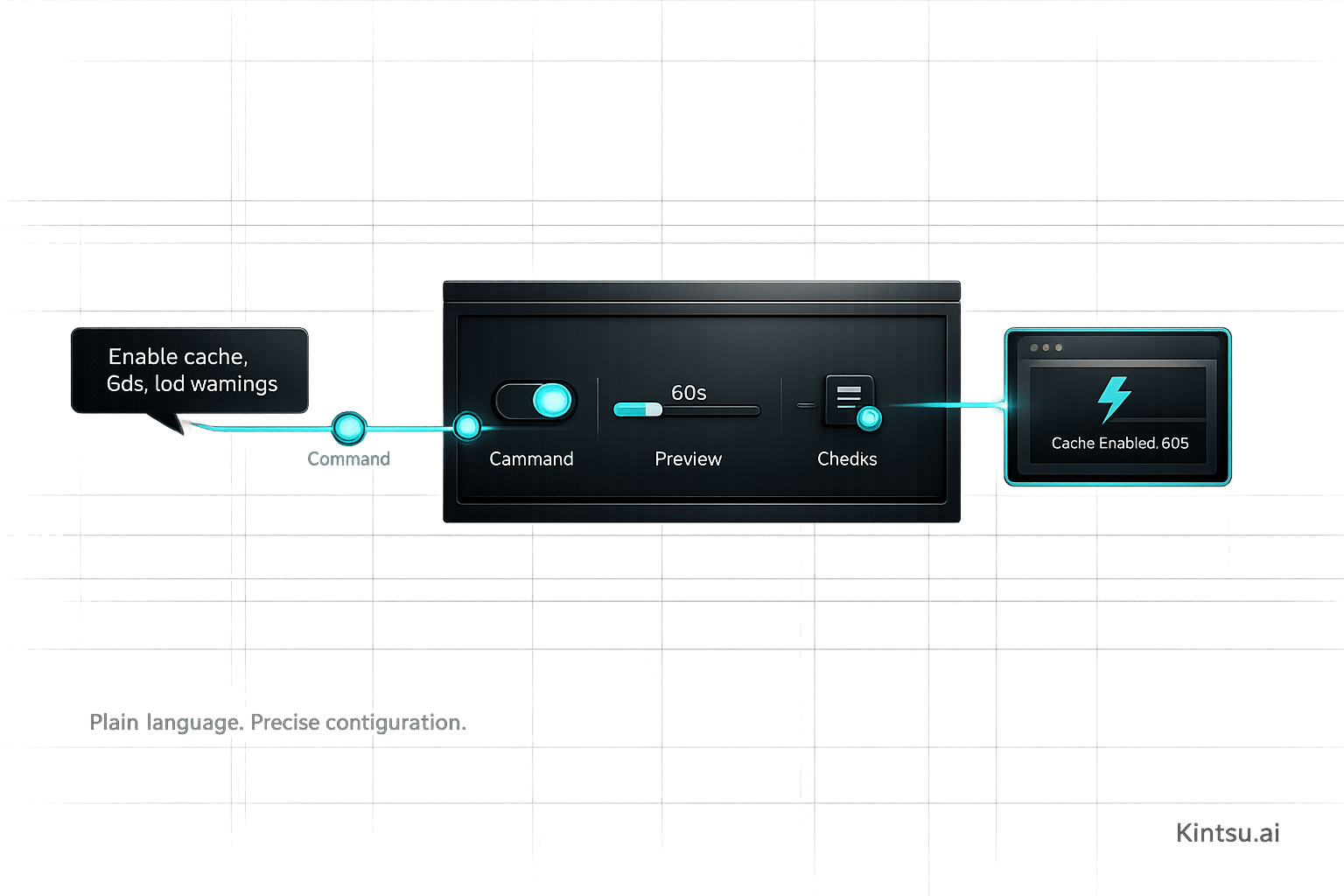
Configuring WordPress plugins can be frustrating and time-consuming. Manual setups often require coding skills, troubleshooting conflicts, and navigating technical errors. AI tools like Kintsu.ai now make this process easier by letting you describe changes in plain English. Here's how AI is transforming plugin management:
- Plain Language Commands: Describe tasks like "optimize my contact form", and AI handles the technical details.
- Instant Previews: See changes in real-time before applying them to your site.
- Error Prevention: Automated checks catch potential conflicts or misconfigurations.
- Time Savings: Tasks that took hours can now take minutes, even for non-developers.
4 WordPress Plugins with AI Features You Should Be Using
Common Problems with Manual Plugin Configuration
As plugins grow more complex, manual configuration becomes a tedious obstacle. What might seem like a straightforward task often turns into a frustrating, time-consuming process. These challenges highlight why AI-powered tools are becoming increasingly important.
Setup Takes Too Much Time
Manually troubleshooting plugin issues can quickly eat up hours. Identifying the root cause of a problem often involves deactivating and reactivating plugins one by one - a painstaking process . For instance, a client’s website experienced mysterious frontend issues until a manual deactivation revealed a conflict between a newly added social sharing plugin and the page builder.
Adding to the frustration, plugin development can take anywhere from days to weeks, and manual batch updates can trigger conflicting commands . This trial-and-error approach wastes valuable time that could be better spent on building or scaling your business.
Technical Knowledge Requirements
The need for server-level knowledge creates a steep learning curve for non-technical users. When errors occur, users often have to resort to tools like FTP/SFTP clients (e.g., FileZilla) or file managers to regain access to their site . For example, resolving PHP errors may require enabling "Debug Mode" by editing the wp-config.php file, which demands familiarity with server file structures and code editing .
Security management further complicates things. Users must navigate advanced protocols like OAuth, API keys, and managed identities to safeguard data from unauthorized access . As ProcessMaker points out:
"While headlines celebrate AI breakthroughs and productivity gains, they often overlook the human cost of rapid technological change".
This complexity often forces teams to rely on developers, limiting non-technical users’ ability to experiment or prototype new features without IT assistance. In fact, 90% of enterprises report major difficulties integrating AI into their existing tech stacks.
Configuration Errors and Their Impact
Manual errors during setup can have catastrophic consequences. One common issue is the White Screen of Death (WSOD), where the site goes completely blank and becomes inaccessible . In some cases, incorrect code implementation leads to fatal errors that can take the entire site offline until resolved .
For example, in May 2023, a WPMU DEV writer attempted to manually configure a custom "dummy text" plugin generated by ChatGPT. The plugin caused a fatal error upon activation because it called a non-existent function and lacked essential data validation and output escaping. An expert developer from WPMU DEV explained:
"The plugin tries to generate random content on each and every admin page load... there's no validation whatsoever, and no escaping of the output, which is terrible".
These kinds of oversights - like skipping input validation or ignoring output escaping - can leave websites vulnerable to exploitation. Additionally, poorly configured settings, such as unoptimized SQL queries or improper use of meta_query on large datasets, can slow site performance significantly. WP Engine puts it succinctly:
"Because plugins are authored by different developers, it's almost impossible to guarantee that the code behind one plugin won't conflict with that of another plugin, theme, or WordPress version".
How Kintsu.ai Makes Plugin Configuration Easier
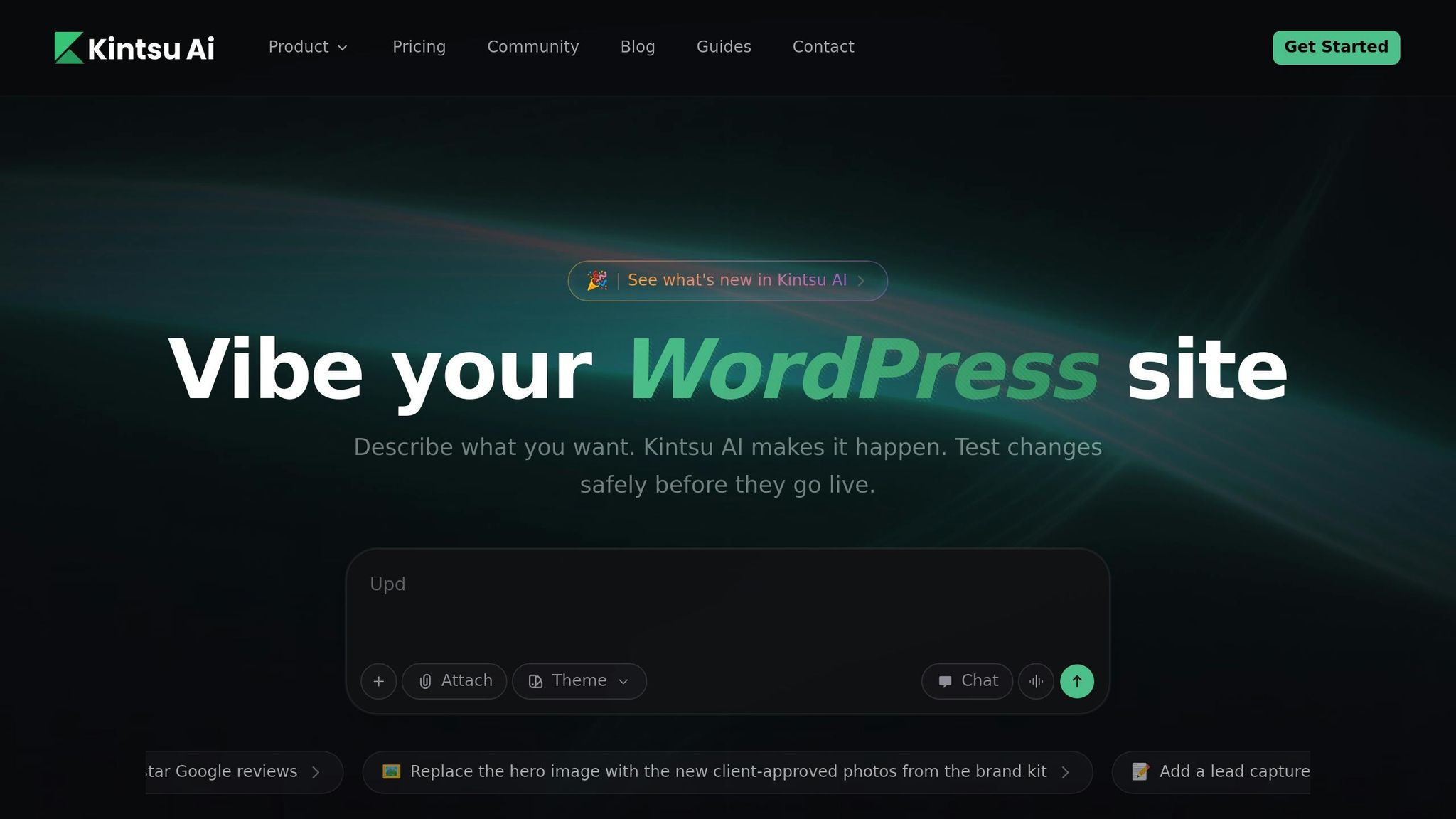
Kintsu.ai takes the hassle out of configuring WordPress plugins. Forget about digging through complicated dashboards or tweaking code files. By using Natural Language Processing (NLP), it turns simple, everyday language into actionable WordPress commands. This approach removes the need for technical know-how, making it much easier for non-technical users to manage their websites. It’s all about connecting what you want to do with how it gets done - without the usual headaches.
Plain Language Plugin Setup
With Kintsu.ai, you can describe what you want in plain English - like "optimize my contact form for mobile" or "add social sharing buttons to blog posts." Thanks to advanced Large Language Models (LLMs) and Natural Language Understanding, the platform interprets your request and translates it into the exact technical steps needed. No more navigating complex settings or figuring out how plugins interact. This conversational approach acts as a bridge between your ideas and the technical execution, so you don’t have to worry about the nitty-gritty details of plugin configuration.
Instant Changes and Previews
Traditional plugin configuration often involves trial and error - making a change, refreshing the page, and hoping it looks right. Kintsu.ai eliminates this back-and-forth with real-time updates. As you describe the changes, you can immediately see how they affect your site. Whether it’s tweaking content, adjusting design, or fine-tuning SEO settings, the platform ensures your edits are applied instantly and accurately. Plus, you can preview how changes will look and function before making them live, giving you the freedom to experiment without risk. This instant feedback loop saves time and ensures your site stays polished.
Preventing Errors with AI Validation
Kintsu.ai doesn’t just make changes - it makes smart changes. Before anything goes live, the platform runs automated checks to validate the modifications. This built-in review system helps catch potential conflicts or misconfigurations, so you don’t have to worry about breaking your site. It also takes care of sitewide styling and ensures your brand's design and accessibility standards are maintained. Instead of manually troubleshooting compatibility issues between plugins and your theme, the AI handles it for you. This means fewer headaches and more time to focus on your website’s content and goals.
sbb-itb-42d7c06
How to Configure Plugins with Kintsu.ai
Setting up plugins with Kintsu.ai is a straightforward process, thanks to its AI-powered configuration system. Here's a quick guide to help you get started.
Kintsu.ai allows you to configure plugins using natural language commands. The Free tier is a great starting point, offering support for one WordPress site and 10 AI edit credits per month - no credit card required.
Step 1: Access the Kintsu.ai Dashboard
Start by logging into your Kintsu.ai dashboard. This interface removes the complexities of manual setup, letting you type commands like “configure my contact form to send notifications to my team email” or “set up caching to improve page load times.” You can preview proposed changes before applying them, ensuring you’re happy with the adjustments. If you're on a Business or Enterprise plan, you'll also have access to multi-site management and staging, making it easier to test and tweak setups across multiple environments.
Step 2: Review Suggestions from the AI
Once you've entered your request, Kintsu.ai’s Natural Language Processing engine converts your instructions into specific WordPress actions. Review the AI’s configuration suggestions to ensure they align with your needs before proceeding.
Step 3: Apply and Fine-Tune Settings
Apply the recommended settings with a single click. If adjustments are needed, you can refine them using follow-up commands like “increase image compression to high quality” or “change form submission notifications to send immediately” . Pro users enjoy priority processing and can easily revert changes using the rollback feature. After applying the settings, monitor the plugin to confirm everything is running smoothly.
Step 4: Monitor and Optimize Performance
Kintsu.ai includes tools like the Page Load Speed Analyzer, Accessibility Checker, Image Size Calculator, and Keyword Density Tool to help you track and improve plugin performance. These diagnostics work alongside AI validations to minimize errors during configuration. If you encounter any issues or want to tweak settings further, simply use the conversational interface to make additional changes.
Advantages of AI-Powered Plugin Configuration
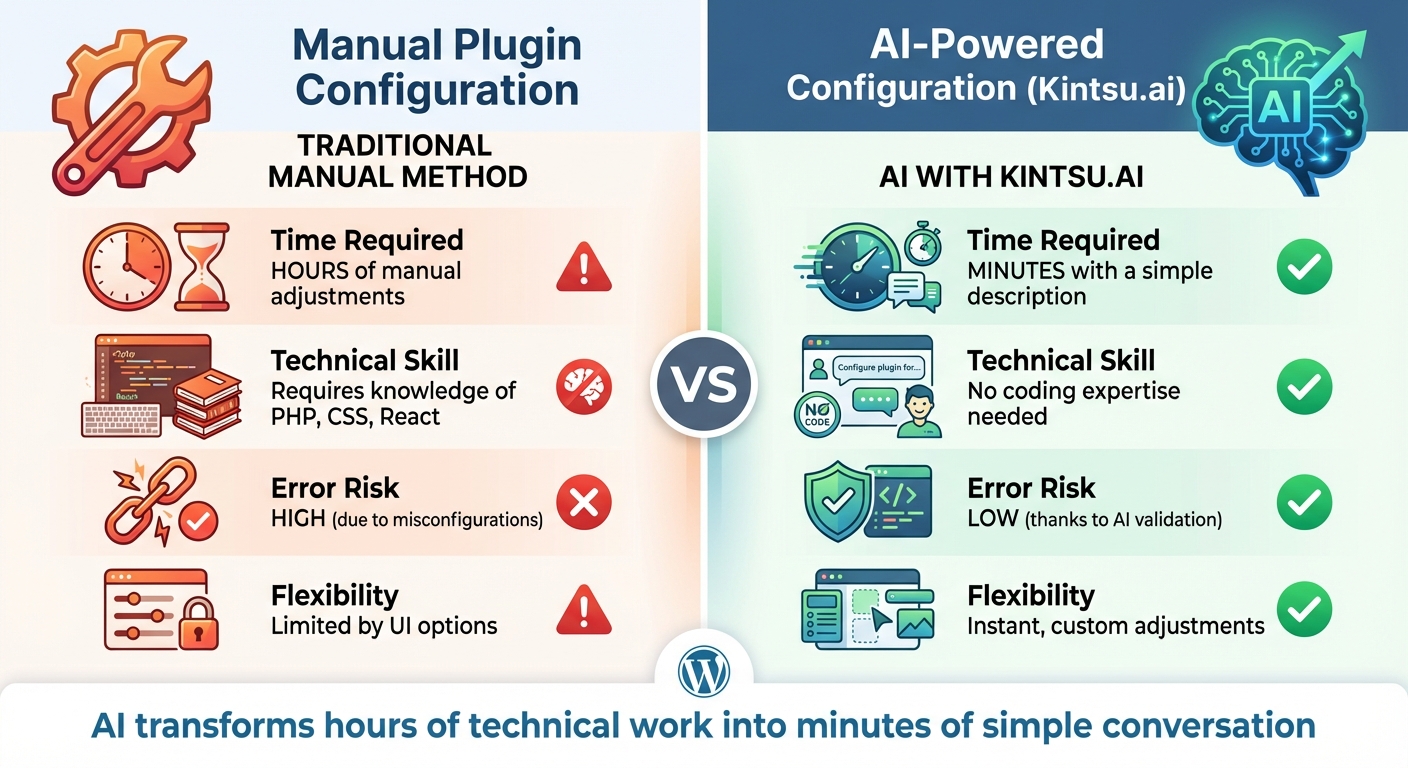
Manual vs AI-Powered WordPress Plugin Configuration Comparison
Building on the earlier discussion of manual setup challenges and the role of AI, let's dive into the benefits of AI-powered configuration.
Manual vs. AI Configuration Methods
Setting up plugins manually can be a slow, error-filled process, but AI changes the game by streamlining configuration.
| Aspect | Traditional Method | AI with Kintsu.ai |
|---|---|---|
| Time Required | Hours of manual adjustments | Minutes with a simple description |
| Technical Skill | Knowledge of PHP, CSS, React | No coding expertise needed |
| Error Risk | High due to misconfigurations | Low, thanks to AI validation |
| Flexibility | Limited by UI options | Instant, custom adjustments |
With AI, users can describe their needs in plain English instead of writing code. This shift not only simplifies the process but also significantly accelerates it.
Faster Work and Better Efficiency
AI takes care of repetitive, time-consuming tasks. Instead of manually copying and pasting from past projects or spending hours debugging, AI can quickly generate complete plugin configurations from natural language inputs. It also serves as a smart assistant, catching typos, deprecated functions, and inefficient SQL queries that would otherwise require tedious manual fixes. This efficiency transforms the way plugin configuration is handled, making it faster and far more accessible.
Making Plugin Configuration Available to Everyone
AI removes the technical hurdles that have traditionally limited plugin configuration to developers. With over 60,000 free WordPress plugins available, AI now empowers users to create tailored solutions without needing to hire a professional. Bud Kraus highlights this advantage:
"The feedback loop is fast, and the assistant improves with every iteration".
Through a conversational interface, users can refine their configurations iteratively. They simply describe what changes they want, review AI-generated suggestions, and tweak them further - all in a process that was once reserved for those with specialized skills.
Conclusion: AI Changes How We Configure Plugins
Main Points to Remember
AI simplifies plugin configuration by transforming it into a conversational process. Instead of navigating through complex setups, you just describe your needs in everyday terms. The system handles the rest, offering automated validations to spot conflicts and visual regression testing to protect your site's design integrity.
With more than 60,000 WordPress plugins out there, AI removes the need for manual coding skills. Whether you're a beginner managing your first website or a pro juggling multiple client projects, AI handles repetitive tasks so you can focus on achieving your goals.
This evolution paves the way for a future where managing websites becomes almost entirely hands-free.
What's Next for AI in Website Management
AI-powered tools are stepping into new territory, aiming for complete autonomy in WordPress management. Soon, autonomous agents will handle critical tasks like site health monitoring, security updates, and performance optimization without human input. Thanks to standardized APIs, AI will also gain the ability to manage any plugin or theme seamlessly.
Features like visual monitoring and automated rollback protection are becoming essential, ensuring updates don’t lead to unexpected downtime. As Joel Olawanle from Kinsta puts it:
"AI isn't here to replace WordPress developers - it's here to make us faster, our code cleaner, and less prone to boring mistakes."
Platforms like Kintsu.ai are already integrating these advancements into a single conversational interface, making professional website management accessible to everyone.
FAQs
How does Kintsu.ai use AI to make plugin configuration error-free?
Kintsu.ai uses AI to reduce plugin configuration mistakes by introducing smart safeguards. These safeguards detect potential problems like layout issues, theme mismatches, or updates that might hurt conversions. Before any changes are made, it offers safer alternatives to avoid these risks.
This approach keeps your website running smoothly, maintaining its look and performance, even if you're making changes on the fly without technical know-how.
Can someone without technical skills manage plugins using Kintsu.ai?
Kintsu.ai makes managing plugins a breeze, even if you’re not tech-savvy. With natural language commands, you can update and tweak your plugins effortlessly - no coding required. This straightforward method cuts down on time and removes the hassle of navigating complicated settings.
How does using plain language make plugin setup easier?
Setting up plugins doesn't have to be a daunting task. With plain language commands, the process becomes much simpler and more approachable. Instead of relying on technical expertise or coding skills, users can just describe what they need in everyday terms. This means anyone can tweak and customize plugins without breaking a sweat.
Using plain language also speeds things up. AI-powered tools can quickly understand and implement changes based on what users type, cutting out the back-and-forth of trial and error. Plus, it minimizes the chance of mistakes, ensuring that configurations are done correctly and efficiently. By streamlining the setup process, plain language commands save time and make managing plugins hassle-free for everyone.