AI Tools for WordPress Performance Monitoring
Compare AI tools that monitor and optimize WordPress speed, uptime, Core Web Vitals, plugin conflicts, and automated fixes to cut downtime and costs.
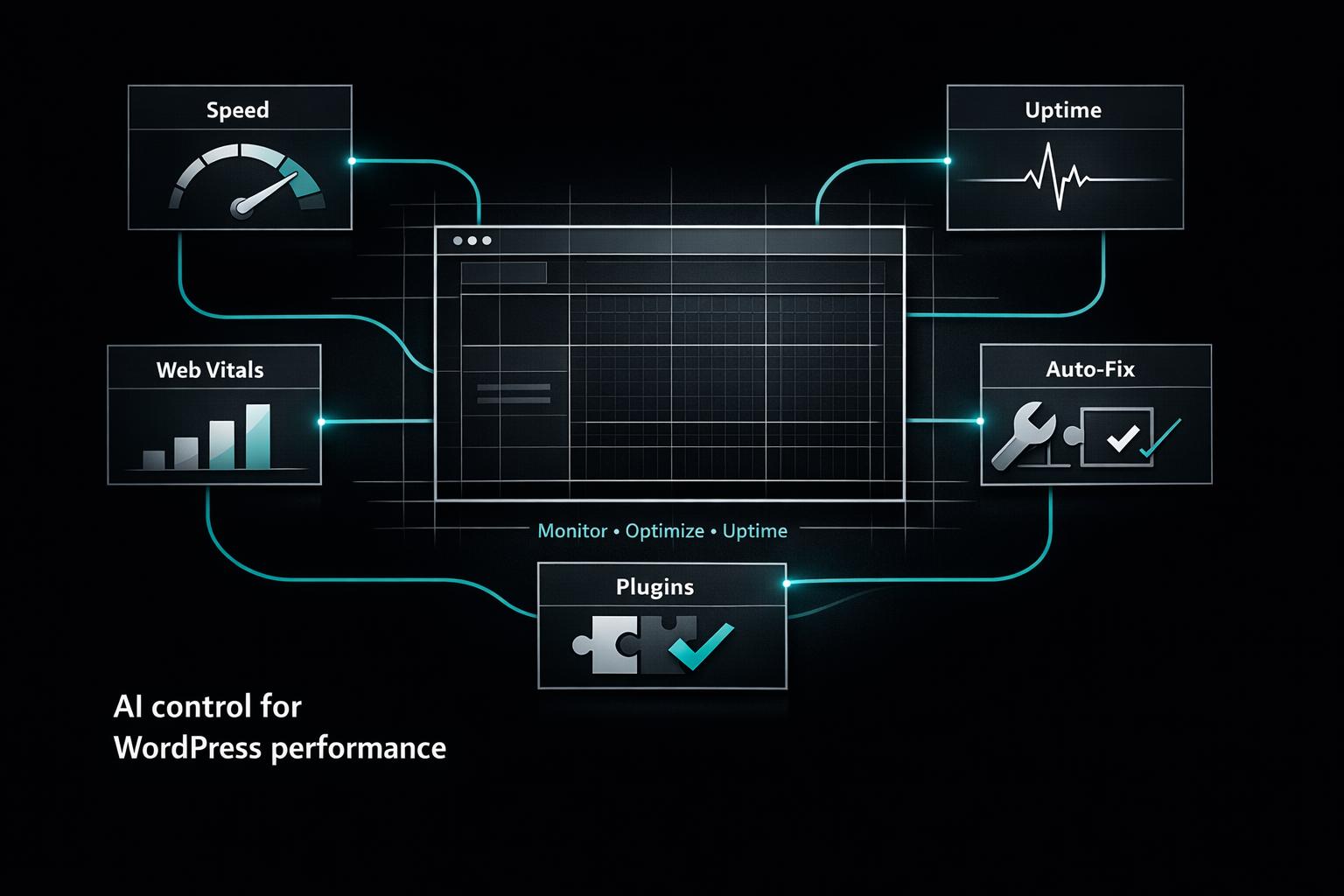
AI Tools for WordPress Performance Monitoring
AI-powered performance monitoring tools for WordPress make your site faster, more reliable, and easier to manage. These tools identify slow plugins, optimize database queries, and even prevent site-breaking changes - all automatically. Whether you're managing one site or hundreds, AI tools save you time and money by handling technical tasks and reducing downtime.
Key Features of AI Tools for WordPress:
- Real-time monitoring: Track performance metrics like load time, Core Web Vitals, and plugin conflicts.
- Automated fixes: Resolve PHP errors, optimize CSS, and convert images to modern formats like WebP.
- Proactive alerts: Get notified of potential issues before they impact your site.
- Cost savings: Reduce site management expenses and avoid revenue loss from downtime.
Top Tools Covered:
- Kintsu.ai: Prevents performance issues and offers conversational site management.
- ManageWP: Tracks historical performance and provides actionable recommendations.
- MainWP: Self-hosted solution with Google Lighthouse integration.
- WP Umbrella: Monitors uptime, Core Web Vitals, and infrastructure.
- WPMU DEV: Combines advanced monitoring with AI-driven optimizations.
- Jetpack: Simplifies performance tracking and boosts speed with automated tools.
- Rank Math: Merges SEO analytics with AI-powered content optimization.
- 10Web AI Builder: Focuses on fast site creation and performance improvements.
Quick Comparison
| Tool | Key Feature | Starting Price | Best For |
|---|---|---|---|
| Kintsu.ai | Conversational site management | $29/month (free plan) | Non-technical users |
| ManageWP | Historical performance tracking | $1/site/month | Agencies managing multiple sites |
| MainWP | Self-hosted performance tools | Free core, paid add-ons | Developers managing many sites |
| WP Umbrella | Centralized monitoring | $2/site/month | Agencies needing detailed metrics |
| WPMU DEV | AI-powered optimizations | $36/year | Multi-site management |
| Jetpack | Automated performance boosts | $8.95/month | Simple site optimization |
| Rank Math | SEO and AI content tools | Free, paid plans | SEO-focused site owners |
| 10Web AI | AI-driven site creation | $10/month | Fast site building and performance |
AI tools take the guesswork out of WordPress management. Whether you're improving load times, fixing errors, or optimizing for SEO, these tools handle the technical side so you can focus on growing your business.
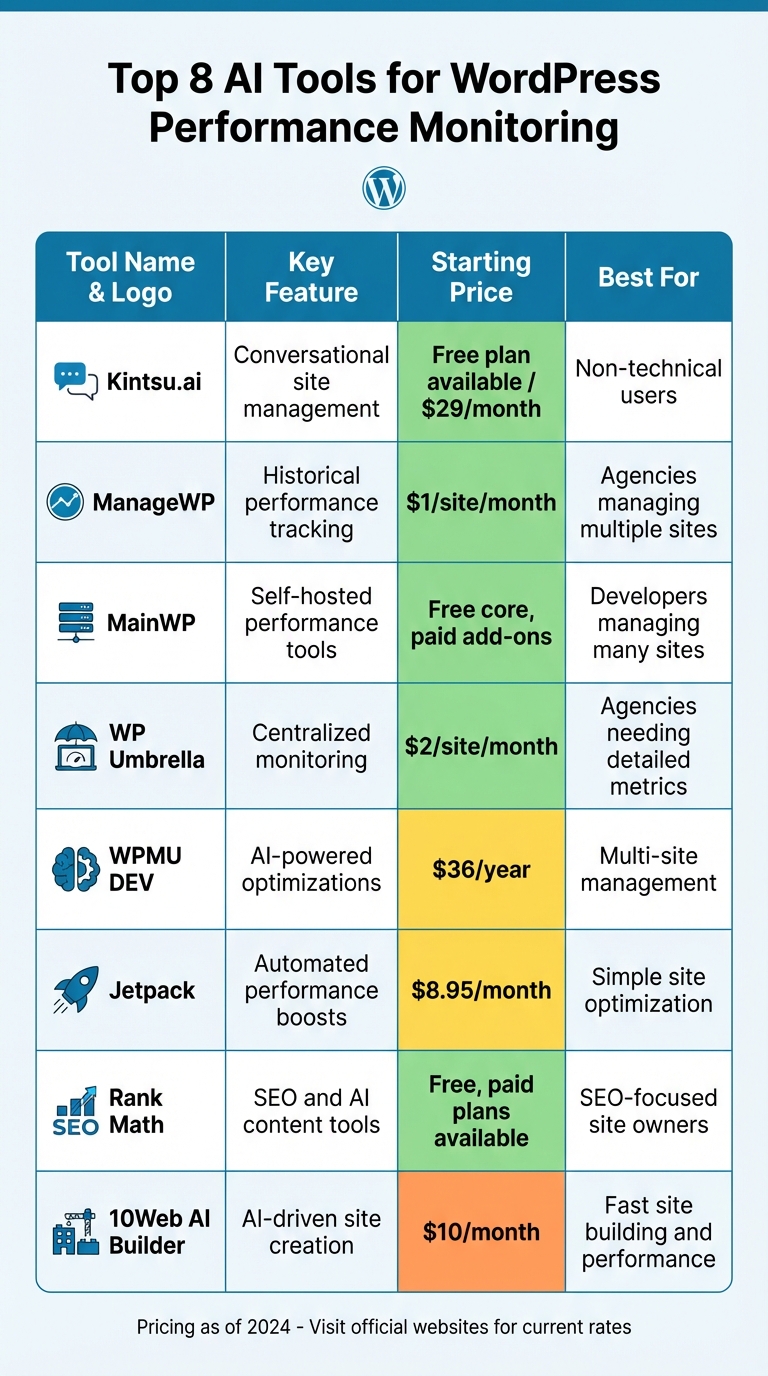
AI WordPress Performance Monitoring Tools Comparison: Features, Pricing and Best Use Cases
Remkus de Vries, Co-Founder & CEO of Scanfully, on WordPress Performance Monitoring with AI | E107
1. Kintsu.ai
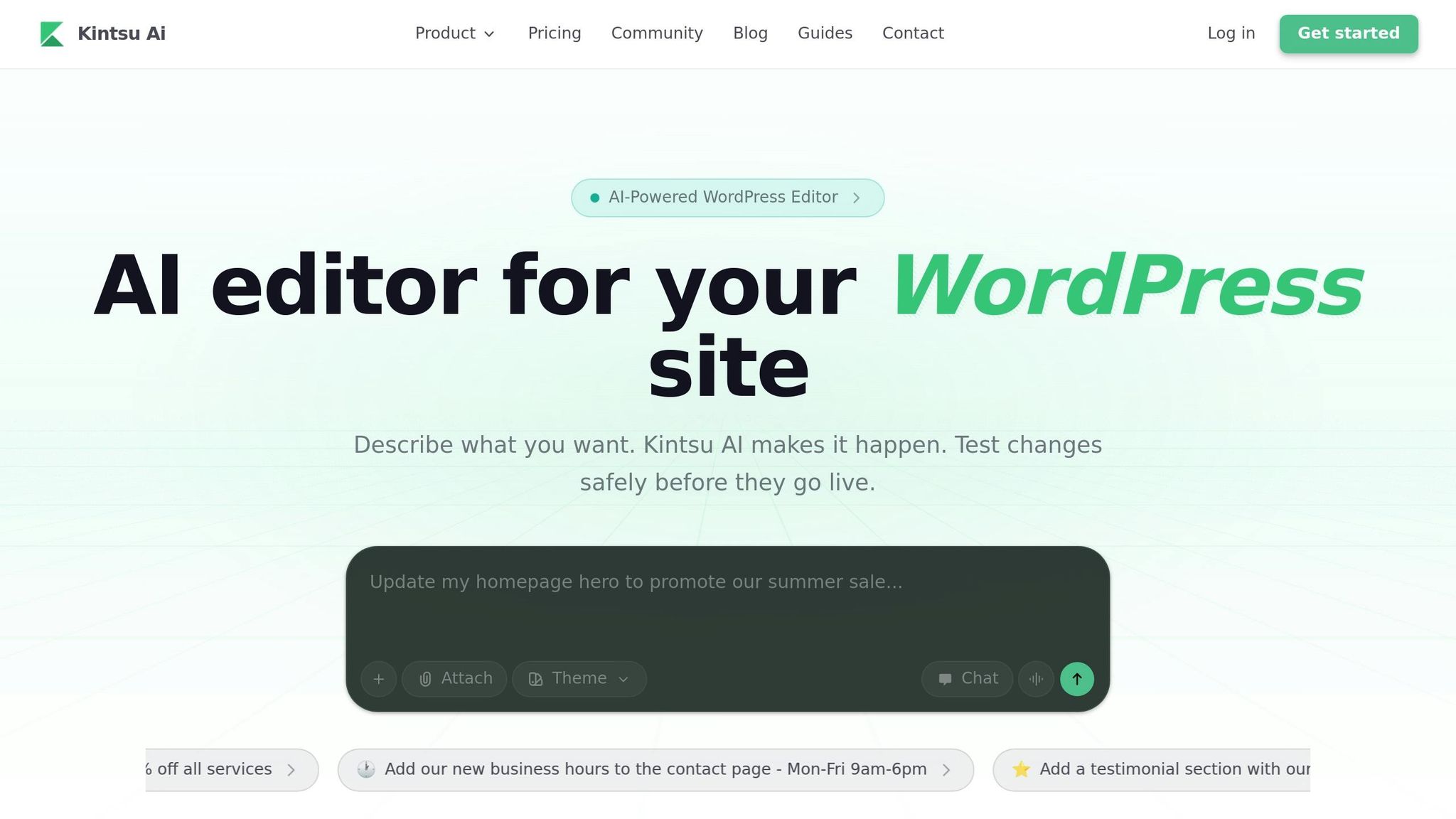
Kintsu.ai focuses on preventing performance issues rather than just reporting them. It connects directly to your WordPress site, allowing you to manage updates through natural conversation - no coding skills required.
Performance Monitoring Capabilities
The platform's Smart Guardrails system evaluates every change in real time, ensuring your site’s speed and layout remain intact. If you request an edit that could harm performance, the AI steps in with safer alternatives. For instance, it avoids heavy scripts or bulky widgets, suggesting lightweight edits to keep your site running smoothly.
Another key feature is Plugin Conflict Detection, which monitors active plugins to prevent compatibility issues. This reduces the risk of new features interfering with existing site elements. Additionally, Kintsu.ai maintains a complete version history with an audit trail, making it easy to roll back changes if something goes wrong.
These proactive tools lay the groundwork for Kintsu.ai’s optimization capabilities.
AI-Driven Optimization Features
Kintsu.ai doesn’t just monitor - it actively improves your site. The platform emphasizes performance-friendly edits, as highlighted in its approach:
Avoid common 'quick fixes' that slow WordPress down. Prefer lightweight edits over piling on heavy scripts or bloated widgets.
The AI dives into database queries to pinpoint slow patterns and automates indexing to speed up load times. Before any changes go live, they’re tested in a preview sandbox, ensuring your site remains stable.
With Kintsu.ai, tasks that typically take two business days can be completed the same day. Plus, it significantly reduces site management costs - saving users an estimated $11,652 annually.
Real-Time Alerts and Updates
Kintsu.ai keeps you informed during every step of the editing process. The AI sends real-time alerts if a change could disrupt your theme or hurt conversions. Using Discussion Mode, you can collaborate with the AI to evaluate potential impacts before finalizing edits. And since the platform operates 24/7, support is always available when you need it.
Seamless WordPress Integration
Getting started is simple. Install the lightweight plugin, which only activates during edits and doesn’t add any front-end scripts that could slow down your site for visitors. Kintsu.ai integrates effortlessly with major hosting platforms like WP Engine, Kinsta, and SiteGround, as well as popular page builders such as Elementor, Divi, and Gutenberg.
The pricing structure includes a Free Plan ($0/month) with one site connection and 10 AI edit credits. The Builder Plan, priced at $29/month, offers 100 credits and full access to edit history.
2. ManageWP
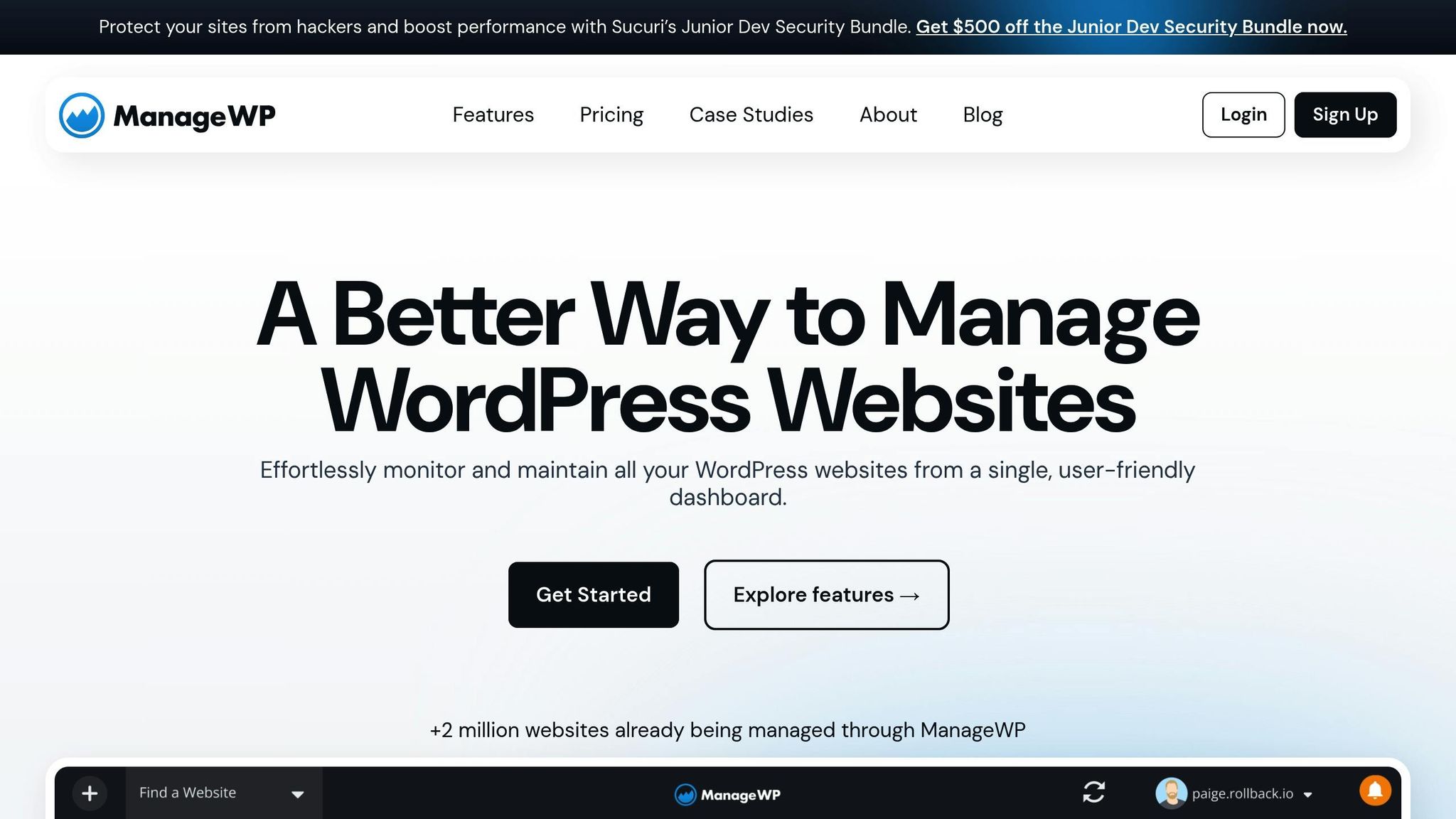
ManageWP, a platform trusted by over 2 million websites, uses a dual-engine scanning system powered by Google PageSpeed and Yahoo! YSlow. This approach evaluates site performance from multiple perspectives, ensuring a thorough analysis of your website's speed and efficiency.
Performance Monitoring Capabilities
One standout feature is the Timeline Analysis tool, which breaks down every page element and its load time. As Tom Ewer notes:
With the Timeline information, you can make actionable changes to specific files to speed up your site's load time.
ManageWP goes further by providing a tailored list of recommendations. It pinpoints underperforming elements, such as oversized images or inefficient CSS files, and suggests specific fixes. Additionally, the platform tracks historical benchmarks, so you can monitor progress over time and demonstrate improvements to clients with clear, comparative data.
This level of detail sets the stage for proactive performance monitoring, complete with alerts to keep you informed.
Real-Time Alerts and Updates
ManageWP allows you to set custom thresholds, triggering alerts if your PageSpeed grades fall or if load times exceed 10 seconds. While the free version includes manual scans and dashboard notifications, premium plans offer more robust features. Starting at $1 per site per month (or $25 per month for up to 100 sites), these plans include automated daily or weekly scans, along with alerts sent via email or Slack.
3. MainWP
MainWP provides a self-hosted solution designed to give you full control over your data. Trusted by over 20,000 site owners managing more than 700,000 WordPress sites, it boasts a stellar 4.9/5 rating from over 2,200 5-star reviews by WordPress professionals.
Performance Monitoring Capabilities
MainWP offers two powerful tools for tracking site performance. The Lighthouse extension leverages the Google PageSpeed Insights API to audit all connected sites. It provides desktop and mobile performance scores, along with historical data to track trends over time.
The Page Speed extension focuses on load times, calculating averages and assigning a speed score to each site. This makes it easier to pinpoint and address sites that aren't performing as they should. Dave Cocking, owner at Monowebdesign, shares his experience:
"MainWP is a daily essential for my business. I tried a few other services before settling on MainWP almost 8 years ago, and it's been a significant time saver."
These tools turn routine performance checks into actionable insights, helping you keep your WordPress sites running smoothly.
Real-Time Alerts and Updates
MainWP's extensions allow you to set notification thresholds. If a site's performance score drops below your chosen level, you'll receive an immediate email alert. For developers managing a large number of sites, MainWP also supports WP CLI commands like wp mainwp-lighthouse audit --all, enabling you to run performance audits across all sites directly from the command line.
This combination of automated alerts and developer-friendly tools ensures you stay ahead of potential issues.
Ease of Integration with WordPress
Getting started with MainWP is straightforward. Install the MainWP Dashboard on your central site, add the MainWP Child plugin to each client site, and connect them. The core platform is free and supports unlimited sites. For advanced features like the Lighthouse and Page Speed extensions, the Pro bundle is available.
Unlike subscription services that charge per site, MainWP's self-hosted model means a one-time payment lets you manage as many sites as you need, without ongoing per-site fees.
4. WP Umbrella
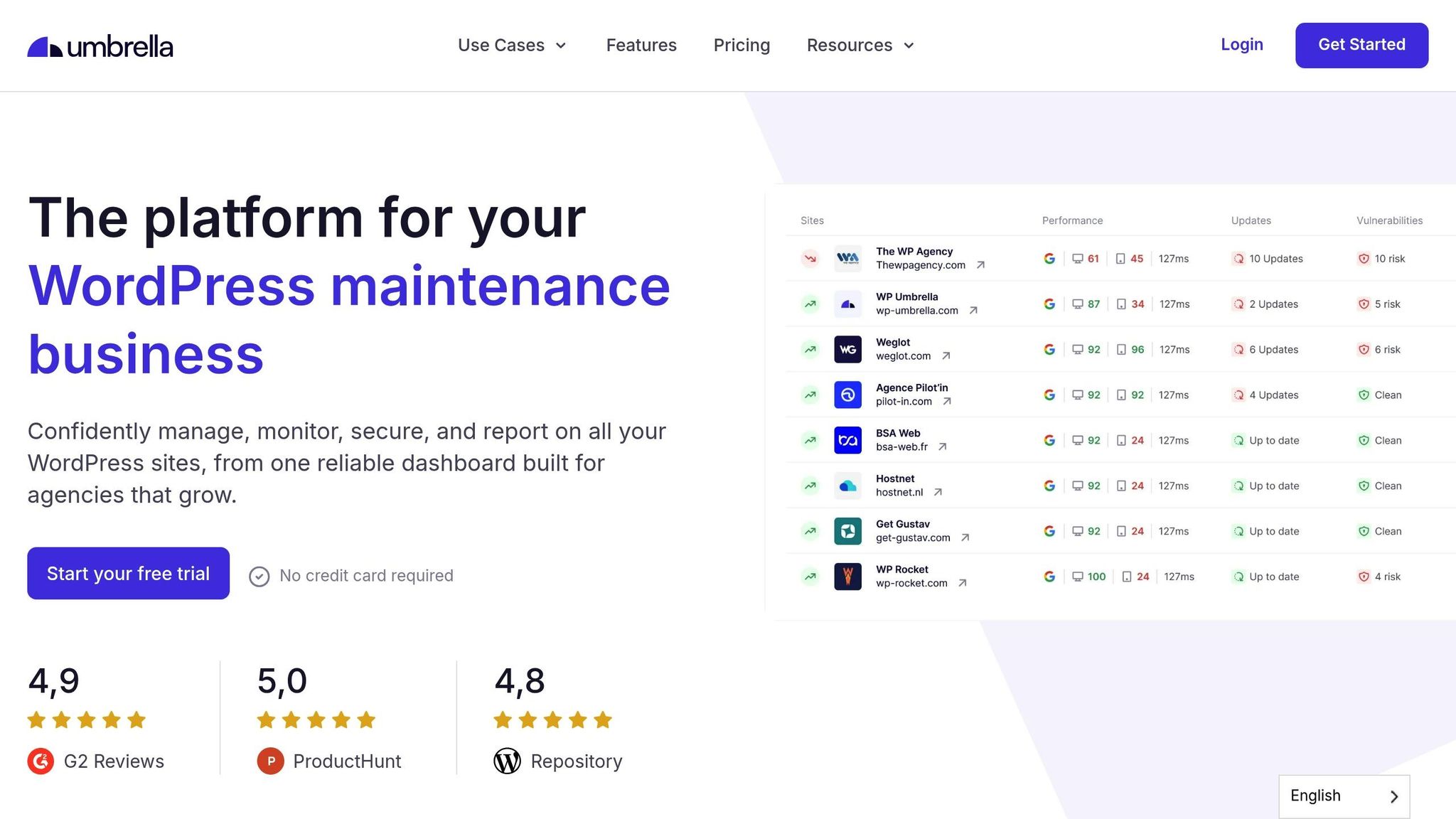
WP Umbrella provides the monitoring backbone for over 60,000 WordPress sites, offering a centralized dashboard that combines uptime monitoring, speed analysis, and infrastructure checks. This makes it a great choice for agencies managing multiple websites.
Performance Monitoring Capabilities
WP Umbrella integrates Google PageSpeed Insights for desktop and mobile, updating scores every 24 hours to help track performance trends. It also monitors Core Web Vitals like Largest Contentful Paint (LCP), Cumulative Layout Shift (CLS), and Interaction to Next Paint (INP). Additional metrics include Time to First Byte (TTFB), First Contentful Paint (FCP), Speed Index, and Time to Interactive (TTI).
Uptime checks can be customized to run at intervals ranging from 1 to 60 minutes, with monitoring available from locations across Europe, US East, US West, Asia, and Australia. For the most precise response time data, a 2-minute interval is recommended. Kyle, the Founder of The Admin Bar, shared his experience:
"After trying virtually every management tool out there, I've fully moved my agency to WP Umbrella, and I'm convinced I won't need to look further."
These tools enable proactive maintenance, ensuring your sites stay in top shape.
AI-Driven Optimization Features
WP Umbrella's Safe Update technology employs visual regression testing to ensure updates don’t cause issues before they go live. If problems like layout shifts or technical errors are detected, the system automatically reverts to a pre-update backup. This eliminates the risk of unnoticed site errors that manual checks might miss. Additionally, the platform auto-cleans cache and updates databases to keep your site running smoothly.
These features work together to automate maintenance while keeping you informed of any potential issues.
Real-Time Alerts and Updates
WP Umbrella sends instant notifications via email or Slack for downtime, performance issues, or upcoming SSL and domain expirations.
Seamless WordPress Integration
Getting started is simple: install the WP Umbrella plugin on your WordPress sites and connect them to the dashboard using an API key. The pricing is straightforward at $2 per site per month, with all features included - no seat limits or setup fees. A 14-day free trial is available, and no credit card is required. The platform also allows you to generate white-label PDF reports automatically. This streamlined integration highlights WP Umbrella's focus on efficient, AI-powered site management.
5. WPMU DEV

WPMU DEV combines advanced AI tools with performance monitoring to keep WordPress sites running smoothly and efficiently.
With over 4.82 million active installations of its Smush Pro plugin and more than 300,000 installations of Hummingbird Pro, WPMU DEV is a trusted choice for WordPress performance management. It uses Google Lighthouse metrics to analyze key speed indicators like Speed Index, First Contentful Paint (FCP), Largest Contentful Paint (LCP), Total Blocking Time (TBT), and Cumulative Layout Shift (CLS).
Performance Monitoring Capabilities
The platform checks your site every 2 minutes to track uptime, downtime, and Time to First Byte (TTFB). Performance scores are calculated with TBT weighted at 30%, and both LCP and CLS at 25%. Through "The Hub", users can manage multiple WordPress sites from a single dashboard, with response time data available for 24-hour, 7-day, or 30-day periods. Martin Aranovitch from WPMU DEV highlights:
"The Hub's Performance tab lets you quickly optimize and manage site performance with Hummingbird and Smush from a single tab."
This continuous monitoring lays the groundwork for AI-powered tools to fine-tune site performance automatically.
AI-Driven Optimization Features
WPMU DEV's AI Search Assistant, powered by OpenAI's GPT, provides on-the-spot recommendations for performance improvements and troubleshooting. The Hummingbird Pro plugin generates Critical CSS to address render-blocking issues and offers features like "Delay JavaScript" and "Font Swapping" to enhance page rendering. A "Safe Mode" feature allows you to test changes in a sandbox environment before applying them, ensuring optimizations don't disrupt your site.
Real-Time Alerts and Updates
You'll receive instant notifications via email or dashboard alerts for downtime or performance problems. To avoid unnecessary alarms, you can set thresholds like 5 or 10 minutes for alerts triggered by brief server issues. For accurate monitoring, make sure to add WPMU DEV’s monitoring IPs (34.196.51.17 and 35.157.144.199) to your server's allowlist.
Seamless Integration with WordPress
The Quick Setup Wizard simplifies the initial configuration by enabling Gzip compression, page caching, and asset optimization. The WPMU DEV Dashboard plugin handles API connections and updates automatically. You can even save optimized settings as "Configs" to apply them across multiple sites effortlessly. Pricing starts at $36/year for a single site, with options going up to $600/year for unlimited sites.
With these features, WPMU DEV stands out as a reliable option for optimizing WordPress site performance.
sbb-itb-42d7c06
6. Jetpack
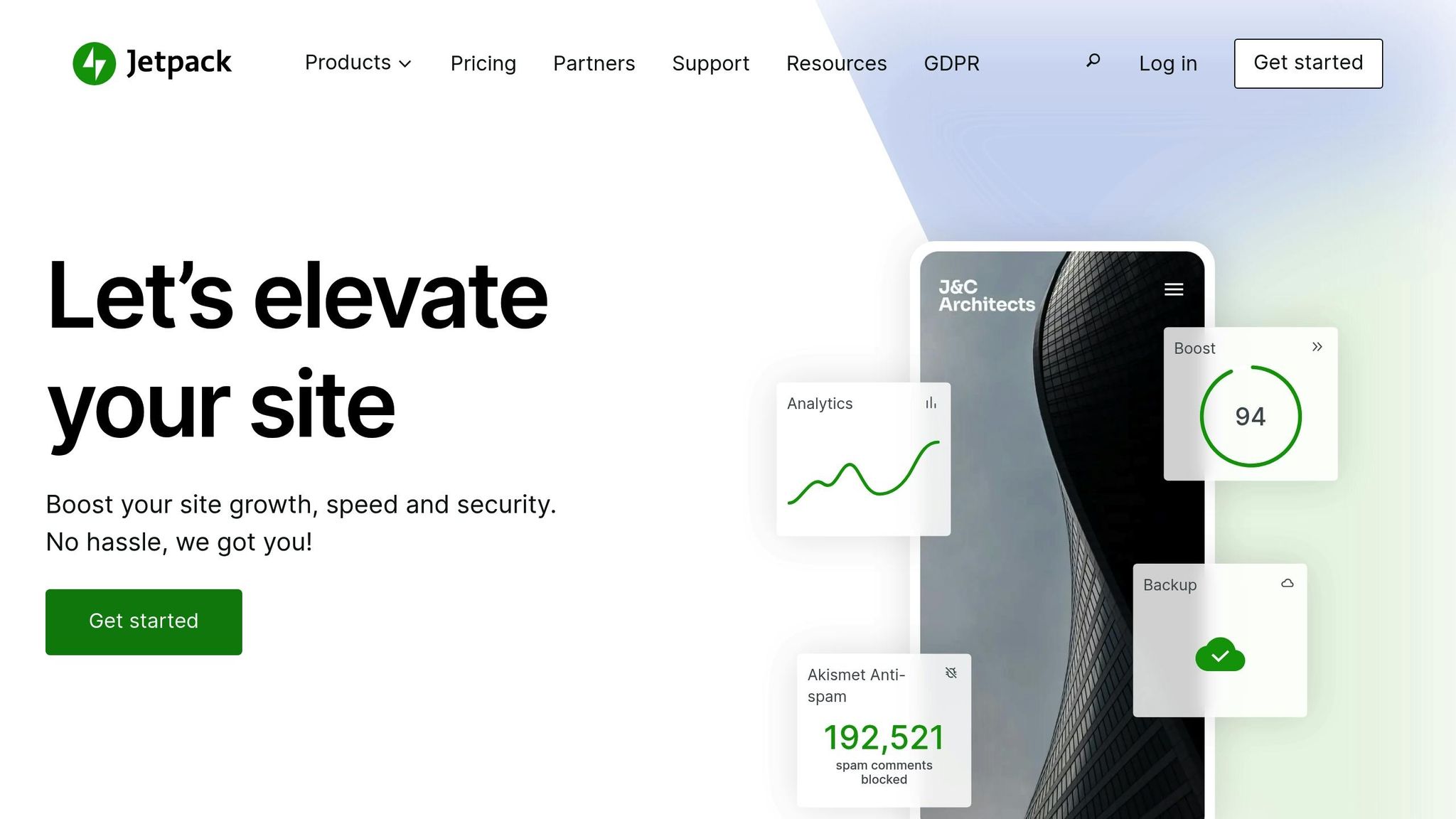
In today’s digital world, keeping your site running smoothly and quickly is critical. Jetpack steps in to help with performance monitoring and optimization, using Google Lighthouse for performance tracking and AI tools to enhance speed and reliability. It evaluates your site's performance on both mobile and desktop by analyzing Core Web Vitals like FCP, LCP, CLS, TTFB, and TBT. These metrics are rated as Poor (0–49), Needs Improvement (50–89), or Excellent (90–100).
Performance Monitoring Capabilities
Jetpack Boost uses Google Lighthouse to calculate real-time performance scores. While the free plan offers basic tracking features, upgrading to a paid plan (starting at $8.95/month billed annually) unlocks historical trend graphs for deeper insights. Jetpack Monitor ensures you're promptly notified via email if your site goes offline, while Jetpack Stats provides lightweight analytics that won't slow down your site.
These tools lay the groundwork for Jetpack’s optimization features, which aim to keep your site running at its best.
AI-Driven Optimization Features
Jetpack simplifies performance improvements with automation. It generates Critical CSS to prioritize essential styles, boosting metrics like FCP and LCP. Its AI Assistant refines content by identifying overly complex sentences and suggesting simpler alternatives, enhancing readability and engagement. It also crafts optimized post titles, excerpts, and alt text for images based on your page's context. On top of this, Jetpack includes a global Image CDN that automatically resizes and converts images into modern formats like WebP. Paid features, such as Auto-Resize Lazy Images, further reduce layout shifts for a smoother user experience.
This blend of automation and ease of use makes managing site performance much simpler.
Seamless Integration with WordPress
Getting started with Jetpack is straightforward. Install the Jetpack Boost plugin, activate it from WP Admin, choose a plan, and access the Boost dashboard to calculate your site’s performance score. The AI Assistant integrates seamlessly into the Gutenberg block editor, requiring only a WordPress.com connection to start generating content with natural language prompts. As Jetpack puts it:
Jetpack Boost gives your site the same performance advantages as the world's leading websites, no developer required.
The free plan includes essential tools like performance scoring, CSS optimization, page caching, JavaScript deferral, and an Image CDN. Paid plans expand these features with automated Critical CSS regeneration, performance history tracking, and advanced image quality controls. The AI Assistant offers 20 free requests for testing, with paid tiers starting at $22.95/month, providing additional capacity and priority support.
7. Rank Math with AI SEO
Rank Math takes SEO tools to the next level by combining advanced performance tracking with AI-driven features. Known primarily as a WordPress SEO plugin, it also delivers robust analytics capabilities, making it a handy tool for monitoring search performance. With over 3 million active installations and an impressive 4.9/5-star rating from more than 7,300 reviews, Rank Math brings essential search data straight to your WordPress dashboard.
Performance Monitoring Capabilities
Rank Math simplifies performance tracking by integrating Google Search Console and Analytics directly into WordPress. This setup provides instant access to metrics like search traffic, impressions, and keyword rankings. Its Rank Tracker keeps tabs on keyword performance over time, showing shifts in search positions and click-through rates (CTR).
One standout feature is its AI Traffic Tracking, which identifies visitors coming from AI search engines such as ChatGPT, Gemini, Perplexity, and Claude. Additionally, Rank Math uses Google’s URL Inspection API to monitor indexed pages and flag any issues that might prevent indexing. Performance graphs even include labels for Google Core Updates, helping users connect traffic fluctuations to algorithm changes.
AI-Driven Optimization Features
Rank Math’s Content AI 2.0 offers over 40 AI tools to streamline content creation and optimization. A key feature, Fix with AI, can automatically improve titles, meta descriptions, and keyword usage with a single click, addressing failed SEO tests effortlessly.
Other tools include RankBot, which provides 125+ prompt templates, while the AI assists by generating alt text, suggesting internal links, and creating Schema-ready FAQ blocks. Despite its powerful features, the plugin is lightweight, with just 7 files and 492 lines of code, ensuring it doesn’t slow down your site. SEO expert Matt Diggity has praised it, saying:
Rank Math is the WordPress SEO plugin that the industry has been waiting for. It's no surprise that so many have switched over.
Ease of Integration with WordPress
Getting started with Rank Math is simple. After installing the plugin, you connect it to your Rank Math account and use the Setup Wizard to link Google Search Console and Analytics. The wizard auto-configures settings, and a one-click import tool makes it easy to migrate data from other SEO plugins without losing rankings.
Once set up, you can enable the Analytics and Content AI modules to access advanced features. The Index Status tab lets you track data from Google’s URL Inspection API. The free version of Rank Math includes 750 Content AI credits per month alongside basic SEO tools. Paid plans unlock additional features like the Rank Tracker and AI traffic monitoring. Keep in mind that researching a new keyword uses 500 credits, and AI writing costs 1 credit per word.
8. 10Web AI Builder
10Web AI Builder takes website creation and optimization to a new level by combining AI-driven tools with automated performance monitoring. With over 2 million websites powered and a solid 4.6/5-star rating on Trustpilot from 2,297 reviews, it’s clear that users value its capabilities. Built on Google Cloud, the platform promises a 99.99% uptime guarantee, ensuring reliability while focusing on improving WordPress performance through smart automation.
Performance Monitoring Capabilities
10Web ensures a 90+ PageSpeed score for both desktop and mobile users, with 88% of users achieving this score after migrating their sites. Its centralized dashboard simplifies managing performance, security, and analytics across multiple WordPress sites.
The 10Web Booster is specifically designed for WordPress and applies optimizations like CSS/JS minification and image lazy loading. It also monitors Core Web Vitals to ensure sites meet Google’s standards. On the security side, 10Web integrates with Cloudflare Enterprise for malware scanning, DDoS protection, and a Web Application Firewall. These features work seamlessly together, offering a comprehensive approach to site performance and security.
AI-Driven Optimization Features
10Web’s AI tools automatically fine-tune various site elements to enhance performance. For example, images are optimized by converting them to WebP format, resizing them for mobile, and enabling lazy loading. The platform also generates critical CSS, minifies HTML/CSS/JS files, and delays non-essential third-party scripts. A global CDN network spanning 275+ cities reduces latency and cuts bandwidth costs by up to 60%.
The platform’s AI Co-Pilot uses an Elementor-based editor to streamline website creation. It can generate layouts, content, and images, reducing production time by up to 80%. Users can even replicate an existing site by simply entering its URL, with the AI producing an editable WordPress draft in minutes. As one user shared:
"Within minutes of the onboarding process, I was able to create a great, professional-looking WordPress website without the need to hire a developer."
– David E., Owner/CEO
Ease of Integration with WordPress
10Web simplifies the migration process with one-click migration, allowing users to transfer their WordPress sites without experiencing downtime. The 10Web Booster is compatible with any hosting provider, so you can optimize your site’s frontend performance without switching hosts. A Test Mode feature lets users experiment with four different optimization levels before making changes live.
The platform offers a free version that optimizes the homepage and up to five inner pages. For more advanced features, paid plans start at $10/month for AI Starter, $15/month for AI Premium, and $23/month for AI Ultimate. A free trial is also available, giving users the chance to explore the platform’s capabilities before committing.
Feature and Pricing Comparison
Here's a quick look at some of the top AI-driven performance monitoring tools for WordPress, focusing on their key features, pricing, and ideal users.
| Tool | Primary Focus | Key AI Feature | Starting Price | Best For |
|---|---|---|---|---|
| Kintsu.ai | Safe Site Editing | Conversational site management with intent-to-change understanding | $29/month (Free plan: 1 site, 10 credits/mo) | Users wanting performance-focused edits without coding |
| WP Multitool | Backend Optimization | AI analysis to detect slow queries and reduce database bloat | $50 one-time payment (increasing to $100 after 100 customers) | Those prioritizing backend performance improvements |
| DebugHawk | Real User Monitoring | Identifies performance bottlenecks using detailed stack traces | 14-day free trial (usage-based pricing) | Agencies managing multiple WordPress sites |
| Genwave | AI Automation & Error Handling | Automatically fixes PHP errors and builds custom plugins via natural language | Free plan with flexible credits for advanced features | Users seeking automated error resolution and robust AI capabilities |
| RapidLoad AI | Core Web Vitals Optimization | AI-powered speed diagnostics with automated CSS and image optimization | Premium pricing (details not disclosed) | Websites aiming for major speed improvements and hands-off optimizations |
| SitePulse | Real-time Monitoring | Live performance insights with AI diagnostics | Free basic version | Users needing privacy-first, local performance monitoring |
This table showcases a range of tools, each catering to specific needs. For example, WP Multitool stands out with its lifetime access for a one-time fee of $50 (increasing to $100 after the first 100 customers). Meanwhile, Genwave offers a free plan with a flexible credit system, perfect for users who require occasional automation without committing to a monthly subscription. Whether you're managing a single site or running an agency, there's likely a tool here that fits your workflow.
Conclusion
AI-powered monitoring has revolutionized how websites handle error recovery and performance optimization. With 24/7 automated monitoring, instant error resolution, and user-friendly site editing tools available at affordable prices, you no longer have to endure long wait times or pay hefty agency fees. This shift brings fewer crashes, faster loading speeds, and better Core Web Vitals scores - all without requiring technical know-how.
What’s the best choice for you? It depends on your goals. If you’re a non-technical site owner looking for an easy way to make edits or optimizations, conversational tools like Kintsu.ai remove the need for coding altogether. Agencies, on the other hand, can rely on automated monitoring to catch and resolve issues before they escalate. And if speed is your top priority, AI diagnostic tools can identify slow plugins and suggest actionable fixes.
The financial upside is clear: AI monitoring reduces downtime and its associated revenue losses while providing detailed insights. Many platforms also offer free plans or trials, so you can explore your options risk-free. Whether your main challenge is recurring errors, sluggish load times, or complicated edits, there’s a tool designed to tackle it. These AI-driven solutions keep your site running smoothly, securely, and ahead of the competition.
FAQs
Which performance metrics should I track first on my WordPress site?
To improve user experience and efficiency, begin by keeping an eye on critical metrics like PageSpeed Insights scores and Core Web Vitals. These metrics evaluate important factors such as load times, interactivity, and visual stability. It's also essential to track site uptime and use AI tools to pinpoint performance issues, like sluggish plugins or delayed server responses. By addressing these areas, you can ensure your site remains fast, stable, and dependable.
Will AI monitoring tools slow down my site or conflict with plugins?
AI monitoring tools for WordPress are built to keep your site running smoothly without dragging down its performance or clashing with other plugins. These tools work quietly in the background, keeping resource usage low while providing features like real-time diagnostics and smart insights. With the right setup, they include safeguards like selective monitoring and compatibility checks, ensuring your site stays fast, dependable, and free from plugin conflicts.
How can I safely roll back updates if an AI optimization breaks my layout?
To safely undo updates after an AI adjustment disrupts your layout, start by pinpointing the specific changes that caused the problem and revert them. Keeping a detailed record of updates as you make them can streamline this process and help avoid future issues. Before implementing any AI-driven changes on your live site, test them in a sandbox environment. This approach ensures your site stays stable and functional while you experiment with new optimizations.