How AI Improves WordPress Design Consistency
How AI automates sitewide styling, enforces brand rules, improves accessibility, and speeds WordPress design with conversational tools.
How AI Improves WordPress Design Consistency
AI tools are transforming WordPress design by automating repetitive tasks, ensuring consistent styling, and improving user experience. Here's how:
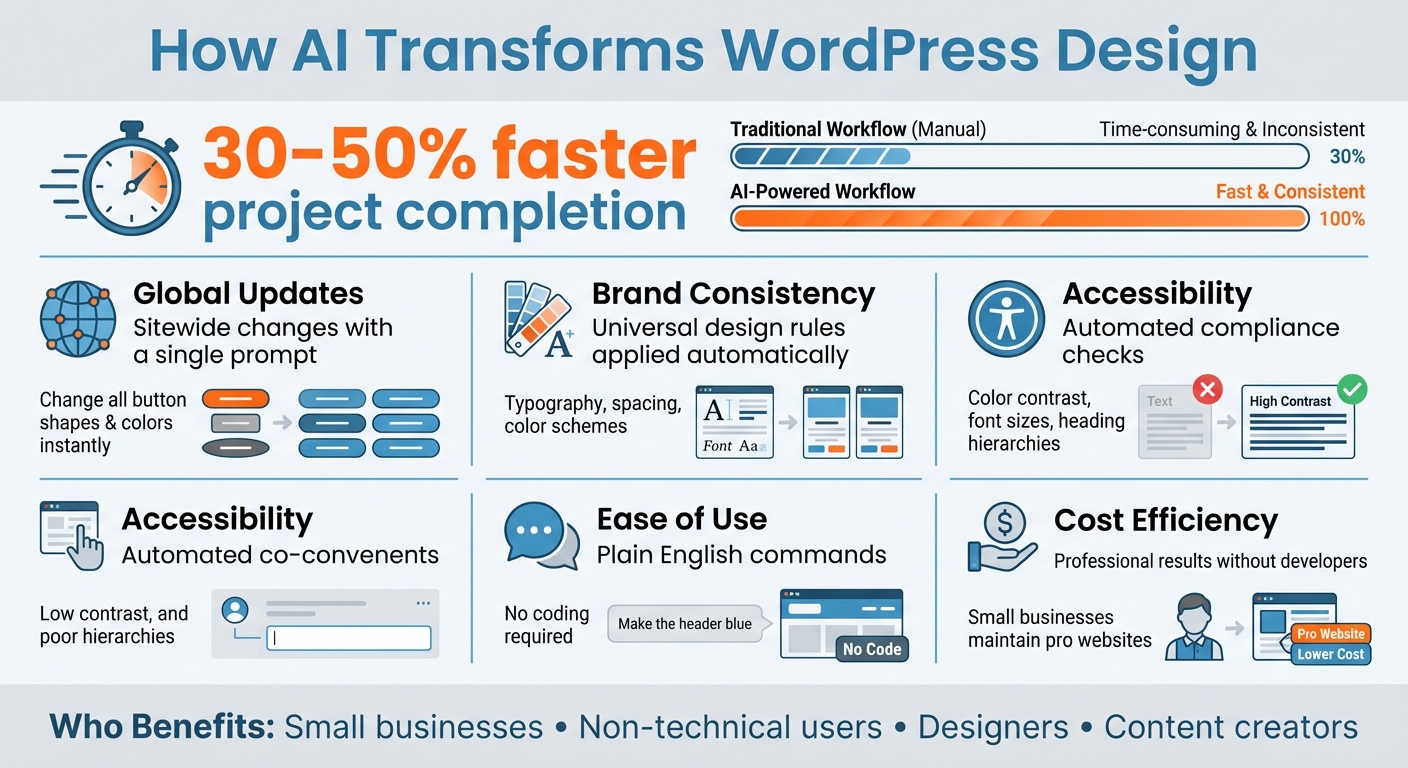
- Time Savings: Developers and designers report completing projects 30–50% faster with AI.
- Global Updates: Make sitewide changes (e.g., button shapes, colors) with a single prompt.
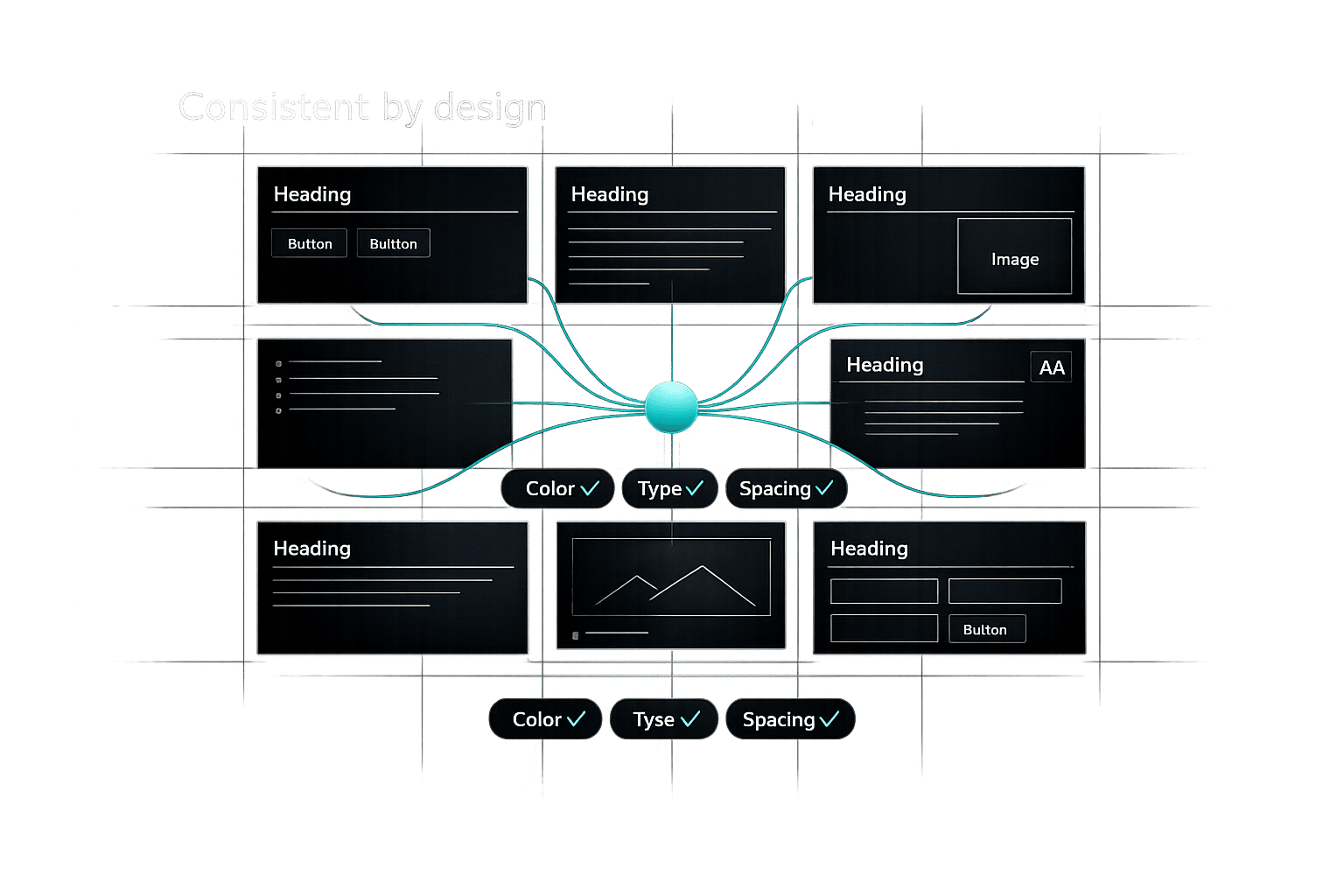
- Brand Consistency: AI applies universal design rules, aligning elements like typography, spacing, and color schemes to your brand.
- Accessibility: Automated checks for color contrast, font sizes, and heading hierarchies ensure usability for all users.
- Ease of Use: Tools like Kintsu.ai let users describe changes in plain English, applying updates instantly without coding.
AI removes technical barriers, letting small businesses and non-experts maintain professional, visually consistent websites while saving time and resources.
How AI Improves WordPress Design: Key Benefits and Time Savings
100% Usable AI Web Design Tools 2025
How AI Automates Design Consistency in WordPress
AI takes the hassle out of manual design tweaks on your WordPress site. Instead of painstakingly adjusting elements one by one, you can use simple prompts like "make all buttons rounded" to apply consistent design rules across your site effortlessly.
What makes this even more powerful is AI's ability to understand your brand's visual identity. You can describe your business, and AI will apply matching color schemes and font pairings - for example, Poppins for headings and Inter for body text. It can even generate custom CSS and JavaScript in seconds to implement design rules that go beyond what standard themes allow, giving your site a unique and cohesive appearance. This automation sets the stage for more advanced design standardization techniques, which we’ll explore further.
How AI Applies Design Rules
AI ensures design consistency by treating your brand guidelines as universal rules applied across your site. For instance, if you decide to switch from rounded to square buttons, AI will update every button instantly. This kind of consistency strengthens your brand identity and is a key advantage of using AI in WordPress design.
Synced patterns play a significant role here. These are global blocks where editing one instance - like a newsletter call-to-action - automatically updates every other instance across your site. For elements that require protection from accidental changes, locked patterns allow team members to adjust text and images without altering the underlying design structure or spacing. Anam Hassan from WordPress.com explains:
"WordPress Patterns aren't just nice to have; they're systems that secure your branded layouts, centralize updates, and help you move faster, without losing consistency."
This approach extends effortlessly to automating the creation of new templates, as detailed below.
AI-Powered Template and Layout Standardization
Beyond enforcing consistent styling, AI also ensures that new content blocks align with your established design standards. Whether you're adding a testimonial block or a pricing table, the AI ensures these elements match your site's overall look and feel.
AI doesn't stop at visual elements - it also handles structural consistency. It can maintain uniform white space, paragraph spacing, and navigation hierarchy across templates. Without automation, these tasks could turn a quick 15-minute post into an hour-long alignment and spacing chore. The system even pulls from your global color palette - for example, using Palette #1 for light backgrounds and Palette #2 for dark ones - to keep your site's visuals harmonious.
This level of automation is a game-changer. Designers using AI-powered workflows report completing projects 30% to 50% faster compared to manual methods. Fahad Hamid from Elegant Themes puts it best:
"AI handles repetitive tasks while freeing [designers] to focus on creative aspects where human touch still matters most."
How Consistent Design Improves User Experience
When people visit your WordPress site, they form opinions about your brand in just seconds. Details like where your logo appears or how your typography looks can signal professionalism and build trust. A unified design removes distractions, making it easier for visitors to focus on what you want them to do - whether that's browsing your content or completing a purchase.
Predictable design also simplifies navigation. If your logo is where users expect it to be and your menu icons are familiar, visitors feel more confident and in control. Consistent typography and header tags create a natural flow, helping users quickly scan and absorb information. Rochi Zalani from WordPress.com puts it perfectly:
"When your audience navigates between pages, they should feel oriented and familiar - as if they were under the same roof. This builds familiarity and trust."
Beyond navigation, a cohesive design shapes how visitors perceive your brand, reinforcing professionalism and reliability.
How Design Consistency Affects User Perception
A uniform design fosters trust by presenting a polished and professional image. For example, when buttons, hover effects, and scrolling behaviors work the same way across all pages, users feel secure and know what to expect. This predictability can mean the difference between a visitor who confidently explores your site and one who leaves feeling frustrated.
Even small details like consistent spacing and a clear visual hierarchy influence how visitors engage with your content. When spacing and layout follow a logical structure, it’s easier for users to process information. Suzanne Scacca from WPMU DEV highlights the value of this approach:
"Consistency is what enables web designers, developers, and even writers to have more time to be more creative."
How AI Improves Accessibility and Usability
AI tools aren't just about keeping your design consistent - they also make your site more accessible for everyone. For instance, automated accessibility audits in AI-powered WordPress editors provide instant feedback on things like color contrast and font sizes, ensuring your content remains readable for users with visual impairments. These tools also ensure proper heading hierarchies, avoiding mistakes like skipping from an H2 to an H4, which can confuse screen readers.
The WordPress Gutenberg project has made significant strides in accessibility, addressing around 270 accessibility-related issues to improve how users interact with the editor. AI-driven design systems also use standardized JavaScript components that come with built-in features like focus management in modals and keyboard navigation. Matvei, a WordPress Core Contributor, explains:
"When improvements are made to accessibility in Gutenberg, third-party blocks using our large list of components get these improvements without needing to update their code."
AI doesn’t stop there. It handles technical aspects like generating focus indicators, optimizing for mobile devices, and suggesting alt text for images. These features ensure your site is not only accessible but also seamless to use across different devices. By combining accessibility with consistent design, AI creates a smoother, more inclusive experience for all users.
sbb-itb-42d7c06
Real-Time Design Management with AI-Powered Tools
Thanks to advancements in automated design rule enforcement, real-time tools now allow users to make instant, sitewide updates with ease. In the past, maintaining a consistent WordPress design often meant diving into code or hiring developers for even minor tweaks. But AI-powered tools have changed the game, letting business owners and content creators update their site designs simply by describing changes in plain English. For example, typing a prompt like "make all buttons rounded and blue" can apply that change across your entire site in seconds.
Gone are the days of waiting for mockups or painstakingly updating each page one at a time. Now, you can see fully functional layouts - complete with active buttons and accurate color schemes - within minutes. Fahad Hamid from Elegant Themes highlights this shift:
"Clients see functional layouts with actual buttons and true color schemes, not just static mockups created in Photoshop".
This real-time functionality makes design adjustments more intuitive and conversational than ever before.
Making Design Updates with Conversational Interfaces
Tools like Kintsu.ai bring the power of conversational interfaces to WordPress management. With these tools, you can describe the changes you want, and the AI implements them across your site instantly. Want to add a testimonials section below your About page? Just type your request. Need to rearrange sections, like moving Services above Testimonials? The AI makes the adjustment while matching the new sections to your existing spacing, typography, and style.
The secret to getting the best results lies in how you phrase your prompts. Instead of vague instructions like "make it look professional", offer detailed guidance, such as: "Design a professional homepage for a law firm targeting small businesses, using navy blue and gray tones with a formal style." The more specific you are about your audience and brand identity, the better the outcome.
One standout feature is the ability to make global styling updates effortlessly. For example, a single prompt to change a color can instantly apply that update to every instance of that element across your site.
Removing Technical Barriers for Small Businesses
Conversational interfaces don’t just simplify design updates - they also make website management accessible to users without technical expertise. For small business owners who lack coding knowledge, these tools eliminate the steep learning curve of navigating complex theme settings or mastering CSS syntax. You can even implement client feedback during live meetings, which builds confidence and streamlines the design process.
This ease of use translates into significant time and cost savings. As Fahad Hamid explains:
"What used to require advanced coding knowledge is becoming accessible to designers at all skill levels. The gap between template sites and custom-built experiences continues to shrink".
Additionally, most AI design tools come with undo options, allowing you to experiment freely without worrying about breaking your site. This flexibility lets small businesses maintain a polished, professional design without the ongoing expense of hiring developers or settling for cookie-cutter templates.
Practical Considerations for AI Integration in WordPress
Once you've improved design consistency and user experience, the next step in integrating AI into WordPress is focusing on security and workflow compatibility. Tackling these areas early on helps sidestep common challenges and ensures a smoother implementation process. A balanced approach to these factors creates a strong foundation for AI use in WordPress.
Privacy and Data Security Concerns
Adding AI to your WordPress site brings new challenges, such as dependency conflicts and potential performance issues that could expose security vulnerabilities. Managing user data also becomes more complex, especially when AI-driven personalization is involved. Compliance with regulations like GDPR and CCPA requires extra care. Matt Dorman from ndevr.io highlights this complexity:
"AI comes with extra data handling complexity. Compliance frameworks like CCPA and GDPR are far more challenging with AI-driven personalization."
To address these risks, start by implementing role-based access controls. For example, the official WordPress AI Client restricts its JavaScript API and REST endpoints to administrators by default, minimizing the risk of unauthorized actions. Additionally, tools like OpenAI's "Hard Caps" can help you manage API usage, preventing unexpected charges or resource overuse. Regular security audits are also critical, especially for large-scale implementations, which may require infrastructure investments ranging from $50,000 to $200,000. These proactive steps lay the groundwork for a secure AI integration.
Integration with Existing WordPress Workflows
Once security is under control, the next priority is ensuring that AI tools fit seamlessly into your existing WordPress workflows. Tools like Kintsu.ai demonstrate how effective AI solutions can integrate directly into the WordPress dashboard, allowing for real-time content creation, design updates, and layout adjustments - all without leaving the interface. For instance, Kintsu.ai includes a conversational AI feature that simplifies website changes on the fly.
For developers, opting for AI tools tailored to WordPress ensures that any generated code aligns with WordPress security standards and best practices, reducing the need for extensive manual reviews. Start by applying AI to repetitive, lower-risk tasks like creating alt text or generating SEO metadata. Once you’re confident in its capabilities, you can expand its use to more advanced functions. However, always treat AI-generated content as a draft requiring human oversight to ensure it aligns with your site's design and quality standards. Finally, verify that your hosting environment can handle the increased demand from frequent AI interactions, as this can place a strain on server resources.
Conclusion
AI is transforming the way WordPress sites maintain design consistency through real-time automation. By applying universal design rules across an entire site, it ensures that elements like color schemes, typography, and spacing stay cohesive - creating the sense of familiarity and trust that visitors appreciate.
It also speeds up project timelines. With repetitive technical tasks handled by AI, designers can shift their focus to more creative and strategic challenges.
This isn't just about working faster - it’s about enhancing the user experience. AI tools can automatically check for proper color contrasts and allow those without coding skills to make site-wide updates instantly. As Rochi Zalani from WordPress.com explains:
"Using AI website builders is like having a conversation with a designer, developer, and copywriter rolled into one - anything you describe can be turned into a reality".
For WordPress owners, tools like Kintsu.ai make it possible to implement professional design changes in moments, simply by using conversational commands.
While AI offers rapid prototyping and efficiency, blending it with your personal touch is key to maintaining brand authenticity. Start small and gradually expand your use of AI to create WordPress sites that are visually consistent, accessible, and true to your brand.
FAQs
How does AI help maintain consistent design on WordPress sites?
AI brings a new level of design consistency to WordPress sites by spotting and fixing visual mismatches like clashing colors, inconsistent typography, or layout problems. By applying predefined style rules, it ensures every design element stays in line with the brand’s guidelines. This not only cuts down on manual adjustments but also reduces the likelihood of errors.
Tools like Kintsu.ai take it a step further. They can understand user instructions to fine-tune designs - whether it’s tweaking layouts or adjusting styles - while maintaining the site's overall look and feel. These AI-driven tools simplify updates, ensure uniformity across all pages, and help strengthen the brand’s visual identity and user experience.
What should I keep in mind about security when using AI with WordPress?
When adding AI tools to your WordPress site, security should always come first. These tools, whether they’re managing features or tweaking content, need to be set up with care to avoid risks like unauthorized access or harmful code execution. Keeping them updated with the latest security patches is a must to maintain a strong defense.
Protecting sensitive data is equally crucial, especially if your AI handles user information or works with multilingual content. Steps like setting up role-based permissions, running regular security audits, and keeping an eye on site activity can help fend off threats. Taking these precautions ensures your AI-powered WordPress site remains safe and dependable.
How do AI design tools help small businesses create better WordPress websites?
AI-powered design tools are transforming how small businesses approach creating and managing professional WordPress websites. These tools eliminate the need for advanced technical expertise by allowing users to make real-time updates and design tweaks through simple natural language commands. The result? Faster changes, less hassle, and reduced costs.
What’s more, AI enhances design consistency by offering smart suggestions for layouts, color schemes, and content placement. This means small businesses can build polished, visually cohesive websites that not only reflect their branding but also deliver a better user experience. By simplifying complex tasks, these tools are leveling the playing field, making high-quality web design more accessible and budget-friendly for businesses of all sizes.