Top Plugins for AI-Powered WordPress Translation
Compare top AI-powered WordPress translation plugins—features, pricing, SEO tools, and performance to find the best fit for blogs, agencies, or e-commerce sites.
Top Plugins for AI-Powered WordPress Translation
If you’re running a WordPress site and want to reach international audiences, AI-powered translation plugins are your go-to solution. These tools automate translations, saving hours of work while improving site performance and SEO. Here’s what they offer:
- Speed: Translate entire websites in minutes - up to 100x faster than manual methods.
- Cost Efficiency: AI translation APIs cost as little as $0.01 per 500 words.
- SEO Optimization: Automatically generate hreflang tags, translate metadata, and create language-specific URLs for better search rankings.
- Customization: Use AI for bulk translations, then fine-tune key pages to match your brand’s voice.
Top Plugins:
- WPML: Advanced features for large-scale sites, starting at $99/year.
- TranslatePress: Visual editor for real-time translation, used by 400,000+ sites.
- GTranslate: Budget-friendly with a free version and Google Translate API.
- Weglot: Cloud-based, supports 110+ languages, starting at $17/month.
- Polylang + AutoPoly: Free base plugin with AI add-ons for automation.
- Loco Translate + Addon: Developer-focused for localizing themes/plugins.
Quick Tip: For small blogs, free or low-cost options like Polylang or GTranslate work well. For e-commerce or larger sites, WPML or Weglot offer robust tools for managing translations and improving SEO.
Quick Comparison
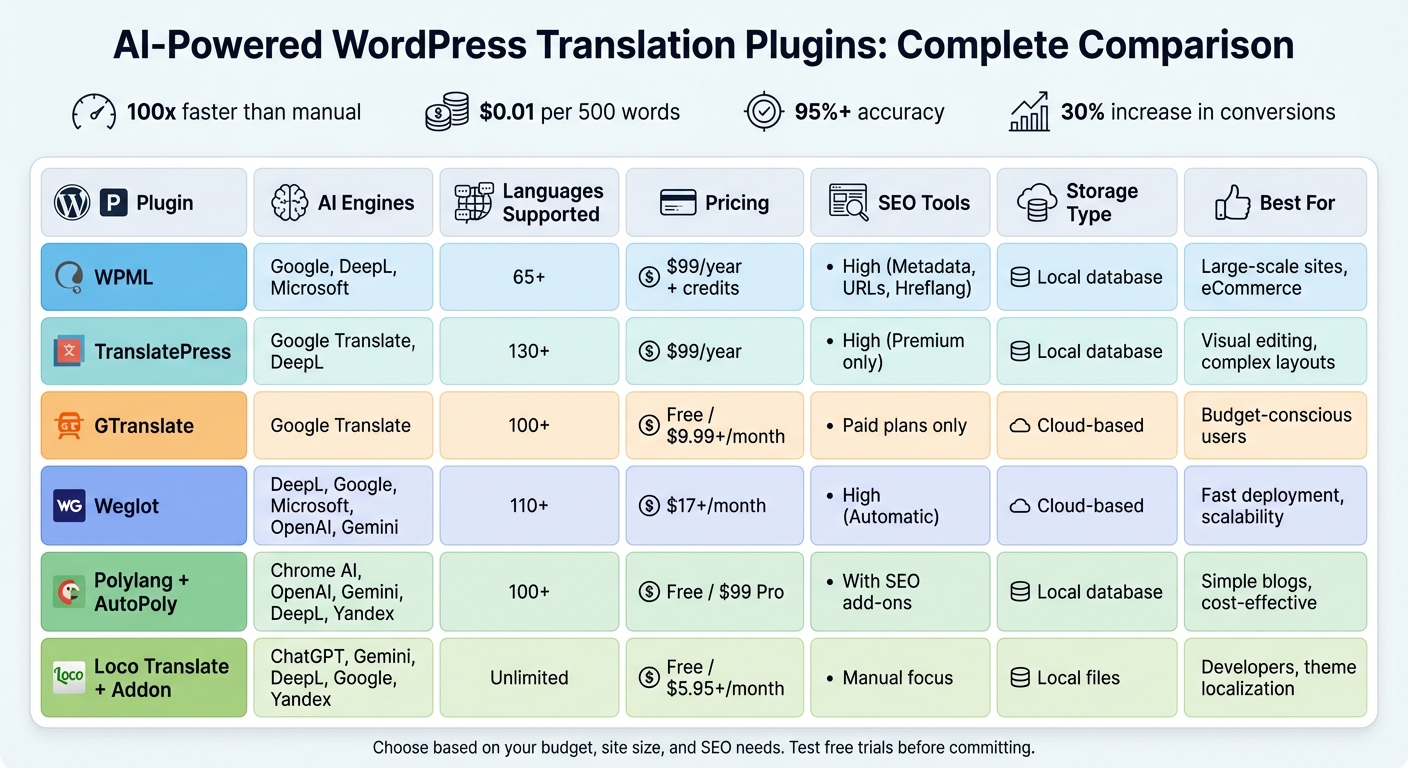
| Plugin | AI Engines | Languages | Pricing | SEO Tools | Storage |
|---|---|---|---|---|---|
| WPML | Google, DeepL, Microsoft | 65+ | $99/year + credits | High | Local database |
| TranslatePress | Google, DeepL | 130+ | $99/year | High (Premium) | Local database |
| GTranslate | Google Translate | 100+ | Free/$9.99+ monthly | Paid only | Cloud-based |
| Weglot | DeepL, Google, OpenAI | 110+ | $17+/month | High | Cloud-based |
| Polylang + AutoPoly | Chrome AI, OpenAI, Yandex | 100+ | Free/$99 Pro | With SEO add-ons | Local database |
| Loco Translate | ChatGPT, Gemini, DeepL | Unlimited | Free/$5.95+ monthly | Manual focus | Local files |
Choose based on your budget, site size, and SEO needs. Test free trials to find the best fit for your WordPress setup.
WordPress AI Translation Plugins Comparison: Features, Pricing & SEO Tools
We Compared the 5 Best Translator Plugins on WordPress (Free vs. Expensive)
Top AI-Powered WordPress Translation Plugins
Here’s a breakdown of some standout AI-powered translation plugins for WordPress. These tools streamline localization while addressing challenges like speed, cost, and SEO optimization.
WPML
WPML uses its Private Translation Cloud (PTC), blending AI engines with quality checks to deliver high-grade translations. Its setup wizard adjusts to your site's content and audience seamlessly. The Multilingual CMS plan ($99/year) includes 90,000 free translation credits, while the Agency plan offers 180,000 credits. WPML claims its PTC engine delivers translations that often surpass human quality, making it a top pick for large-scale international businesses and complex eCommerce sites. It also features robust translation memory and glossary tools.
TranslatePress
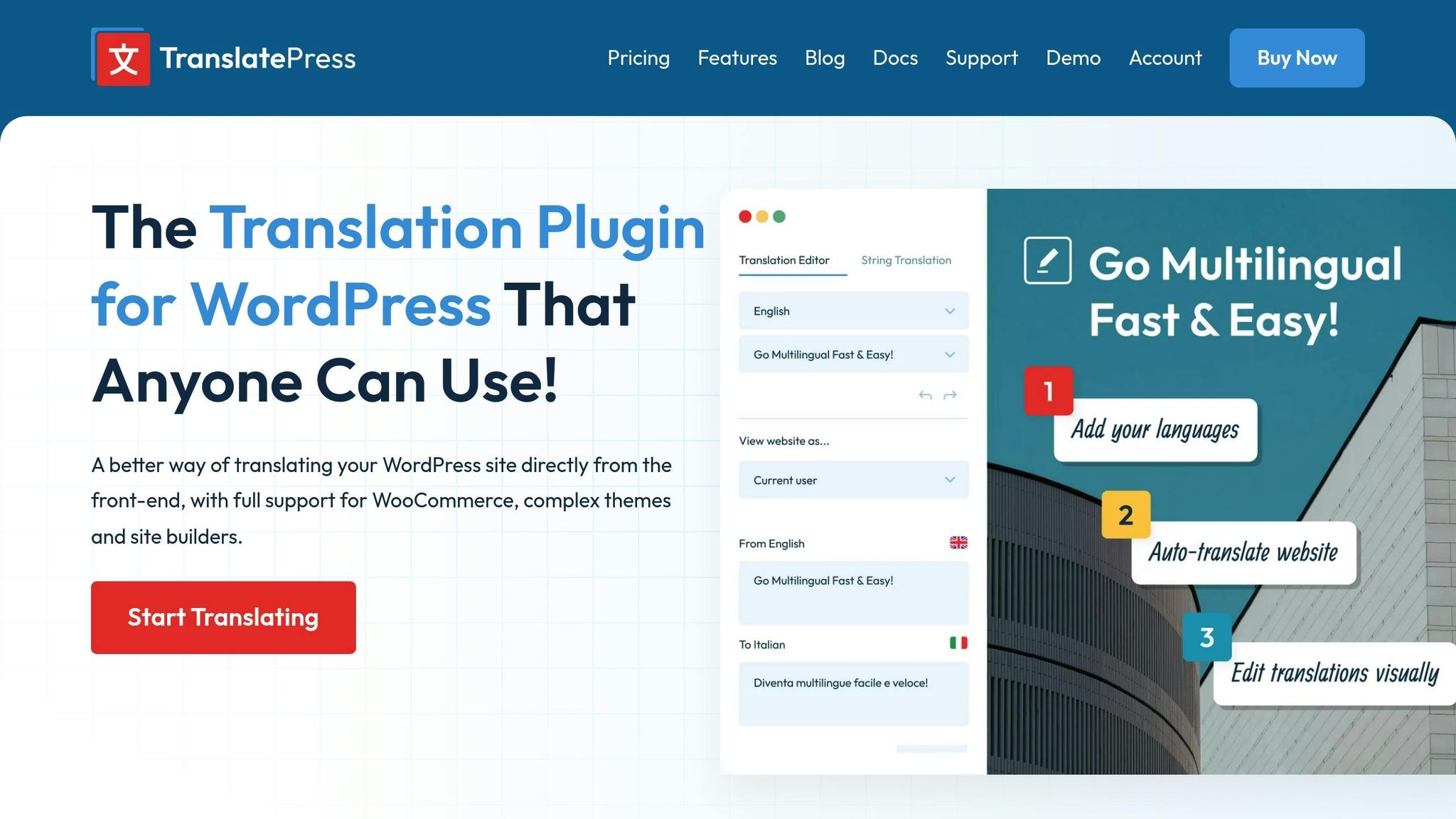
TranslatePress offers a visual front-end editor, allowing you to see translations in real-time - perfect for intricate layouts. With over 400,000 websites using it and support for 132 languages, it integrates AI engines like Google, DeepL, and Microsoft while storing translations locally to cut down on recurring API costs. Premium plans start at $99/year, with word usage calculated using a 1:5 character-to-word ratio. Additional AI word packages range from $26 for 100,000 words to $1,134 for 10 million words.
GTranslate
GTranslate is a lightweight plugin that connects directly to the Google Translate API. Supporting over 100 languages and featuring automatic browser language detection, it’s a great choice for budget-conscious users aiming to reach diverse audiences quickly. The free version covers up to 500,000 characters, while paid plans start at $9.99 per month. Its "set and forget" feature automatically translates new content as it’s published.
Weglot
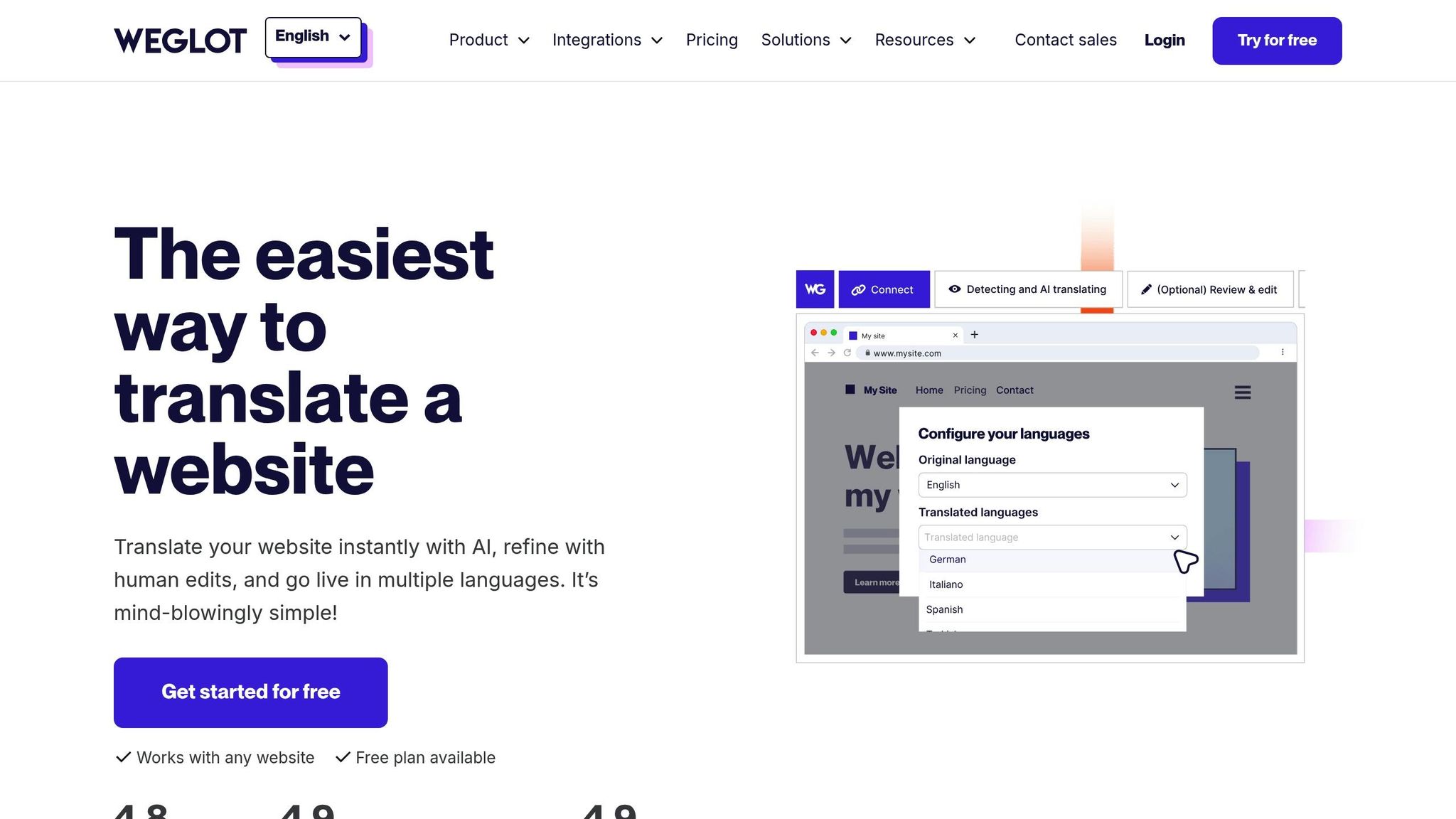
Used by over 70,000 websites, Weglot supports more than 110 languages and combines AI engines like DeepL, Google, and Microsoft for an initial translation layer. It also lets you create custom AI models with OpenAI and Gemini to maintain your brand’s tone. Translations are stored on external cloud servers, reducing the load on your WordPress database and ensuring scalability. Plans start at $17 per month for one language and 10,000 words, with the Pro plan at $87 per month for five languages and 200,000 words. Weglot has earned a 4.8/5 rating on WordPress.org and 4.9/5 on Trustpilot and G2. John Springli, Senior Website Manager at ON24, shared:
Weglot enabled us to expand our website into five languages quickly. We've already seen significant improvements in engagement from our international audiences.
Polylang with AutoPoly
Polylang is a highly popular free plugin with over 800,000 active installs and an average rating of 4.7/5. When paired with the AutoPoly addon, it gains AI-powered translation capabilities, potentially reducing translation workloads by up to 90%. AutoPoly uses Chrome’s built-in AI or Yandex to automatically translate and duplicate content while preserving layouts and styles in Gutenberg and Elementor. This combination is ideal for simple blogs or single-page sites, offering both automated and manual translation control. The base Polylang plugin is free, while the Pro version costs $99 per year. AutoPoly has a 4.2/5 star rating from 13 reviews.
Loco Translate with Automatic Translate Addon

Loco Translate focuses on localizing WordPress themes and plugins, making it a favorite among developers. With over 1 million active installs, it simplifies translating developer strings. Its Automatic Translate Addon (LocoAI) integrates with ChatGPT, Gemini, and DeepL to automate the creation of .po and .mo translation files. The free version supports up to 2,000 strings, and Pro plans start at $5.95 per month. LocoAI boasts a 4.9/5 star rating from 627 reviews, with translation costs averaging just $0.01 for a 500-word page at current OpenAI rates - an affordable solution for theme developers.
These plugins showcase how AI is transforming website localization, making it faster, more efficient, and accessible for a variety of users and needs.
Feature Comparison
Comparison Table
When selecting a translation plugin, it's all about finding the right balance between translation accuracy, language coverage, pricing, and SEO features that align with your needs. The table below provides a snapshot of how these plugins compare across key attributes.
| Plugin | AI Engines | Language Support | Pricing Model | SEO Compatibility | Performance Impact |
|---|---|---|---|---|---|
| WPML | Google, DeepL, Microsoft | 65+ Languages | Annual License + Credits | High (Metadata, URLs, Hreflang) | Moderate (Database load) |
| TranslatePress | Google Translate, DeepL | 130+ Languages | Annual License | High (Premium only) | Moderate (Database storage) |
| GTranslate | Google Translate (Neural) | 100+ Languages | Free or Monthly Subscription | Paid Only (Subdomains/Indexing) | Low (Cloud-based) |
| Weglot | DeepL, Google, Microsoft, OpenAI, Gemini | 110+ Languages | Monthly Subscription | High (Automatic Hreflang/URLs) | Low (External storage) |
| Polylang + AutoPoly | Chrome AI, OpenAI, Gemini, DeepL, Yandex | 100+ Languages | Free or Annual License (Pro) | High (With SEO Addons) | Low (WordPress data) |
| Loco Translate + Addon | ChatGPT, Gemini, DeepL, Google, Yandex | Unlimited | Free or Monthly Subscription | Moderate (Manual focus) | Low (Local files) |
This table outlines the main features, but there’s more to consider when choosing the best fit for your site. Let’s break down some standout aspects of these plugins.
WPML, Weglot, and the premium version of TranslatePress excel in SEO functionality, offering automatic hreflang tags, metadata translation, and URL localization. However, GTranslate limits its SEO tools to paid plans, while Polylang relies on additional SEO plugins like Yoast or Rank Math to achieve full multilingual compatibility.
In terms of performance, Weglot stands out by storing translations externally. This approach keeps your WordPress database slim and ensures translated pages load in under 10 milliseconds, thanks to its dedicated caching systems. On the other hand, TranslatePress and WPML store translations locally, which can increase server load on high-traffic sites but gives you full control over your data.
Polylang with AutoPoly and Loco Translate with its addon offer a cost-effective edge by integrating Chrome’s AI, eliminating per-word API expenses. These features make them appealing for users who prioritize affordability without sacrificing functionality.
Ultimately, each plugin offers distinct advantages, and understanding these differences can help you choose the one that aligns with your website’s goals.
sbb-itb-42d7c06
How to Choose the Right Plugin
What to Consider
When picking a translation plugin, think about your technical expertise, budget, and SEO priorities. Manual translation delivers precision but takes time, while AI-powered translation is quick and scalable. A hybrid approach blends automation with human editing for a balanced solution.
SEO features are a must. Your plugin should support hreflang tags, translated URL slugs, and localized metadata to ensure search engines can properly index your multilingual content. With over 70% of internet users preferring to browse in their native language, these features directly influence your visibility and conversion rates.
Data ownership is another key factor. Self-hosted plugins like TranslatePress store translations in your database, giving you full control. On the other hand, cloud-based options such as Weglot rely on external storage, which could lead to data loss if your subscription ends.
Performance is also worth considering. Cloud-based plugins often reduce server load through caching, while locally stored translations can strain your database - especially on high-traffic sites like e-commerce platforms. In contrast, smaller blogs may not experience the same impact. Weighing these factors will help you find a plugin that fits your specific needs.
Recommendations by User Type
Here’s how different users can choose the best plugin based on their unique requirements.
- Small business owners and bloggers: Ease of use and affordability are top priorities. TranslatePress stands out with its visual front-end editor, allowing you to translate text directly on your site without diving into backend menus. If you’re on a tighter budget, Polylang or GTranslate’s free version are solid options, with pay-as-you-go pricing starting at around $0.01 per 500-word page.
- Agencies managing multiple sites: You’ll need advanced tools for translation management and multisite support. WPML offers detailed control, including the ability to assign specific roles to translators without granting full admin access. Weglot is another great choice for quick deployment across multiple client sites, saving time and streamlining translation workflows.
-
E-commerce sites using WooCommerce: Seamless integration is crucial to localize product attributes, checkout pages, and transactional emails. Both WPML and TranslatePress offer strong compatibility with WooCommerce. Mike Robertson, Director of Sales Operations at Nikon, shares his experience:
Weglot removed the pain of having to manage multiple stores for multiple locales. The integration was easy, and the support is incredibly helpful.
Before making a decision, test the plugin’s compatibility with your theme and page builder. Free trials - like Weglot’s 10-day trial or the free versions of TranslatePress and Polylang - can help you ensure the plugin works smoothly with tools like Elementor, Divi, or your current setup.
Conclusion
AI-powered translation plugins have revolutionized the way multilingual websites are managed, enabling entire sites to be translated in mere minutes with over 95% accuracy when tailored to local contexts. The time savings are impressive - AI-driven workflows can be up to 80% faster than traditional methods, while cutting manual review efforts by as much as 87%.
Beyond efficiency, these tools deliver real business value. Localized pages can increase conversion rates by 30%, thanks to features like automated hreflang tag generation, translated URL slugs, and browser language detection. These technical enhancements not only improve search visibility but also create a smoother user experience - all without requiring advanced coding skills.
A hybrid strategy often strikes the perfect balance. Use AI for bulk translations at costs as low as $0.01 per 500-word page, and then refine high-priority pages with human input. Whether you're managing a personal blog, juggling multiple client websites, or running a global e-commerce store, the right AI translation plugin can help you reach international audiences while staying within budget. The key is selecting a plugin that aligns with your goals, offering the right mix of SEO tools and performance features to meet your technical needs.
FAQs
How do AI translation plugins enhance SEO for WordPress sites?
AI-powered translation plugins play a crucial role in boosting SEO by seamlessly optimizing multilingual content for search engines. These tools handle the technical side by generating hreflang tags, creating localized URL slugs, and rewriting meta titles and descriptions in the target language. This ensures that search engines properly index each language version without triggering duplicate content issues. Many plugins also create language-specific sitemaps and adjust internal links, making it easier for search engine crawlers to navigate and rank translated pages.
On top of the technical benefits, AI delivers translations that are contextually accurate and aligned with user intent. This leads to improved click-through rates and better engagement metrics like dwell time - both of which are essential for higher rankings. Additionally, these tools can update translations in real time whenever the original content changes, keeping your site relevant and competitive in multiple markets. The result? Increased organic traffic from audiences around the globe.
What should I look for in an AI translation plugin for my WordPress site?
When picking an AI translation plugin for WordPress, it’s all about how well it handles translations. Look for tools that blend automatic machine translation with user-friendly editing features. This way, you can tweak translations to align with your brand’s voice and ensure they’re spot-on. Tools that offer custom glossaries or language models are especially handy for keeping terminology consistent across multiple languages.
Think about SEO features and site performance, too. A solid plugin should support hreflang tags, translate URLs, and make sure search engines properly index the different language versions of your site. To keep your site running smoothly, even with added languages, lightweight code and smart caching features are a must.
Lastly, don’t overlook ease of use, support, and pricing. Plugins that work seamlessly with page builders like Elementor or Gutenberg can save you a lot of time. Check if the cost fits your budget and whether the plugin offers responsive customer support to help with setup or troubleshooting. These details ensure the plugin can meet your current needs and adapt as your site evolves.
What are some affordable AI-powered translation plugins for small WordPress blogs?
If you’re managing a small WordPress blog and need affordable AI-powered translation tools, there are a couple of solid options worth exploring.
PolyTranslate AI for Polylang offers a free plan that enables you to translate posts, pages, WooCommerce products, and custom post types - all from your WordPress dashboard. This makes it a practical pick for smaller websites or personal blogs.
Another budget-friendly option is the Jetpack AI Assistant, which includes a free plan for automatic translations. Plus, it gives you the ability to manually tweak translations, so you can fine-tune the content to better suit your needs.
These plugins allow you to create multilingual content without hiring professional translators, keeping expenses low while maintaining quality for smaller audiences.