AI WordPress Tools: Real-Time Content Updates Explained
Real-time AI tools let site owners make no-code WordPress edits and automated SEO updates instantly, cutting costs and speeding content workflows.
AI WordPress Tools: Real-Time Content Updates Explained
AI tools for WordPress make site updates faster, easier, and cheaper. Instead of paying agencies $1,000/month and waiting days for small changes, these tools let you make updates instantly for as little as $29/month. Simply describe what you want - like "make this section look premium" - and the AI handles it, no coding required.
Key Takeaways:
- Kintsu.ai: Best for quick, no-code updates with safety features. Ideal for non-technical users.
- ClickRank AI: Focused on SEO, automates metadata and competitor analysis for better search rankings.
- AI Engine: Great for editing content directly in WordPress with natural language commands.
Quick Comparison:
| Tool | Primary Focus | Strength | Weakness | Price Starts At |
|---|---|---|---|---|
| Kintsu.ai | No-code site updates | Easy, safe changes | Limited developer tools | $29/month |
| ClickRank AI | SEO optimization | Real-time search insights | Narrow focus on SEO | Varies |
| AI Engine | Content editing | Built into WordPress | No bulk updates | Included in WP plans |
These tools save time, simplify workflows, and lower costs for website management. Choose based on your needs: fast updates, SEO, or content creation.
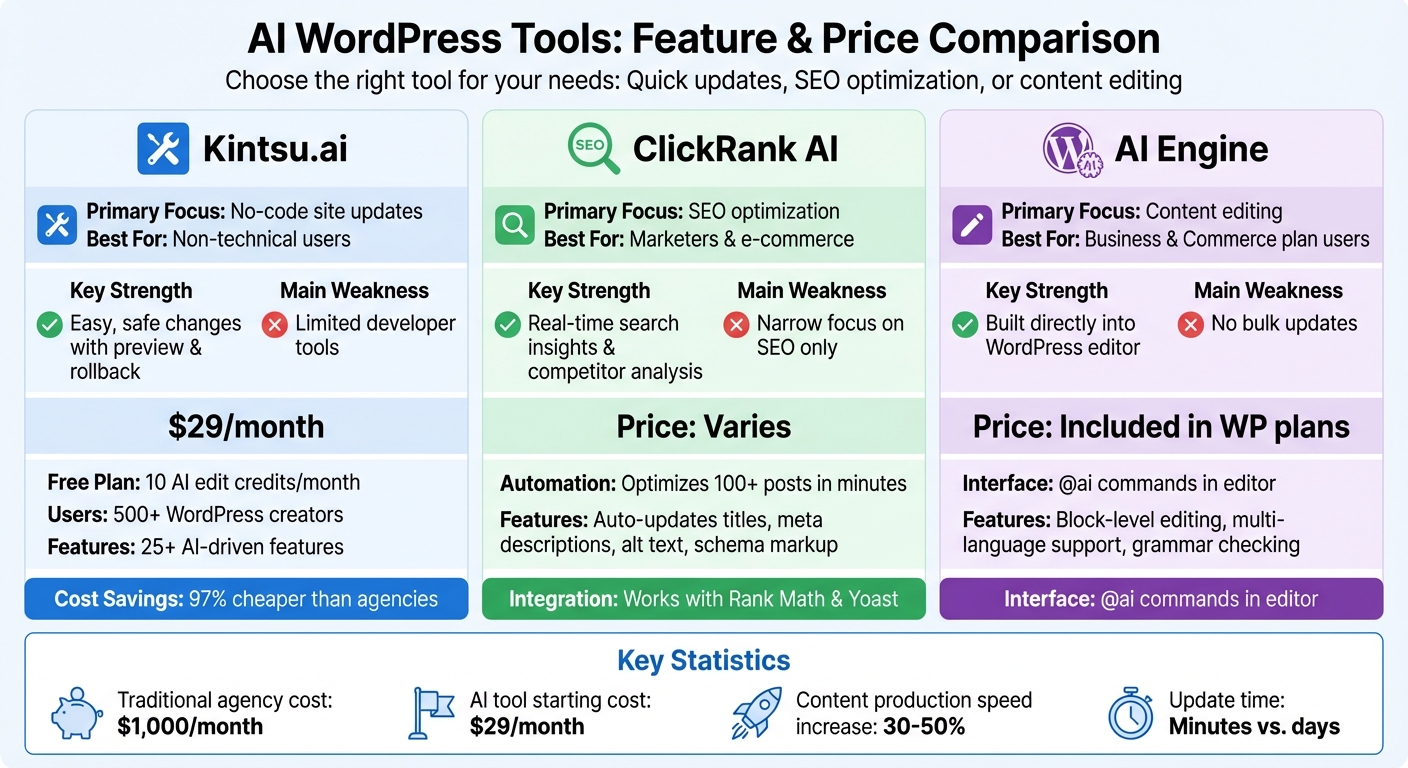
AI WordPress Tools Comparison: Features, Pricing and Best Use Cases
1. Kintsu.ai
Real-Time Update Mechanism
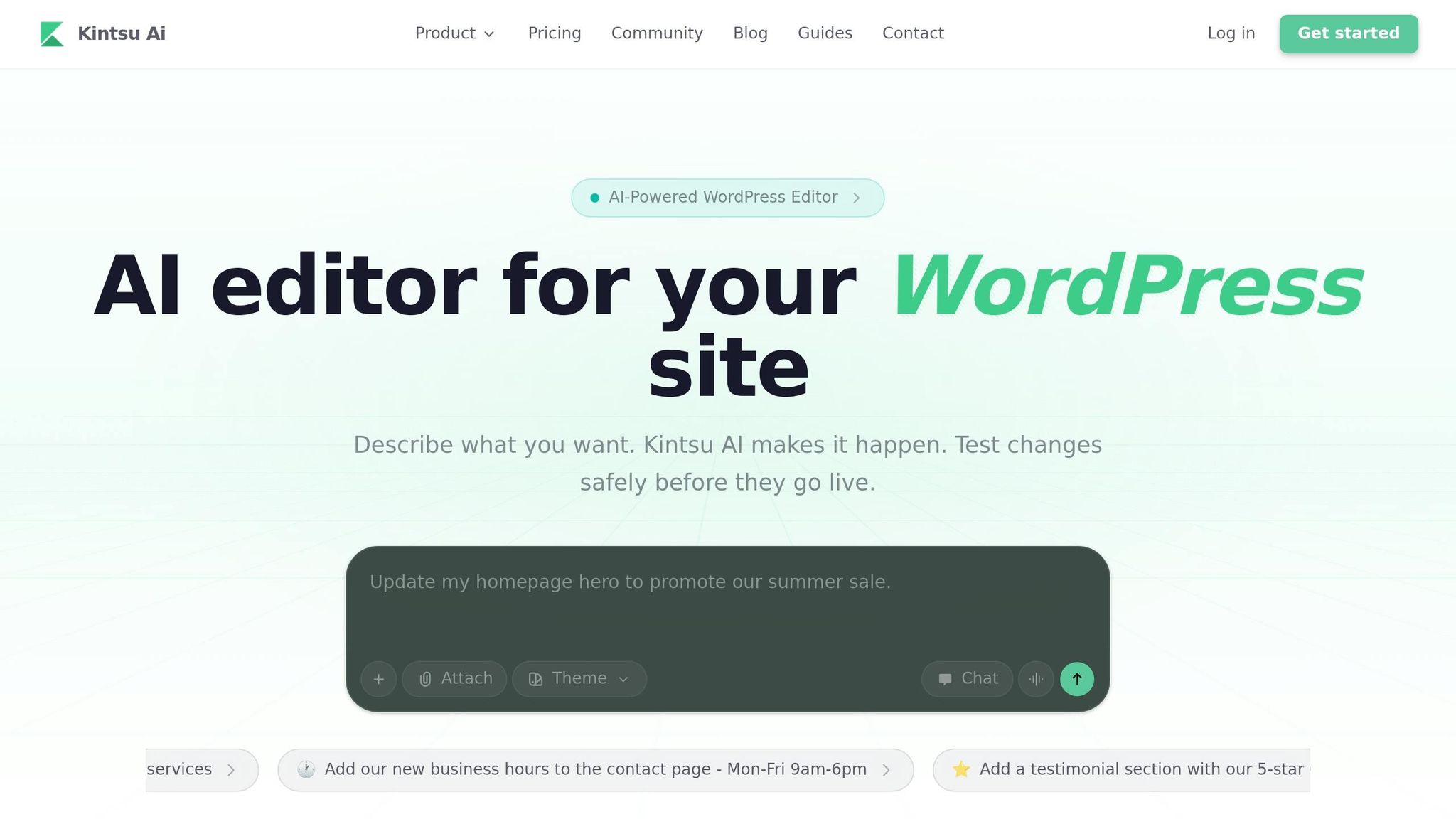
Kintsu.ai takes simplicity to the next level with its real-time update features. By connecting to your WordPress site through a lightweight plugin, it allows you to make changes effortlessly. Here's how it works: type your update request, preview it in a sandbox environment, and apply the change with a single click. For example, you might request, "Change the homepage headline to highlight our AI features", and the platform implements the update in just minutes. The preview-first approach ensures you can review changes before they go live, and if something doesn't look right, you can roll back with one click - no downtime, no stress.
But Kintsu.ai doesn’t stop there. Beyond real-time updates, it offers a range of automation tools that make managing your site even easier.
Scope of Automation
Kintsu.ai covers a wide range of tasks to keep your WordPress site running smoothly. It handles everything from content updates (like text, images, and CTAs) to design tweaks (such as layout, spacing, and responsiveness). It even takes care of SEO improvements, accessibility fixes, and plugin conflict detection. Most styling tasks cost less than one credit, and with the free plan, you get 10 AI edit credits each month to get started. Over 500 WordPress creators already rely on Kintsu.ai, which boasts more than 25 AI-driven features designed for no-code site management.
Customization Capabilities
What sets Kintsu.ai apart is its ability to turn vague requests into precise technical edits. For instance, if you ask it to "make this section feel more premium", the platform can adjust typography, spacing, and colors to match the tone you’re aiming for. Its page-aware editing lets you focus on specific areas - like the footer or mobile layout - so your adjustments stay targeted and on-brand. Plus, it respects your existing theme and brand guidelines, ensuring all changes align with your design system. With the built-in Discussion Mode, you can collaborate and refine your instructions before applying any edits, giving you full control over the final outcome.
sbb-itb-42d7c06
2. ClickRank AI
Real-Time Update Mechanism
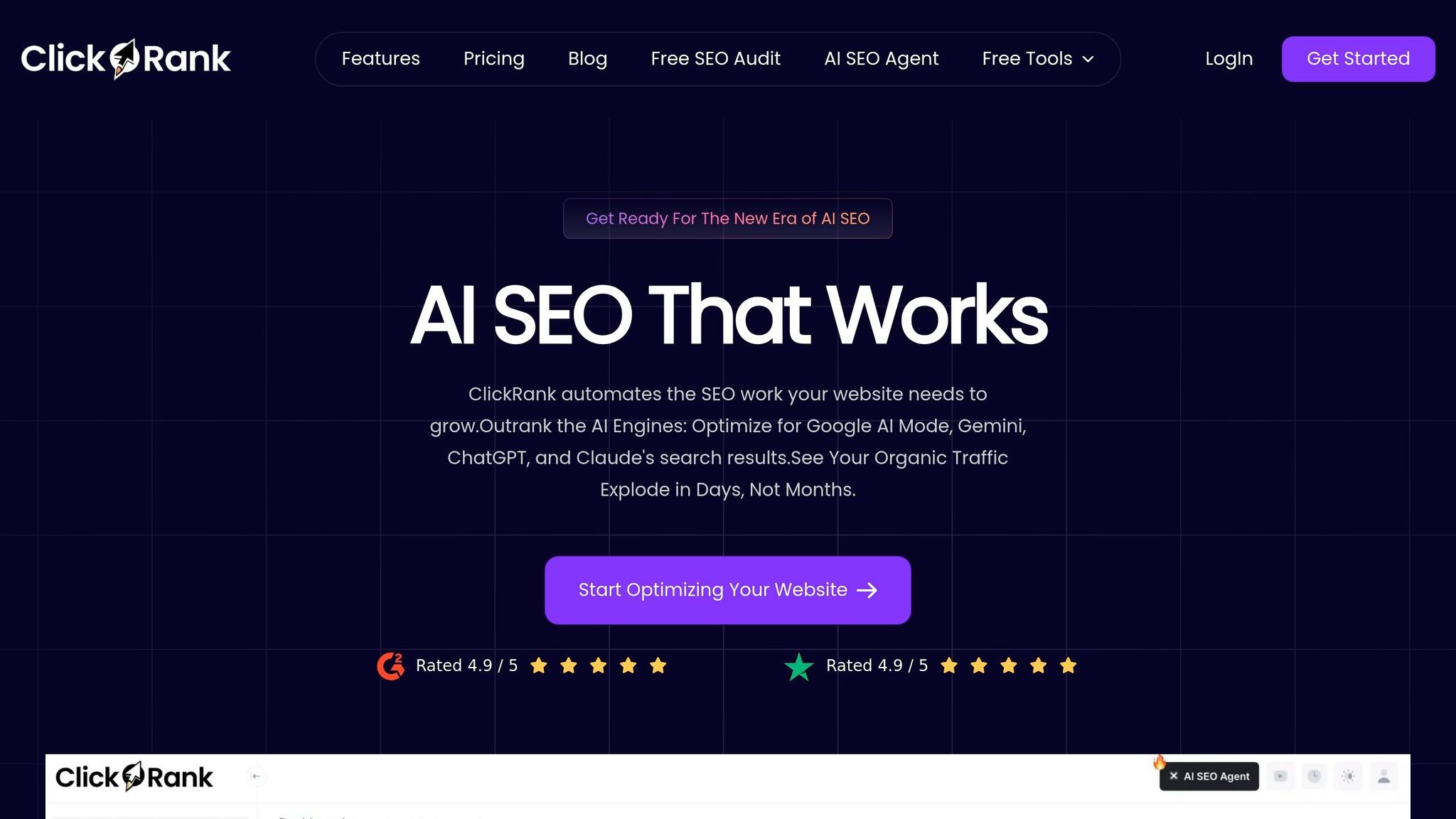
ClickRank AI keeps your content in sync with live Google SERPs by pulling real-time queries directly from your Google Search Console. Using natural language processing, it aligns your content with the elements search engines currently prioritize - like keywords, headings, and key data points. As Saood Zafar explains:
ClickRank AI is a next-generation WordPress plugin that automates the tedious parts of SEO by using live search data to update your content.
This constant stream of real-time data is the foundation for large-scale, automated updates that adapt to shifting search behaviors.
Scope of Automation
This plugin is built for speed and scale. With just one click, it can optimize title tags, meta descriptions, image alt text, and JSON-LD schema markup for hundreds of posts. For example, it can handle over 100 blog posts in minutes, adding schema markup for FAQs, articles, and product pages. It even identifies content gaps by comparing your pages to top-performing competitors, offering actionable insights to elevate your content. Since heavy processing is handled via API, the plugin remains lightweight, ensuring your site’s performance stays intact - an essential factor for maintaining strong search rankings.
Customization Capabilities
ClickRank AI doesn’t just focus on bulk updates; it also prioritizes precision and flexibility. While the AI handles repetitive tasks like metadata, alt text, and technical structures, you can focus on refining your storytelling and brand voice. If an automated change doesn’t deliver results, you can easily revert to the previous version with a single click. Plus, seamless integration with plugins like Rank Math or Yoast adds another layer of technical fine-tuning. The dashboard even lets you track click-through rate improvements, empowering you to adjust your SEO strategy in real-time for better outcomes.
3. AI Engine
Real-Time Update Mechanism
The AI Engine enables users to make content changes on their site by simply describing what they want to update. For example, you could revise the homepage hero text or add a new testimonial section using natural language commands. These changes are processed in a sandbox environment first, allowing users to preview and verify them before going live. Even vague instructions are refined into specific updates, including layout adjustments, text modifications, and style tweaks. This approach makes updating content more intuitive and efficient, with added support from contextual automation to streamline the process.
Scope of Automation
Similar to other AI tools, the AI Engine is designed for real-time, no-code site management. It employs a conversational interface, called Builder Chat, to implement updates without requiring manual coding. The system ensures that updates are tailored to the specific page and device context, making it highly adaptable for different needs.
Customization Capabilities
Customization with AI Engine is entirely driven by natural language inputs. Users can make small tweaks, like editing text, or undertake larger tasks, such as redesigning entire sections. The AI interprets the level of detail provided and applies changes directly to the WordPress site, aligning with the user's intent. This flexibility allows for seamless updates while maintaining the system's promise of real-time functionality.
Note: While these features sound promising, independent verification is currently limited. Additional documentation and case studies would provide clearer insights into the AI Engine's real-time update capabilities.
Strengths and Weaknesses
Each tool in the real-time WordPress management space brings its own advantages and trade-offs. Kintsu.ai excels at transforming vague instructions into precise layout and style updates, thanks to its intent-to-change understanding. This makes it particularly appealing for non-technical users. Its built-in safeguards and plugin conflict detection help reduce the risk of site-breaking errors. However, it falls short when it comes to advanced developer controls, which are often necessary for more complex customizations.
ClickRank AI, on the other hand, shines in real-time SEO optimization. It provides algorithm-driven suggestions for titles, meta descriptions, and internal linking, helping boost search visibility significantly. Its limitation? It's narrowly focused on SEO tasks, offering little support for broader design or content management needs.
AI Engine integrates seamlessly with WordPress, offering block-level editing and fact-checking through its "@ai" commands. In February 2026, WordPress.com highlighted its efficient workflows for Business and Commerce users. However, its reliance on user-selected text can interrupt the editing flow, and it lacks features like site-wide bulk updates or conversational interfaces for more extensive management tasks.
These tools collectively improve the speed and accuracy of real-time WordPress content updates. Below is a table summarizing their key features and trade-offs:
| Tool | Real-Time Updates | Automation Features | Customization Options | Key Strength | Main Weakness |
|---|---|---|---|---|---|
| Kintsu.ai | Conversational no-code changes; instant edits | Eliminates manual coding; 97% cheaper than agencies | Natural language for broad changes; theme-agnostic | Beginner-friendly with safety guardrails | Limited advanced developer controls |
| ClickRank AI | Real-time content analysis and SEO suggestions | Auto-rewrites titles, meta, internal links | Algorithm-based SEO tweaks | SEO precision and competitor insights | Focused on SEO, less on design |
| AI Engine | Block-level editing in WordPress editor | Content generation, grammar checking, usage tracking | Multi-language support; editor-bound adjustments | Integrated directly into WordPress | Plan-restricted; lacks bulk updates |
These tools can accelerate content production by 30–50%. However, AI-generated content often requires manual review to ensure proper tone and accuracy.
Conclusion
Choosing the right AI tool for WordPress boils down to understanding your goals and priorities. For non-technical users looking for quick, hassle-free site updates, Kintsu.ai offers a straightforward solution. With its conversational interface, built-in safety features, and a budget-friendly price of $29/month, it’s perfect for those who value speed and simplicity over complex configurations. Plus, it’s a fraction of what traditional agencies charge.
If your focus is on improving search rankings, ClickRank AI might be your best bet. This tool provides real-time SEO suggestions and competitor analysis, making it ideal for marketers and e-commerce businesses where organic traffic is key to success. Its strength lies in delivering actionable insights to boost visibility.
For teams aiming to automate content creation and editing, AI Engine stands out. Its block-level editing capabilities and seamless WordPress integration make it a powerful tool for Business and Commerce plan users, who can access it without additional costs. It’s designed for those managing larger-scale content production or needing flexible automation.
Each of these tools addresses distinct challenges: rapid site updates, SEO optimization, or content workflow management. While AI can significantly streamline WordPress tasks, remember that manual review is still essential to ensure quality and accuracy.
So, what’s your main priority? Whether it’s quick edits, better search visibility, or scaling content production, there’s an AI tool tailored to meet your needs.
FAQs
Are AI site updates safe to publish instantly?
AI-powered tools, such as Kintsu.ai, are equipped to manage real-time updates securely thanks to their built-in safety measures. These safeguards help prevent risky changes that could interfere with layouts by rejecting them outright and suggesting safer options. On top of that, users can preview updates before making them live, ensuring everything remains stable and works as intended. This combination of features makes it easier to publish updates in real-time without worrying about breaking your site's functionality or design.
What kinds of WordPress changes can AI handle in real time?
AI tools such as Kintsu.ai make managing WordPress websites a breeze by allowing real-time updates using simple natural language commands. You can easily tweak headlines, update text, swap out images, and even adjust layouts. Need to add a new section, like testimonials or contact details? That’s just as simple.
Beyond basic edits, AI can handle more advanced tasks like multilingual updates, customizing themes, or making mobile-specific adjustments. This means even non-technical users can manage their sites quickly and efficiently, all while maintaining a consistent and polished layout.
How do I choose between real-time editing and real-time SEO automation?
When deciding between real-time editing and real-time SEO automation, it all comes down to your website's priorities.
Real-time editing lets you make quick, conversational updates to your site's content, layout, or design without needing to dive into code. It's perfect for those moments when you need immediate changes, like updating a product description or tweaking a design element.
On the other hand, real-time SEO automation focuses on boosting your site's search visibility. It works by automatically adjusting meta tags and keywords based on performance data, helping your site rank better in search results.
If you can, combine both approaches. This way, you can ensure precise content updates while also improving your SEO performance, giving you a more balanced and effective site management strategy.