How to Add Dynamic Content Without Coding
Add personalized, time- or location-based content to WordPress without coding using an AI plugin: install, describe rules, preview, refine, and publish.
How to Add Dynamic Content Without Coding
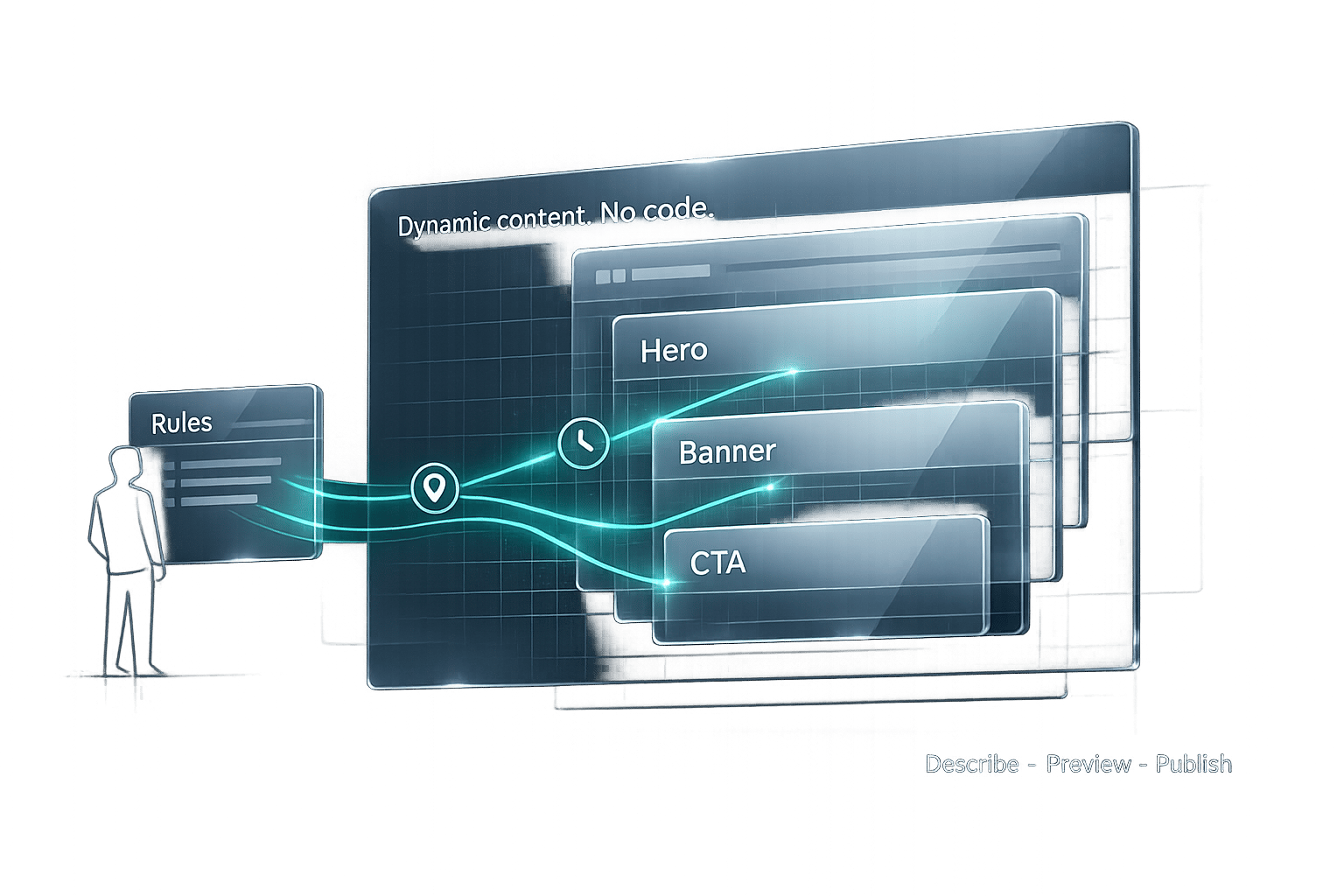
Dynamic content makes your website more engaging by tailoring what users see based on factors like location, time, or behavior - all without requiring coding skills. Using tools like Kintsu.ai, you can easily implement personalized features such as location-specific banners, time-sensitive promotions, or product recommendations. Here's a quick summary of how to get started:
- What You Need: A self-hosted WordPress site, admin access, and a Kintsu.ai account.
- Steps:
- Install and connect the Kintsu.ai plugin to your WordPress site.
- Describe your goals (e.g., "Show a welcome message for returning users").
- Preview changes, refine them, and publish.
- Common Use Cases: Personalized recommendations, location-based offers, and countdown timers.
With these steps, you can create a more tailored experience for your visitors, improving user engagement and simplifying content management.
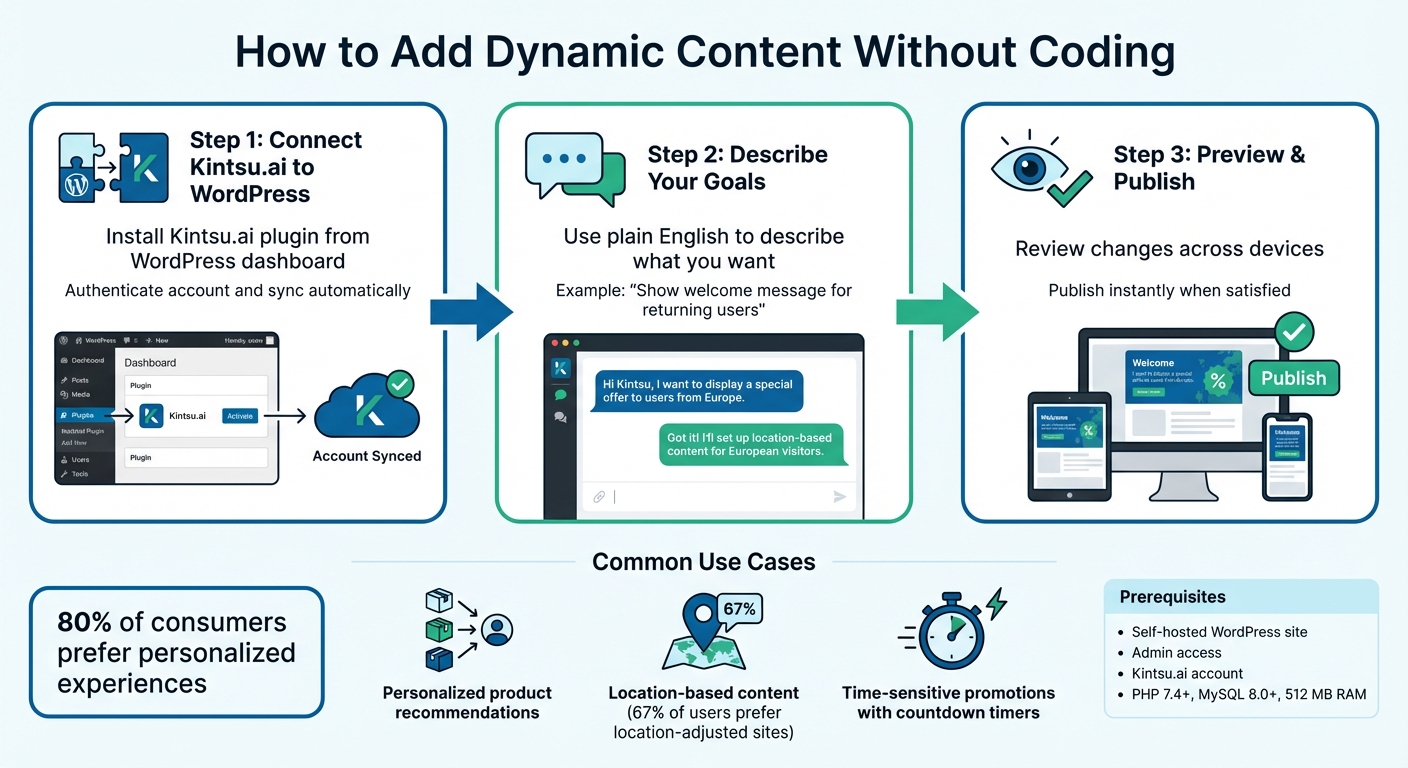
3-Step Process to Add Dynamic Content to WordPress Without Coding
The Basics of Dynamic Content in WordPress
Getting Started: Tools and Prerequisites
To start adding dynamic content to your WordPress site, you'll need a few basics. The good news? No coding skills are required to dive in.
What You'll Need
First, ensure you're using a self-hosted WordPress site (not the free WordPress.com plan). Your hosting provider should support PHP 7.4+, MySQL 8.0+ (or MariaDB 10.5+), and provide at least 512 MB of RAM for smooth performance. While WordPress itself only takes up about 50 MB of disk space, you'll want at least 1 GB to leave room for the themes and plugins you'll use for dynamic content.
You'll also need admin access to your WordPress dashboard. This allows you to install plugins and tweak site settings as needed. For security, an SSL certificate is a must - most hosting providers include free SSL certificates via Let's Encrypt. Lastly, sign up for a Kintsu.ai account to unlock the AI tools you'll use to create dynamic content without writing any code.
Now, let’s look at why Kintsu.ai is the perfect tool for this no-code approach.
Why Use Kintsu.ai for No-Code Dynamic Content
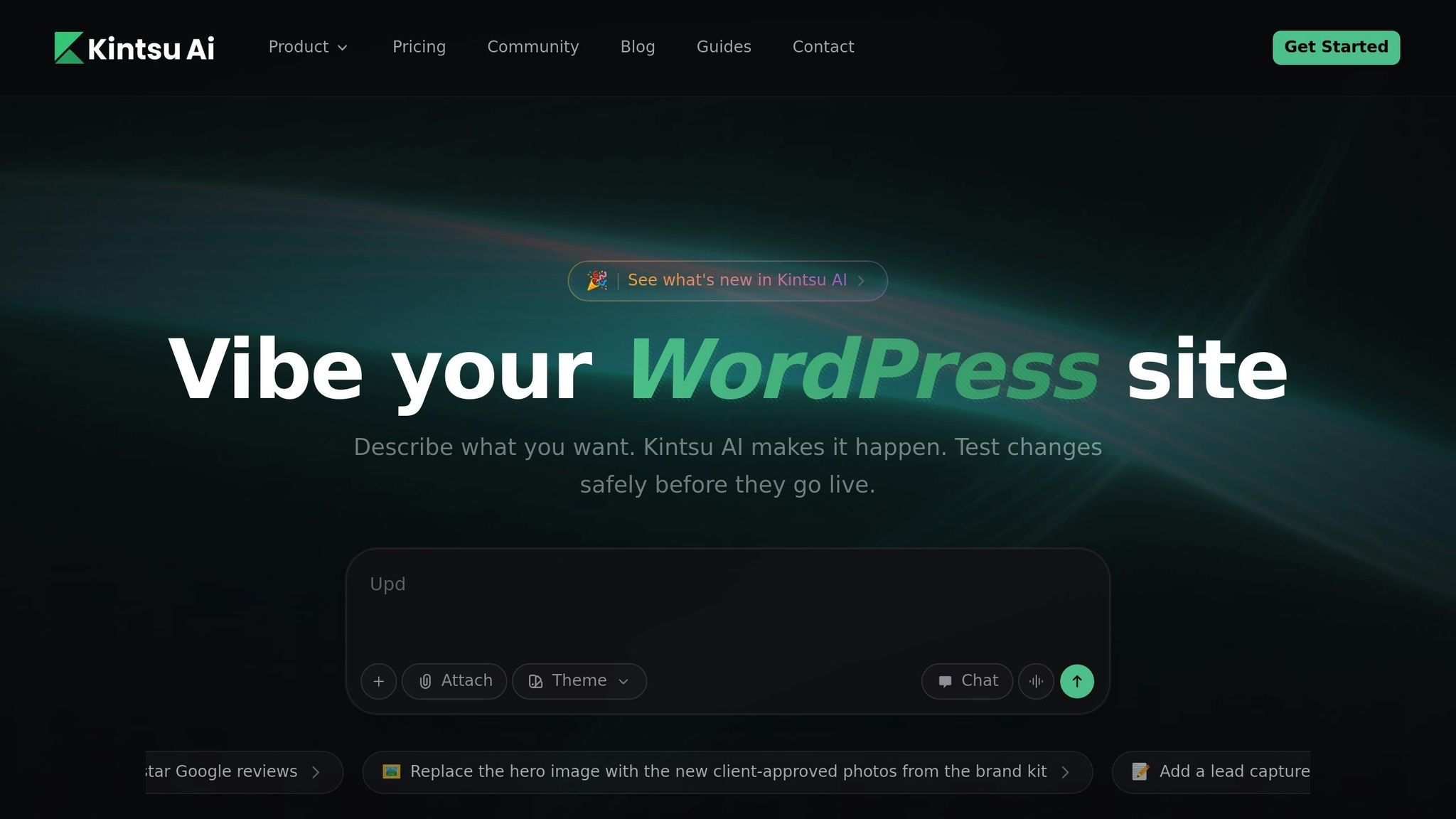
Kintsu.ai simplifies WordPress management by turning plain English instructions into actionable tasks. Using Natural Language Processing (NLP), the platform converts your conversational commands into WordPress actions. Whether it’s creating new content, tweaking design elements, or setting up personalized user experiences, Kintsu.ai handles it all.
Here’s how Kintsu.ai describes its capabilities:
"NLP turns plain-English commands into WordPress actions - create, edit, schedule, translate, and optimize content with AI-powered plugins and review workflows."
The process is straightforward: describe what you want, preview the results, and publish. For example, if you want to show different content to users based on their location or set up automated, time-sensitive promotions, simply explain your goal. The AI takes care of the technical details while giving you full control through a conversational, user-friendly interface. It’s like collaborating with a helpful colleague rather than wrestling with complex software.
How to Add Dynamic Content Without Coding
Adding dynamic content to your WordPress site is easier than you might think. With your WordPress setup ready and your Kintsu.ai account active, just follow these three steps to get started.
Step 1: Connect Kintsu.ai to Your WordPress Site
Connecting Kintsu.ai to your WordPress site is a straightforward process. Start by logging into your WordPress dashboard and heading to the Plugins section. Search for the Kintsu.ai plugin, install it, and activate it. Once activated, a new Kintsu.ai menu item will appear in your dashboard. Click on it to authenticate your account by entering your Kintsu.ai credentials. After authentication, the system automatically syncs, and your site is ready to accept conversational commands. If you're using a Business or Enterprise plan, you can even connect multiple WordPress sites through a single Kintsu.ai dashboard.
Once connected, you can begin outlining your dynamic content needs and let the AI handle the rest.
Step 2: Describe Your Dynamic Content Goals
To get started, describe your dynamic content goals in simple, clear language. Open the Kintsu.ai conversational interface and type instructions like, "Show a welcome message for logged-in users" or "Display a discount banner for visitors in London." The AI processes your request while maintaining your site's design and style. You can specify tasks such as creating new content, editing existing elements, or scheduling updates. The more precise your description, the better the results. Keep in mind that each action uses AI edit credits from your plan, so it’s worth refining your request before submitting it. Research shows that about 80% of consumers are more likely to engage with websites offering personalized experiences, making these dynamic content features a great way to boost user interaction.
Once your goals are set, preview the changes to ensure they meet your expectations before going live.
Step 3: Preview, Refine, and Publish Changes
Kintsu.ai includes a "Preview before apply" feature in every workflow, allowing you to see exactly how your dynamic content will look. Use this feature to review AI-generated changes across various devices and user scenarios. Check that personalized messages display correctly, verify location-specific content appears in the right regions, and ensure time-sensitive promotions activate as planned. You can make adjustments directly through the conversational interface. Once satisfied, click Publish to update your site instantly. Changes appear almost immediately, thanks to the platform's instant update capability.
If you're on a Pro plan or higher, you'll also have access to an edit history and rollback features, enabling you to revert to a previous version if needed. For significant updates, it’s a good idea to test changes in a staging environment first to ensure your site remains stable.
With these steps, you can easily add dynamic, personalized content to your WordPress site without writing a single line of code.
sbb-itb-42d7c06
Common Use Cases for Dynamic Content
With your site prepped for dynamic updates, let’s explore some practical ways to enhance user experiences.
Personalized Product Recommendations
Dynamic content shines when it comes to tailored product suggestions. For instance, eCommerce platforms can use display rules to recommend specific items based on user behavior. Imagine a visitor adds a camera to their cart - your site could automatically suggest compatible lenses or memory cards.
Recommendations can be triggered by actions like viewed products, cart contents, or purchase history. Smart tags take this further by personalizing headers with the visitor's name, such as, "Sarah, we thought you might like these." This builds a sense of connection and boosts engagement. Tools like Kintsu.ai simplify this process. For example, you can set a rule like, "Show running shoe accessories when someone adds running shoes to their cart", and the AI handles the technical setup, leaving you free to focus on customer satisfaction.
Location-Based Content
Customizing content based on a visitor's location adds a personal touch. In fact, 67% of smartphone users prefer websites that adjust information to their location. This could mean showing region-specific shipping offers, local store details, or exclusive promotions. For example, a visitor from Florida might see, "Free shipping on orders over $50 in Florida", while someone in California sees a different deal tailored to their area.
Location-based content also simplifies logistics, like calculating taxes and shipping costs automatically using IP addresses. With Kintsu.ai, you can easily set location-specific rules. For instance: "Show a banner about our Chicago store location only to visitors in Illinois." This keeps your site relevant and personalized without the hassle of managing multiple page versions.
Time-Sensitive Promotions
Dynamic content is perfect for creating urgency with features like countdown timers, flash sales, or event-specific messages. Time-based triggers can display offers tied to holidays, specific days, or special events. For example, a countdown timer that reads, "Sale ends in 3 hours", updates in real time and encourages immediate action, often boosting conversion rates.
Combining urgency with personalization takes it up a notch. Instead of a generic timer, try something like, "John, your 20% discount expires at midnight EST on 1/31/2026." Using date-based smart tags ensures your promotions stay current without constant manual updates. With Kintsu.ai, you can easily request: "Add a countdown timer to the homepage showing time left until our Valentine's Day sale ends on February 14, 2026, at 11:59 PM EST." This way, your campaigns stay fresh and effective with minimal effort.
Testing and Troubleshooting Dynamic Content
Once you’ve implemented dynamic content, it’s important to ensure everything functions smoothly. Testing different scenarios helps maintain a seamless user experience.
How to Test Dynamic Content
Start by using WordPress's "Preview" or "View Post" feature to confirm that dynamic fields are showing real-time data. Use the editor's responsive preview mode to check that layouts look consistent across various devices.
For location-based or personalized content, try appending query parameters to your URL, such as yourwebsite.com?name=John, to see if the tailored content displays correctly. If your content depends on user roles or login statuses, log in with test accounts for each role to confirm that the appropriate version of the content is displayed. To ensure you’re testing without cached admin data, use an incognito window.
If you’re using page caching tools like WP Rocket or Cloudflare, enable Ajax Loading to avoid displaying outdated content. Always set default values for dynamic fields - such as "Stores Near You" instead of a specific city - to maintain a polished appearance when dynamic data isn’t available. Keep in mind that search engines generally crawl the default version of your page, so make sure this version is optimized for SEO.
Adjusting Content Through Kintsu.ai
Encountering issues during testing? Kintsu.ai simplifies troubleshooting. For example, if a field like "price" isn’t displaying on product pages, describe the issue in Kintsu.ai, and it will re-check the data source.
If content doesn’t update after changes, the problem might stem from caching conflicts or incorrect data sources. With Kintsu.ai, you can request fixes like, "Update the dynamic product recommendations to pull from the 'featured_items' field instead", and the system will handle the adjustments. For formatting problems - such as multi-line text or HTML not displaying properly - just specify your needs. For instance, you might request, "Ensure the dynamic testimonial preserves line breaks", and Kintsu.ai will tweak the settings accordingly.
Conclusion
Bring dynamic content to your WordPress site without writing a single line of code. By following the steps outlined earlier, you can create personalized experiences that adapt to user behavior, location, and time - making your site more engaging and user-friendly.
This approach simplifies content management by allowing site-wide updates from a single dynamic source. As Pablo Rodriguez Hernandez from Themeisle explains, "With WordPress dynamic content... you can build more complex, easily manageable websites".
Dynamic content doesn't just make your site easier to manage - it also improves performance. With 80% of consumers more likely to engage with personalized experiences, it helps lower bounce rates, boosts SEO rankings, and builds trust with your audience. Whether it's showcasing location-specific store details, time-sensitive promotions, or tailored product recommendations, dynamic content ensures your visitors get the experience they’re looking for.
Kintsu.ai takes this to the next level by removing technical hurdles. You don’t need to mess with complicated settings or database queries. Just describe what you want - like "display testimonials based on the visitor's industry" - and Kintsu.ai handles the rest. This makes it easy for non-technical team members to update and manage content effortlessly.
FAQs
How does Kintsu.ai ensure my dynamic content looks great on all devices?
Kintsu.ai leverages advanced AI to fine-tune your dynamic content, ensuring it displays perfectly on smartphones, tablets, and desktops. Through a conversational interface, it simplifies the process of updating your website, eliminating the need for coding expertise.
The result? Your content automatically adapts to various screen sizes and resolutions, maintaining a polished and user-friendly experience for every visitor.
What are the benefits of using dynamic content to engage website visitors?
Dynamic content transforms your website into a more engaging and tailored experience by adjusting to each visitor’s behavior, location, or preferences in real-time. Unlike static content, which remains the same for everyone, dynamic content ensures that users see information that’s relevant to them. This level of personalization not only grabs their attention but also encourages them to explore your site further, interact with your content, and even come back for more.
For website owners, dynamic content is a time-saver. Instead of manually updating multiple pages, you can use templates or set up rules to automatically display customized content based on user attributes. This approach streamlines updates, eliminates the need for technical skills, and helps you deliver targeted information effortlessly - all while enhancing the experience for your audience.
Can I use Kintsu.ai to manage multiple WordPress sites at the same time?
Managing multiple WordPress sites can feel overwhelming, but Kintsu.ai simplifies the process. With its AI-powered tools, you can oversee and update all your sites from one central dashboard. This means you can save time and streamline your workflow, whether you're editing, managing content, or performing routine updates. Best of all, you don't need to be a tech expert to make it all happen smoothly.