Elementor vs. Kintsu.ai: Do You Need a Builder or an Operator?
Elementor is for building; Kintsu is for managing. Discover why the future of WordPress isn't 'drag-and-drop' but 'describe-and-done,' and how to use both tools together.
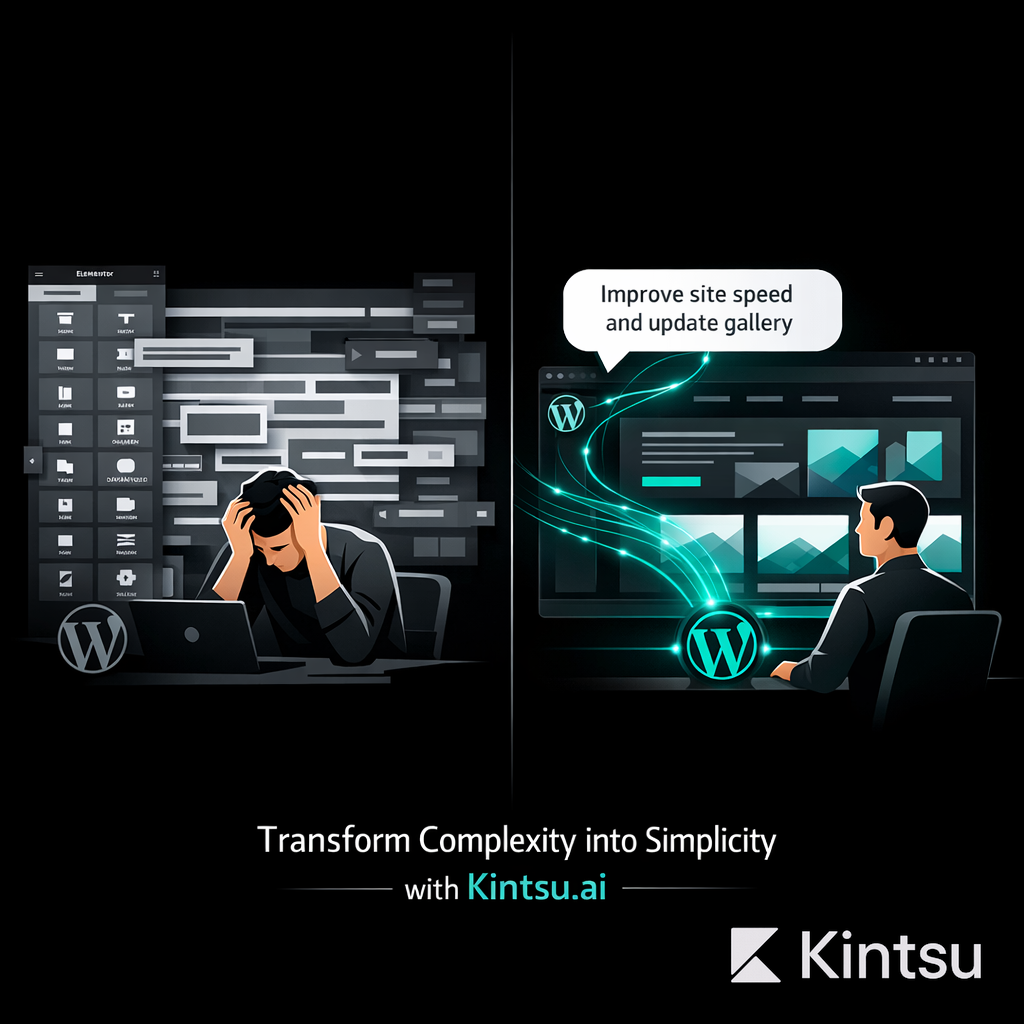
For the last decade, Elementor has been the default answer to "how do I design a WordPress site?" It democratized web design, allowing millions to build without code.
But in 2026, the problem has shifted. The problem is no longer building the site—it's managing it.
Site owners are tired of the "Elementor heavy lift": waiting for the editor to load, hunting through nested menus for a padding setting, and praying that moving a section doesn't break the mobile view.
Enter Kintsu.ai.
Kintsu represents a new category: The AI Operator. It isn't a replacement for Elementor's code; it is a replacement for Elementor's editor. Kintsu allows you to edit your Elementor site simply by asking.
But which one is right for your workflow? This guide breaks down the reality of managing WordPress in the AI era.
The Core Difference at a Glance
Feature | Elementor (The Builder) | Kintsu (The Operator) |
Primary Interface | Visual Drag-and-Drop Editor | Conversational Chat |
Workflow | Click, drag, tweak settings manually | Describe intent ("Change text to...") |
Learning Curve | High (Margins, Z-Index, Flexbox) | Zero (Natural Language) |
Risk | High (Easy to break layout/mobile) | Low (AI handles execution safely) |
Best For | Designing a page from scratch | Editing & maintaining an existing page |
Speed | Slow (Load editor → navigate → save) | Instant (Chat → Done) |
Deep Dive: Elementor
The Design Powerhouse (and the Operational Bottleneck)
Elementor is undeniable. It powers over 10 million websites. If you need to sit down for 5 hours and pixel-perfectly design a complex landing page with animations, parallax effects, and custom grids, Elementor is still the king.
The Problem:
Elementor was built for designers, not business owners.
Once the site is live, using Elementor for small changes is operationally heavy.
The "Loading" Tax: Opening the Elementor editor takes time and heavy server resources.
Menu Fatigue: Changing a button color requires knowing exactly which tab (Style vs. Content vs. Advanced) the setting lives in.
The "fear" factor: Clients and founders often refuse to open Elementor because the interface looks like the cockpit of a 747. One wrong drag can ruin the site layout.
Verdict: Essential for creation, painful for maintenance.
Deep Dive: Kintsu.ai
The "Headless" Interface for Elementor
Kintsu.ai takes a different approach. It acknowledges that your site is likely built with Elementor, but argues that you shouldn't have to enter Elementor to change it.
Kintsu connects to your WordPress site and "reads" the structure. When you say, "Change the hero headline to 'Welcome to 2026' and make the button blue," Kintsu identifies the specific Elementor widget and updates the parameters programmatically.
The Solution:
Zero UI Lag: You don't load the visual editor. You stay in the chat.
Intent-Based: You don't need to know where "padding" is located. You just say "give this section more space."
Safety Rails: Kintsu makes the specific change you asked for without accidentally dragging a column into the wrong row.
Verdict: The ultimate tool for daily operations and speed.
The "Better Together" Reality
Kintsu Edits Elementor
The most critical misunderstanding is thinking you must choose one. You don't.
Kintsu works inside Elementor.
If you built your site in Elementor, Kintsu respects that. It doesn't strip your code or break your layout. It acts as a specialized agent that knows how to manipulate Elementor widgets.
The 2026 Workflow:
Build the foundation in Elementor (or hire an agency to do it).
Manage the daily life of the site in Kintsu.
Example Scenario: Black Friday Sale
The Old Way (Elementor Only): Log in → Dashboard → Pages → Find Home → "Edit with Elementor" → Wait for load → Scroll to hero → Click text → Type new header → Click button → Go to Style tab → Change color → Check Mobile view → Update.
The New Way (Kintsu): Open Kintsu → Type "Update the homepage hero for Black Friday. Headline: '50% Off Everything'. Make the CTA button red." → Done.
Cost & Efficiency Analysis
Time to Execute a Simple Change
Elementor: 5–15 minutes (Login, load times, navigation, checking).
Kintsu: 30 seconds (Type and confirm).
Cognitive Load
Elementor: High. Requires visual focus and mouse precision.
Kintsu: Low. Requires only a text instruction.
Dependency
Elementor: Often requires calling a developer if the layout "shifts" unexpectedly.
Kintsu: empowers non-technical founders to own their content.
Conclusion: Which Tool Owns the Future?
If you are a web designer building 10 sites a month, you will always need Elementor. It is your canvas.
But if you are a business owner, a marketing manager, or a founder who just wants the site to reflect the business without fighting the technology, Kintsu.ai is the future.
We are moving away from "Drag and Drop."
We are moving toward "Describe and Done."
The Winner?
For Building the Site: Elementor
For Running the Site: Kintsu.ai