Elementor V4 Atomic Editor vs Kintsu.ai: Why a New Builder Still Can't Manage Your Existing Site
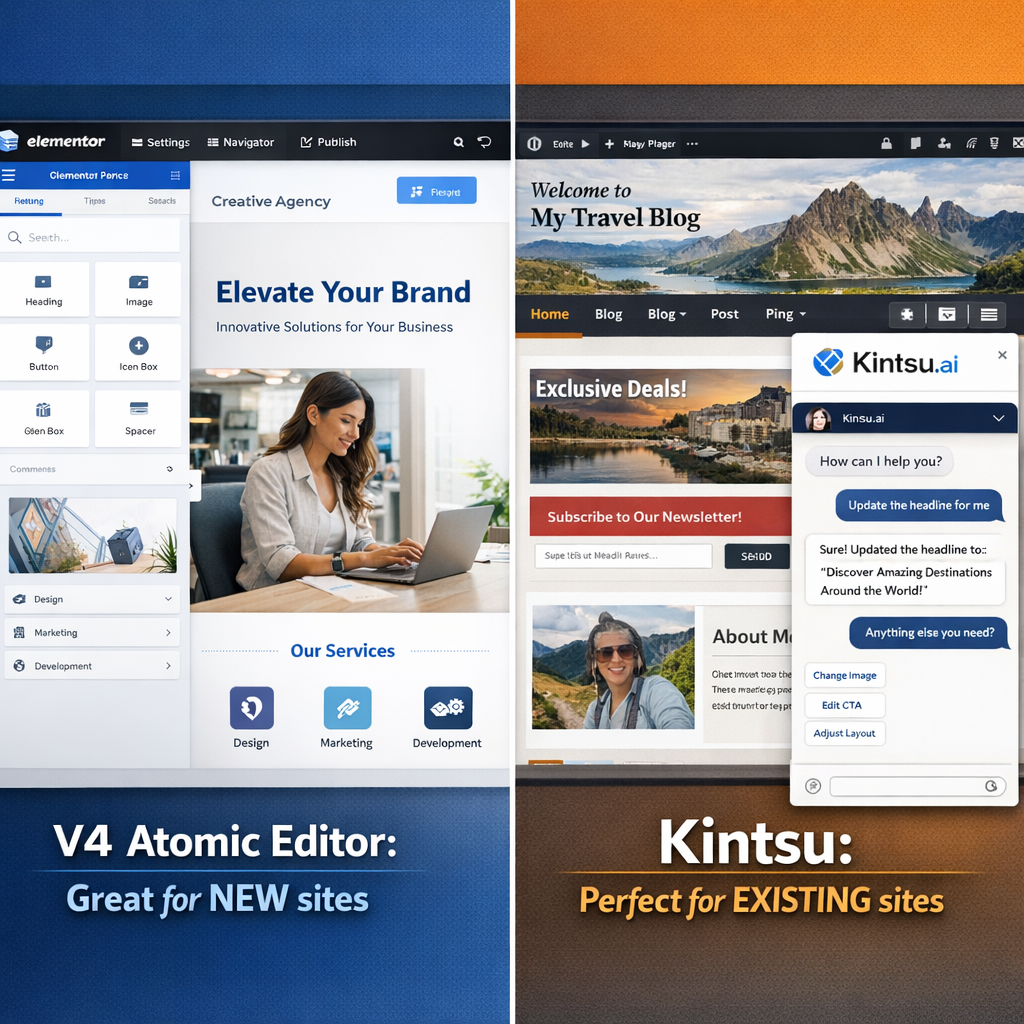
Elementor V4 Atomic Editor launches with impressive new features for building fresh WordPress sites, but existing site owners still need better solutions for daily content management.
⚠️ AI-Generated Content Disclaimer
Some content on this page was generated with the assistance of artificial intelligence. While we strive for accuracy, AI-generated content may contain inaccuracies or outdated information. Please verify any critical information independently. This content is provided for informational purposes only and should not be considered professional advice.
Elementor just launched V4 with their revolutionary Atomic Editor this week, and the WordPress community is buzzing with excitement. The new atomic framework promises to transform how we build websites with modular, reusable components and a CSS-first approach. But here is the reality check nobody is talking about: even with all these impressive upgrades, Elementor V4 still addresses only half the WordPress challenge.
While V4 excels at building NEW sites from scratch, it does nothing to solve the massive problem facing millions of WordPress site owners: efficiently managing and editing their EXISTING sites. That is exactly where Kintsu.ai bridges the gap that even the most advanced page builders cannot fill.
What Elementor V4 Atomic Editor Actually Delivers
Let us be clear about what Elementor V4 brings to the table. The Atomic Editor introduces a fundamental shift from the widget-based architecture of V3 to a component-driven system built on atomic design principles. Instead of isolated widgets with their own styling panels, V4 offers atomic elements that share a unified Style Tab across all components.
This CSS-first architecture means better performance, cleaner code output, and more consistent design systems. The atomic approach allows for modular building blocks that can be reused across projects with standardized styling patterns. For developers and agencies building multiple sites, this represents a significant workflow improvement.
Unified styling system across all atomic elements
CSS-first architecture for better performance
Modular, reusable components
Cleaner code output and faster loading times
Backward compatibility with V3 elements
The implementation is genuinely impressive. Elementor has maintained full backward compatibility, ensuring existing V3 pages, widgets, and content remain intact after activation. You can even mix V4 atomic elements with V3 widgets on the same pages without conflicts.
The Perfect Tool for NEW Site Development
For building new WordPress sites in 2026, Elementor V4 represents a major leap forward. The atomic workflow encourages better design practices, promotes consistency, and delivers the kind of performance optimization that modern websites demand. Web designers and developers starting fresh projects will find the component-driven approach intuitive and powerful.
The timing could not be better either. As WordPress continues to evolve with Full Site Editing and block themes, Elementor V4 positions itself as a modern solution that aligns with contemporary web development practices. The atomic editor feels like a natural progression for the platform.
The Existing Site Management Gap
But here is where the excitement hits reality: what about the millions of WordPress sites already running? According to BuiltWith data, over 11 million websites currently use Elementor. The vast majority of these sites were built over the past several years using V3 widgets, custom CSS, third-party plugins, and complex integrations.
While V4 maintains backward compatibility, it does not solve the fundamental challenge these site owners face daily: quickly editing content, updating information, fixing broken elements, or making routine changes without diving into the technical complexity of page builders.
Think about the typical WordPress site owner scenario:
A restaurant owner who needs to update their menu prices weekly
A consultant who wants to add a new testimonial to their homepage
A small business updating their team page after a new hire
An e-commerce store adjusting product descriptions and images
These users do not need atomic design systems or CSS-first architecture. They need simple, intuitive ways to manage their existing content without breaking their carefully crafted layouts.
Why Traditional Builders Miss the Mark
Even the most advanced page builders, including Elementor V4, operate on the assumption that users want to engage with visual editors, drag-and-drop interfaces, and complex styling panels. But research from the WordPress.org User Experience team consistently shows that most site owners find these interfaces overwhelming for routine content updates.
The atomic editor might be more organized than V3, but it is still a builder interface designed for building, not for quick content management. When you just need to change a phone number, update business hours, or swap out an image, launching the full Elementor editor feels like using a sledgehammer to hang a picture frame.
This is not a criticism of Elementor V4 or page builders in general. They excel at what they were designed to do: create complex, beautiful layouts with precise control over every design element. But that strength becomes a weakness when applied to simple content management tasks.
How Kintsu.ai Fills the Gap
Kintsu.ai approaches WordPress site management from a completely different angle. Instead of another visual builder, Kintsu provides an AI-powered chat interface that understands your existing site structure and can make precise edits through natural language conversation.
Imagine telling your website: "Update the price of the premium package to per month" or "Add Sarah Johnson as a new team member with her photo and bio." Kintsu makes these routine tasks as simple as sending a text message, while preserving all your existing design work, custom CSS, and complex layouts.
The key difference is contextual understanding. Kintsu analyzes your existing site structure, recognizes your content patterns, and applies changes intelligently without disrupting the design elements you have worked hard to perfect.
Natural language editing through AI chat interface
Preserves existing design and custom layouts
Works with any WordPress theme or builder
No need to learn new interfaces or workflows
Intelligent content pattern recognition
The Perfect Complement, Not Competition
The beauty of this landscape is that Elementor V4 and Kintsu.ai serve complementary purposes rather than competing directly. Smart WordPress professionals can leverage both tools for different aspects of their workflow:
Use Elementor V4 Atomic Editor when you are:
Building new websites from scratch
Creating complex page layouts and design systems
Developing reusable templates and components
Working on major redesigns or structural changes
Use Kintsu.ai when you need to:
Update content on existing sites quickly
Make routine edits without disrupting layouts
Handle multiple small changes efficiently
Edit sites built with various themes and builders
This approach recognizes that WordPress sites have different needs at different stages of their lifecycle. The WordPress Economics Report 2024 found that 73% of WordPress sites require regular content updates, but only 12% undergo major redesigns annually. Most site owners spend far more time managing existing content than building new layouts.
Looking Forward: The Future of WordPress Management
As WordPress continues to mature as a platform, we are seeing a natural specialization in tools and workflows. Page builders like Elementor V4 are becoming more sophisticated and powerful for design and development work. Meanwhile, content management tools are evolving to make routine editing more accessible and efficient.
The atomic editor represents an important step forward for WordPress site creation, but it also highlights the growing need for better content management solutions. The more complex our building tools become, the more important it becomes to have simple, intuitive ways to manage the sites we build.
For WordPress professionals, this means thinking strategically about tool selection. The best workflow combines the right building tools for creation with the right management tools for ongoing maintenance. Elementor V4 excels at the creation side of this equation, while AI-powered tools like Kintsu.ai address the management side.
Making the Right Choice for Your Workflow
If you are starting a new WordPress project in 2026, Elementor V4 deserves serious consideration. The atomic framework offers genuine advantages for building scalable, performant websites with modern design systems.
But if you are managing existing WordPress sites, or planning to manage the sites you build long-term, consider how you will handle the ongoing content updates and routine edits that every website requires. The atomic editor is a powerful creation tool, but creation is only the beginning of a website lifecycle.
Kintsu.ai offers a free tier that lets you experience AI-powered WordPress editing without commitment. Try it alongside your existing workflow and see how natural language site management can complement your building tools.
The future of WordPress is not about choosing between building tools and management tools. It is about using the right tool for each task and creating workflows that excel at both creation and ongoing maintenance.
Elementor V4 Atomic Editor represents the cutting edge of WordPress site building. But for the millions of existing sites that need daily care and feeding, the conversation is just getting started.