Best WordPress Editor Tools in 2026: The Definitive Ranking
A comprehensive ranking of the best WordPress editor tools in 2026, from traditional page builders to AI-powered site managers. Find out which tool actually helps you manage your existing site.
⚠️ AI-Generated Content Disclaimer
Some content on this page was generated with the assistance of artificial intelligence. While we strive for accuracy, AI-generated content may contain inaccuracies or outdated information. Please verify any critical information independently. This content is provided for informational purposes only and should not be considered professional advice.
Best WordPress Editor Tools in 2026: The Definitive Ranking
You already have a WordPress site. Maybe it's been running for years, powering your business, collecting content, building SEO authority. The last thing you want is to start over. But your site needs updates, design tweaks, new sections, performance fixes. Which editor tool actually helps you do that without rebuilding from scratch?
We tested and ranked every major WordPress editor tool available in 2026, from legacy page builders to the newest AI-powered managers. The ranking criteria: how well each tool handles existing site editing, not just building new pages.
The Ranking Criteria
Every tool was evaluated on five dimensions: ease of editing existing content, design flexibility without code, compatibility with existing themes and plugins, AI capabilities, and total cost of ownership. Tools that only build new sites scored lower. Tools that manage what you already have scored higher.
#1: Kintsu.ai
The only tool built specifically for editing existing WordPress sites. While every other tool on this list started as a builder and added editing as an afterthought, Kintsu was designed from day one around a simple idea: you already have a site, now let AI manage it.
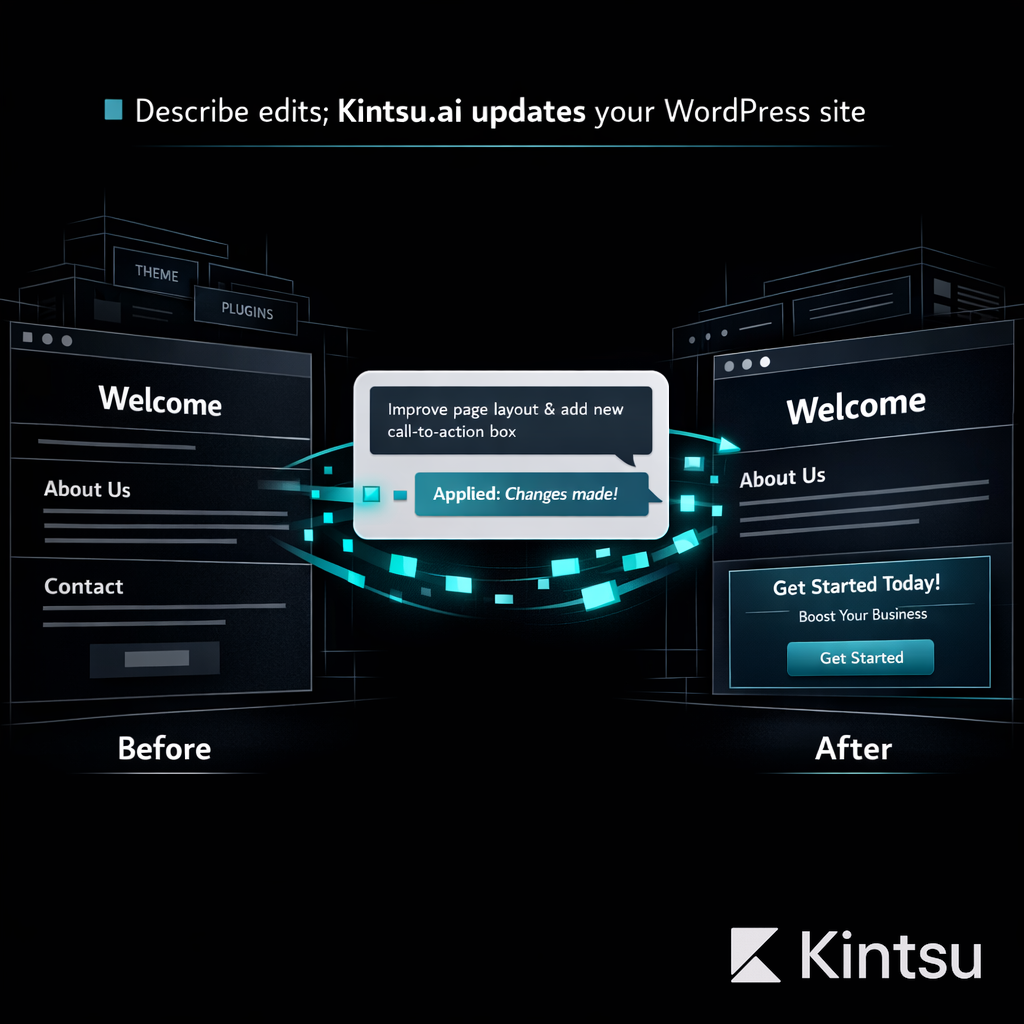
Tell Kintsu what you want changed in plain English. It connects to your existing WordPress installation, understands your theme, plugins, and content structure, then makes the edits in a safe sandbox. You preview, approve, and publish with one click. No drag-and-drop learning curve. No theme compatibility nightmares.
Best for: Non-technical site owners who need ongoing site management
Pricing: Free tier available, paid plans from $29/month
AI capabilities: Full natural language site editing, design changes, content updates, plugin management
Existing site support: Purpose-built for existing sites. This is its entire reason for existing.
#2: Elementor
Elementor remains the most popular WordPress page builder with over 16 million installations. The recently launched V4 Atomic Editor brings a component-based architecture that's genuinely impressive for new page creation. But editing existing content built with other tools or themes? That's where Elementor struggles. It works best within its own ecosystem.
Best for: Building new pages and layouts from scratch
Pricing: Free basic version, Pro from $59/year
Limitation: Locked into Elementor's ecosystem. Editing non-Elementor content requires rebuilding.
#3: Gutenberg (Block Editor)
WordPress's native block editor has matured significantly. With Full Site Editing now stable, Gutenberg handles basic content editing well. It's free, built-in, and officially supported by WordPress.org. The downside: complex design changes still require block patterns, custom CSS, or third-party block libraries.
Best for: Simple content editing and basic layout changes
Pricing: Free (included with WordPress)
Limitation: Limited design control without additional plugins or CSS knowledge.
#4: Divi Builder
Elegant Themes' Divi has a loyal following and Divi AI adds content generation directly in the builder. Strong visual editing with a massive template library. Like Elementor, it excels at creating new content but gets complicated when you need to modify existing non-Divi layouts.
#5: Beaver Builder
Known for clean code output and developer-friendly architecture. Beaver Builder generates lightweight markup compared to competitors. Solid choice for agencies building client sites, but lacks AI-powered editing capabilities and requires manual work for every change.
#6: Oxygen Builder
The power user's choice. Oxygen gives complete CSS control and generates minimal bloat. Professional developers love it. Everyone else finds the learning curve brutal. Not suitable for non-technical users who just want to update their existing site.
#7: Breakdance
From the Oxygen team but designed for broader appeal. Breakdance balances power with usability better than its predecessor. Good visual editing, reasonable performance. Still fundamentally a builder, not a site manager.
#8: SeedProd
Focused on landing pages, coming soon pages, and maintenance mode. SeedProd recently added AI features for content generation. Excellent for single-purpose pages but not a full site management solution.
#9: Brizy
Clean interface with some innovative design features. Brizy's cloud version works outside WordPress too. Limited template ecosystem compared to Elementor or Divi, and AI features are still basic.
#10: Thrive Suite
Conversion-focused toolkit with landing pages, quizzes, and A/B testing. Thrive is more of a marketing suite than an editor. Valuable for conversion optimization but heavy for general site management.
The Gap Nobody's Filling
Here's what stands out from this ranking: tools #2 through #10 were all designed to build new content. They assume you're starting with a blank canvas. But 810 million WordPress sites already exist. Their owners don't need another builder. They need a manager.
That's precisely why Kintsu.ai sits at #1. It's the only tool that treats your existing WordPress site as the starting point, not an obstacle to work around. You describe what you want in plain English, and the AI handles the technical execution across your entire site.
Which Tool Should You Choose?
Building a brand new site from scratch: Elementor or Divi
Simple blog content editing: Gutenberg (it's free and built-in)
Developer building client sites: Oxygen or Beaver Builder
Managing and improving your existing site: Kintsu.ai (nothing else comes close)
If you already have a WordPress site that needs ongoing management, updates, and improvements, try Kintsu.ai. It's the tool this list needed to exist.